Making Hopewake: the devlog
Every version of a game I'm making with Claude, from the first message to version 158: my notes in my own words, what changed, and screenshots.
I'm designing this game and playtesting it as it's built; Claude, Anthropic's AI, writes all the code. Each entry below is one round: my notes in my own words (trimmed, never reworded), what Claude proposed or built, and what changed. Times are New York time. Screenshots come from the build of their entry, using game states the test player reached. Build numbers count each playable build in order.
- From Jumpgate to a station and a frigateOct 16, 10:34 am to 12:07 pm
- The first playableOct 16, 12:18 pm to 12:30 pm
- Controls like an RTSOct 16, 12:56 pm to 1:05 pm
- Building the stationOct 16, 1:19 pm to 1:47 pm
- Belts, jobs and recipesOct 16, 1:56 pm to 2:21 pm
- Docking and the copper lineOct 16, 2:21 pm to 4:30 pm
- ComputeOct 16, 6:10 pm to Oct 17, 6:00 pm
- SignalOct 18, 1:27 pm to 1:27 pm
- First full runOct 18, 1:38 pm to 3:40 pm
- SunlightOct 18, 4:30 pm to 7:10 pm
- Storm seasonOct 18, 7:40 pm to Oct 20, 9:00 am
From Jumpgate to a station and a frigate
Oct 16, 10:34 am to 12:07 pm
On Jumpgate's second day Kraig rethought the moving factory: one home that stays put and a frigate that flies out to mine and haul. Claude asked one question at a time and he answered, about a minute an answer. Then it became its own game, Driftworks.
designmilestone
One home that stays put, and a frigate that goes out
“I'm also reconsidering like just the flying moving factory idea. And I'm starting to think we need to like actually start building more buildings and production chains. And to do that, it kind of needs like one home. So I'm thinking... we have like a very slow, stationary, drifting station. And that's where we build factory. And the player can control like a mining vessel that goes out with drones, has storage, has battery. So it has like a limited range. And that's what goes out and collects resources and hauls it back to the station for processing.”Kraig, 10:34 am
“And you can take the mining, like, we'll just call it like the frigate. So like the Rocinante out to do mining. You can take the Rossi out to attack. You can use it to defend if enemies are incoming. You can use it to advance the storyline, to like research debris and stuff. But it's like a hauler. So it goes and gets ice, it goes and gets ore... the factory will like have stores. You dump the ores and then it starts working and you go get more, or you stay and like repair the ship or refuel it or recharge the batteries as it's docked. And then once the ship is like good to go for another sortie, you figure out where you want to go based on your next bottleneck. I really like this idea. I think this is like the V2 of Jump Ship.”Kraig, 10:34 am
Claude: Midway through Jumpgate's second day, Kraig questioned its moving factory. Claude rewrote the plan around two bodies. A slow, drifting station is home, where the factory runs nonstop on power and does research with compute. A frigate with a hold, a battery and drones flies out for ore and ice and hauls it back. The loop: the factory hits a bottleneck, you pick where to go, mine, haul home, dock and recharge, and the factory runs on what you brought.
- A stationary station that drifts and never flies: the factory, its stores, power and research.
- A frigate you fly: a hauler with drones, a hold and a battery, so its range is limited.
- Every sortie is chosen by the factory's next bottleneck.
- Later the frigate also defends, attacks and investigates wrecks for the story.
design
Start small, and steer by questions
“we can head to like question mode to like smooth it out and steer it... obviously we'd start simple, start small, the least, just the simplest version of everything. So like the frigate is just like a tiny, like a drone, like a small, tiny drone probably to start. And well, we should just start as like a small ship. Also, I think we're AI. I don't know. Maybe we're a person. But like we can control everything with like God view with AI. But like our person is in our frigate. And our frigate is what has to survive... for mining, it should be like shooting the rock to break it apart so it's small enough to like grab. And I don't know if there's like a little drone that comes out of the main ship to like grab material to add it to the inventory, the hull... just start asking me questions one at a time so we can steer this.”Kraig, 10:39 am
Claude: Claude switched to asking one question at a time. What was settled from this first message: start as a small ship, with someone aboard the frigate, which has to survive. You see and control everything from a god view through the AI. Mining shoots a rock apart into pieces small enough to grab.
- Start with the simplest version of everything.
- Someone is aboard the frigate, and the frigate must survive.
- A god view: you control everything through the AI.
- Mining breaks a rock into pieces small enough to grab.
design
The first answers: tap to fly, a drone to fetch, a derelict to wake
Claude: Kraig's first answers in question mode. You fly by tapping where to go, and the frigate flies itself there. A little drone launches from the frigate from day one, grabs each broken piece and brings it to the hold. Home at the start is a derelict to restore, powered by burning ore, and the first goal is waking it.
- Tap where to go; the frigate turns, burns and brakes on its own.
- A small drone fetches each broken-off piece into the hold.
- Home is a derelict; its burner runs on ore; the first goal is waking it.
design
Eight more answers about the station and the frigate
Claude: The rest of question mode, one answer a minute. Items move between station modules on belts you lay, and layout and throughput are the puzzle. Modules go anywhere, with belts as free lines. The frigate's range is its battery alone, recharged from the station's power. Run it flat far out and it drifts home with nothing lost but time. The station keeps working while you're away. Ore lies in rings: iron close, copper farther, ice and silicon farther still. The derelict starts with a dead burner and a broken smelter. Research costs data cards the factory makes, plus compute.
- Belts between station modules, laid by you.
- Free placement for now, belts as free lines.
- Battery is the frigate's only limit; a flat battery means drifting home, not losing anything.
- The station runs on while you're out.
- Ore in rings outward from the station.
- Research needs data cards from the factory plus compute; later research needs every earlier card.
milestone
A new game: Driftworks
“let's rename it, rebrand it, because this is like a new game, new build, separate from Jump. It's taking some elements, but it's like a new game.”Kraig, 12:07 pm
Claude: V2 was set to be built fresh in its own folder with its own play link, borrowing Jumpgate's outline art, sound, playtest recorder and recipes, while Jumpgate stays playable as it is. Minutes later Kraig made it a separate game and picked the name Driftworks.
- A fresh build in its own folder, on its own play link.
- Jumpgate stays as it is.
- The name: Driftworks.
The first playable
Oct 16, 12:18 pm to 12:30 pm · v1–v2
Ten minutes after the rename: fly out, mine iron, haul it home and wake a derelict's broken burner and smelter. One more pass added a reason to spend iron and a long trip to copper.
v1milestone
Build 1: wake the derelict
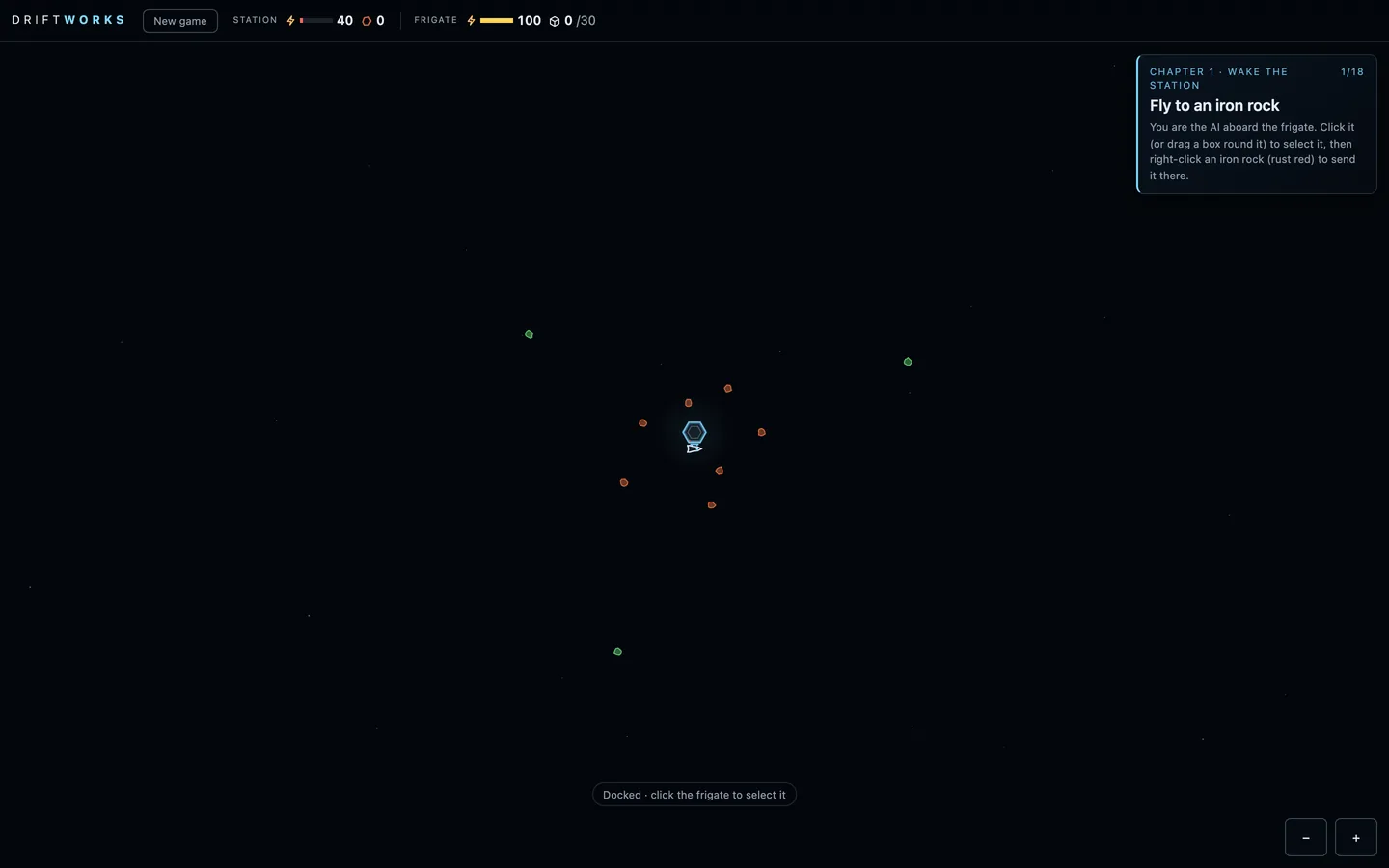
Claude: The first playable build, about ten minutes after the rename. The derelict sits at the centre, drifting very slowly, with a broken burner and a broken smelter on its hull. You fly the frigate out to the iron rocks close by. Its laser breaks off pieces and the drone carries them aboard. Back home it docks, unloads and recharges, and the ore repairs the burner and then the smelter. Six steps end with 10 iron made and the derelict awake. A test player runs the whole loop in about seven minutes.
- The station: stores, a battery and two broken modules.
- The frigate: a 30-ore hold, a 100 battery, a mining laser and one drone.
- Seven iron rocks close in, three copper rocks past 2 km.
- A six-step tutorial, from the first flight to 10 iron.
 (open full size)
The rings, zoomed out: iron close to home, copper far out. Published as “Build 1”
v2mechanic
A second chapter: spend iron, then go far
“one more pass and build”Kraig, 12:30 pm
Claude: Iron now buys something. 10 iron fits a bigger hold, 15 iron a bigger battery, and the bigger battery is what reaches the copper field. The new goal is to bring home 10 copper ore. Nine objectives in about twelve minutes for the test player.
- A bigger hold for 10 iron (30 to 50 ore).
- A bigger battery for 15 iron (100 to 180), enough for copper.
- Bring home 10 copper ore from the far field.
Controls like an RTS
Oct 16, 12:56 pm to 1:05 pm · v3–v7
From the first playtest on the Mac: a free camera, no menu, select-and-right-click orders, a harvester loop and pause or four times speed.
v3controls
A free camera, like a god
“we need to change the camera and, like, controls. So, like, you play the game moving the camera around with AWDS, and you can, there's no, like, home or frigate view. You can just control the frigate as, like, a movable character. And you can control anything, anywhere. So it's like a remote view, omniscient god mode.”Kraig, 12:56 pm
Claude: From his first playtest on the Mac. The camera no longer follows anything: WASD or the arrow keys pan it at a steady speed, and scroll or pinch zooms. The Home and Frigate buttons are gone. You command the frigate from wherever you happen to be looking.
- WASD and arrows pan; the camera never follows.
- No Home or Frigate views.
- Orders work from anywhere on the map.
v4controls
No menu, just the game
“let's just get rid of the menu at the front. I just want to play test like a super quick, simple version of this game. So just strip away everything we don't need. And I'm trying to start a new game and I can't.”Kraig, 12:58 pm
Claude: The start card and the menu came out. What's left is one New game button, tapped twice to confirm. It hadn't worked before because the play page blocks pop-up confirm dialogs.
- No start card and no menu.
- New game works: tap it twice.
v5controls
Controls like a real-time strategy game
“controlling the frigate should be like controlling a unit in any other real-time strategy game. The like two-finger alt click should be to send it to a new location on the map, and then just single clicking on the map should deselect the unit. I don't like that you just single tap and it goes... And I should be able to click and drag a box to select the unit instead of just clicking it.”Kraig, 1:00 pm
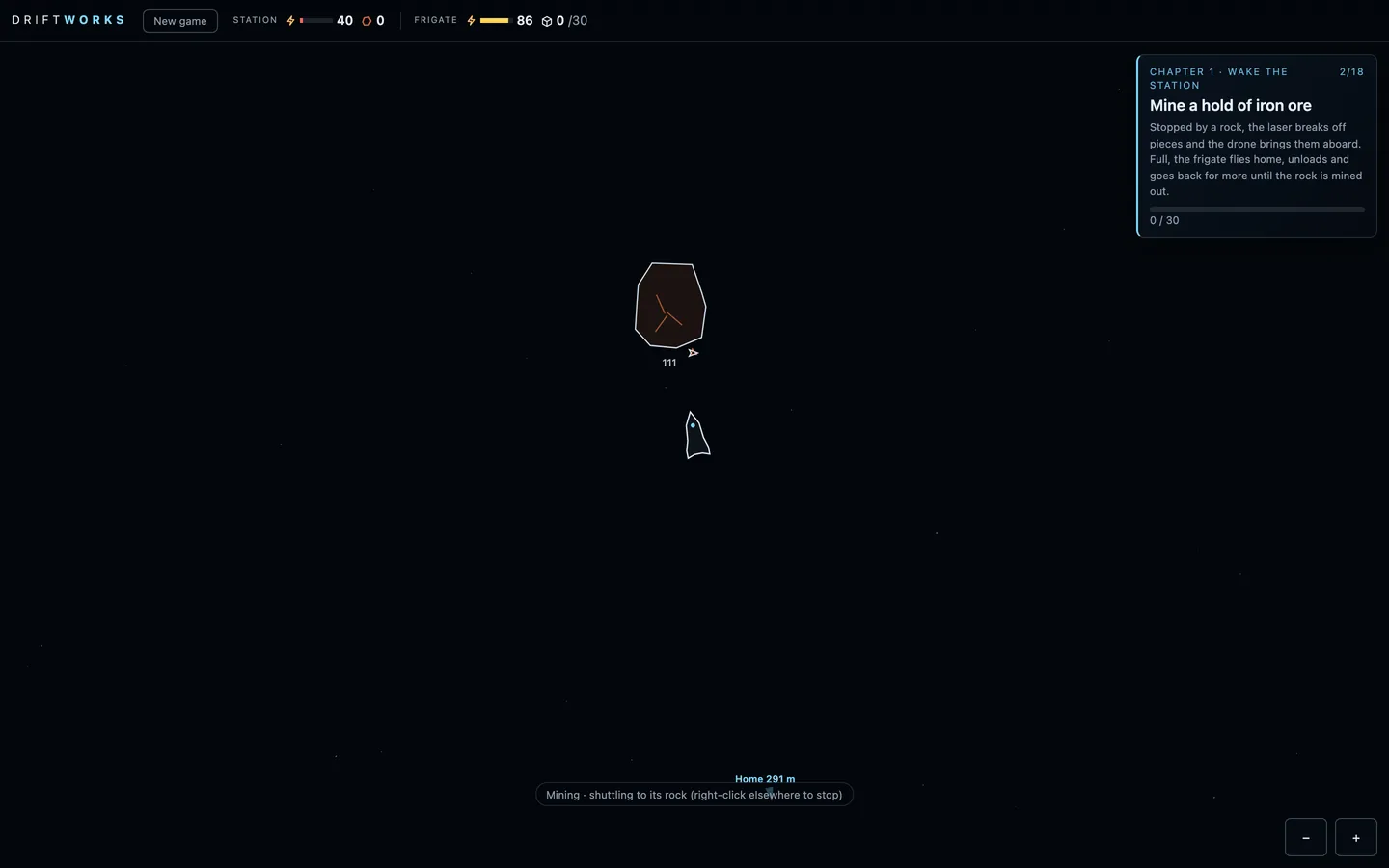
Claude: Click the frigate, or drag a box round it, to select it, and a green ring shows. Right-click (two-finger click) a rock, the station or empty space to send it there, with a green ping where it's going. Clicking empty space deselects. On a phone, a finger drag still pans.
- Click or box-select the frigate.
- Right-click to send it.
- Click empty space to deselect.
 (open full size)
Sent to the first rock: the laser breaks off pieces and the drone fetches them. v6mechanic
A harvester loop, like an RTS worker
“do another 10-minute pass of improvements”Kraig, 1:04 pm
Claude: Claude's own pass. Right-click a rock and the frigate keeps hauling that ore. When it's full, the rock runs out or the battery gets low, it flies home, unloads, charges and goes back. Any other order stops it, and Esc deselects.
- A rock order keeps the frigate hauling until another order.
- Esc deselects.
v7controls
Pause, and four times speed
“The speed overclock for time should just be pause 1 and 4. So hitting F just goes between 4 times and 1 time speed. And I think spacebar has to be pause for the game. I don't think we need, like, where's the ship?”Kraig, 1:05 pm
Claude: F toggles between normal speed and four times, Space pauses and resumes, and a badge shows PAUSED or x4. The camera still pans while paused. The key that jumped to the ship is gone.
- F: x1 or x4.
- Space: pause.
- No jump-to-ship key.
Building the station
Oct 16, 1:19 pm to 1:47 pm · v8–v13
Start with just the core and build every module yourself. Moving modules, a locked hex grid round the dock, belts as hexes tried, and a frigate that shuttles to one rock.
v8mechanicmilestone
Start with nothing but the core
“maybe you should just build the most simple version and then we'll do another playtest. So instead of repairing the two modules attached to the core, we should just start with the core. And I think the ship should be able to dock only with the core. For now. And I also want it to dock sideways, not engines in. And instead of repairing the modules, we're going to build the modules and also build the connector. Belt.”Kraig, 1:19 pm
Claude: The derelict's broken modules are gone. You start with the core alone, and the frigate docks side-on against a clamp on its lower face. You place a burner and a smelter yourself, and the drone builds them from the stores while you're docked. Then you join them to the core with belts. Modules only work through their belts.
- Start with the core only.
- The frigate docks sideways.
- Build modules instead of repairing them, and link them with belts.
v9design
Auto-hauling becomes an upgrade, later
“I like that you have to control the ship at the beginning and like being able to enable auto mining mode going back and forth between asteroids and the base should be something that we upgrade later. So let's just take that out for now.”Kraig, 1:22 pm
Claude: The harvester loop came out. A rock order mines until the hold is full and stops, and you fly every trip home yourself. The loop stays in the code for a future frigate upgrade.
- You fly every trip.
- Auto-hauling is saved for a later upgrade.
v10mechanic
Move modules, and watch the belts stretch
“you should be able to click on any module, and then in the menu there's a move option, and then you can like click and drag it... as you move it, you should see the belts update in real time. And if they get too far, the belts just like detach and the smelter is like separate.”Kraig, 1:26 pm
Claude: A module's panel has Move. The module follows the mouse, and its belts redraw as it goes. Past 120 m they turn red and dashed, and when you drop it there they detach, sending what was on them back to where it came from.
- Move any module.
- Belts stretch live and detach past 120 m.
v11designmechanic
A locked hex grid, and the core becomes the dock
“I'm wondering if the station should keep like a locked hex grid... just placeholder hexes so that we can space things out a little bit. But like organizing the hex grid for logistics is like a huge puzzle. And eventually you'll need to like be shifting and moving, selecting entire sections, pushing it out from the dock. I want to change the core to dock. So the AI is the frigate... the frigate is fine. And then the little drone is what comes out... the module within the hex is like a little smaller than the grid space, so that we can have some space between the modules to show the connections.”Kraig, 1:32 pm
Claude: Free placement gave way to a grid. Modules snap to hex cells around the dock, each a little smaller than its cell, leaving gaps for the belts. Free cells show as faint placeholder hexes. The core is called the dock everywhere, and the AI is now the frigate.
- A flat-top hex grid round the dock.
- Modules sit a little smaller than their cells, with room for belts.
- The core is the dock; you are the AI aboard the frigate.
- Later: shift whole sections out from the dock.
v12mechanic
Belts as hexes, tried
“What if the belts were hexes themselves? And eventually we would have like mergers or splitters as hexes as well.”Kraig, 1:43 pm
“let's make this update with the hex grid. And also you can just hide the hex grid during normal play. Only show it when I'm like building a new hex or moving a hex. Also, let's add a constructor module so that we can attach the smelter to a constructor to make iron plates.”Kraig, 1:43 pm
Claude: Belts became hex cells of their own that you lay in lines, and buildings that touch hand items to each other. You can only build next to something already there. The grid only shows while you're building or moving. A third module arrived: the constructor, which turns 2 iron into an iron plate.
- Belts as hexes you lay in lines; touching buildings pass items.
- Build next to the station only.
- The grid shows only while building.
- The constructor: iron into iron plates.
v13mechanic
Shuttle to one rock, then wait
“We should make it so the frigate continues to go back and forth to the one asteroid that it starts. But once it fully depletes that asteroid, it just waits at the dock.”Kraig, 1:47 pm
Claude: A rock order shuttles: full, the frigate flies home, unloads, charges and goes back to that same rock. When the rock is mined out it comes home and waits, and it never picks a new rock by itself.
- A rock order shuttles to that one rock.
- Mined out, the frigate waits docked.
Belts, jobs and recipes
Oct 16, 1:56 pm to 2:21 pm · v14–v21
Belt hexes came out within the quarter hour. Belts now run between touching modules, one per side, and every module starts empty. You pick its job and recipe, and each belt's item, from only the options that are real. Chapter 1 was refreshed, and music and a design pass arrived.
v14mechanic
Belts between modules, and modules you give a job
“we're not going to do belts as hexes. That's a bad idea. Mergers and splitters eventually will probably be hexes, like modules. But belts need to be built between modules. And they have to all start neutral. So you have to pick the direction, and you have to pick what item it can transport. You can only have two belts per side of the hex. And for each module, it starts neutral, and you need to pick what it does.”Kraig, 1:56 pm
Claude: Belt hexes came out about fifteen minutes after they went in. There is one kind of module now, built neutral, and you give it a job: burner, smelter or constructor. Belts join touching buildings across a shared side. You set each belt's direction and the item it carries, and nothing moves on a belt until both are set.
- Belt hexes removed.
- One kind of module; you pick its job.
- Belts across a shared side, set by hand.
- Items move only on belts.
v15mechanic
One belt per side, R to flip
“belts should start going one direction, but neutral. And you can, when you have it selected, you can just press R to rotate it between the two different options. And the game, for 8 out of 13... it shouldn't be bringing 10 iron to the dock. It should just be produce 10 iron... The smelter has like a small inventory... So the inventory is 10, I guess... And also, let's just do one belt per side, right?”Kraig, 2:04 pm
Claude: A new belt points from the building you had selected to the one you right-clicked, and R flips it. Each side takes one belt. The eighth goal is now to make 10 iron, kept in the smelter's own store of 10. Upgrades cost plates.
- Belts start pointing one way; R flips them.
- One belt per side.
- Make 10 iron instead of bringing it to the dock; modules keep 10 of what they make.
v16mechanic
Belts carry what their ends imply
“belts coming from the smelter only have one option, and that's whatever the smelter is making. So like the game should be smart about like asking you what you want to do with the belt based on what it's connect to and what it can do... So there's no selecting, and that's just what it does, right?”Kraig, 2:07 pm
Claude: No item picking: out of a module, a belt carries what that module makes, and out of the dock it carries what the receiving module uses. When nothing fits, the belt panel says why.
- Belts set their item from their ends.
- When nothing fits, the panel explains.
v17designart
Chapter 1, refreshed, with tube belts
“Let's just do like a refresh of the entire tutorial, chapter one, with the objectives adjusted to what we have now, because we're not bringing materials back to the dock... there's just one belt per side, and it should just be in the middle. Let's make them a little like tubes so that we can see the materials trading between them.”Kraig, 2:10 pm
Claude: Chapter 1, Wake the station, is 14 goals now. Fly out, mine and unload. Build a burner and belt ore to it, then power the station. Build a smelter and make 10 iron, then a constructor and 5 plates. Fit the bigger hold and battery, and bring home copper. Nothing has to go back to the dock: upgrades take plates from any module's store. Belts are tubes across the middle of each side, with the items visible moving inside.
- A 14-goal Chapter 1 for the game as it is now.
- Upgrades take from any module's store.
- Belts drawn as tubes with the items inside.
v18soundart
Music and a design pass
“take this time to do a quick design overhaul improvement, as well as add the background music. You can like copy it from the previous games we've made pretty much.”Kraig, 2:14 pm
Claude: Jumpgate's generative score came over. A low drone, pads and cold glass notes; a long sortie lifts it, docking resolves it, and finishing a chapter plays a small triumph. M mutes it. The design pass added a DRIFTWORKS wordmark and a glowing dock. Modules are tinted by job (burner amber, smelter steel, constructor blue) with a meter of what they hold. The goal card got a progress bar, and the panels got calmer.
- Background music, from Jumpgate's score.
- A wordmark, a glowing dock and modules tinted by job.
- A clearer goal card, panels and toasts.
v19mechanic
You always pick a belt's item
“I just attached the dock to my burner and it auto picked ore... What I meant is that when I connect a belt between two modules and there's only like one resource, that should be the only option that's available for me to click. I should always choose what resource or item goes through the belt.”Kraig, 2:16 pm
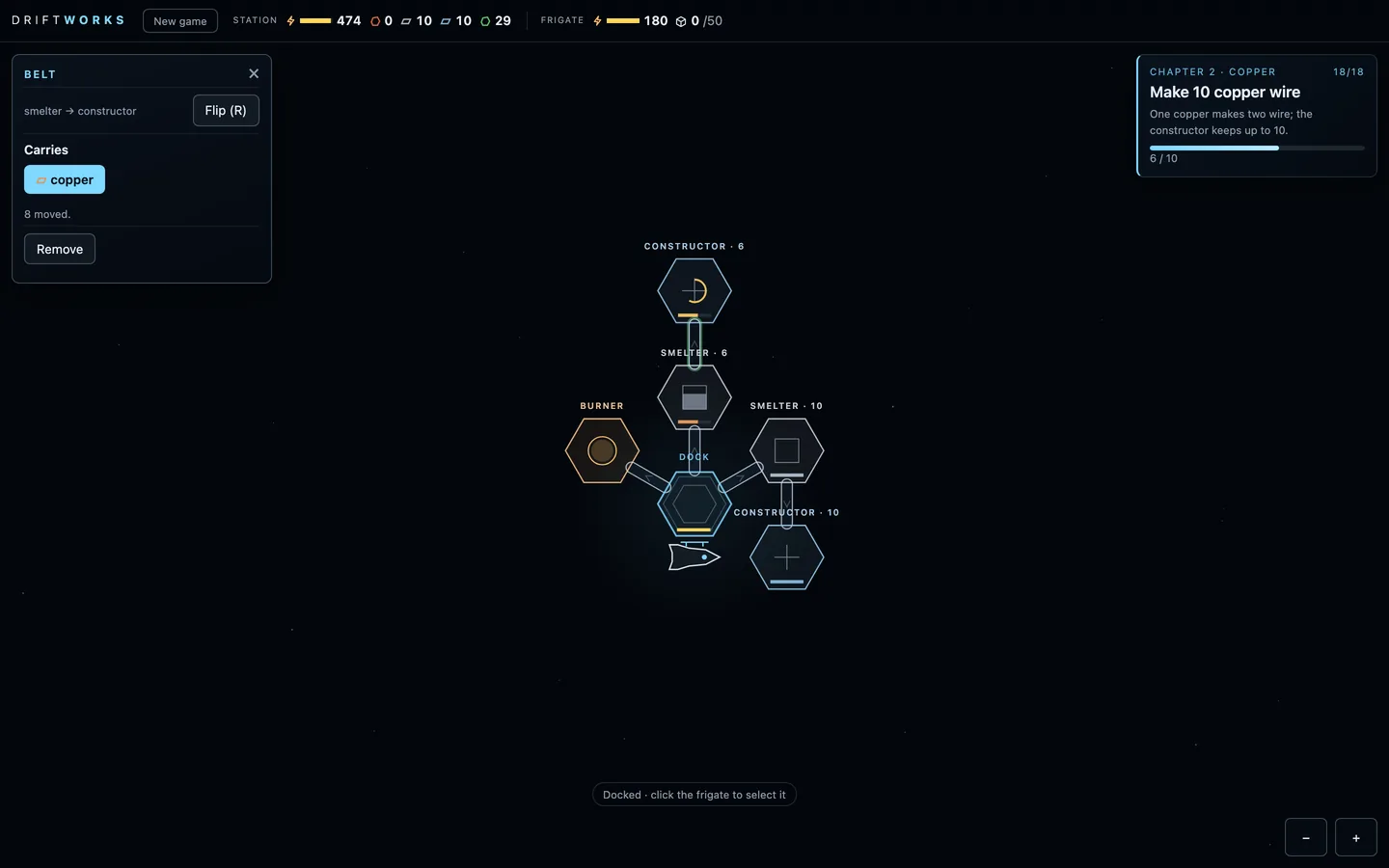
Claude: Every new belt carries nothing until you pick its item. The belt panel offers only what fits its ends, so there's often a single button, and you still click it. If nothing fits, it says why.
- New belts start empty.
- Only the items that fit are offered, even when that's one.
 (open full size)
A belt's panel: one item fits, and you still pick it. v20mechanic
Belt blueprints that build themselves
“if it places a module ghost blueprint, I should be able to put a ghost belt blueprint as well, and it'll just build it when it can.”Kraig, 2:17 pm
Claude: A new belt is always a blueprint first, a faint dashed outline, and it can go to or from a module that is itself still a blueprint. It builds itself once both ends are built and the dock can spare the ore. Jobs and belt items can be picked ahead of time, so a whole layout can be planned before it exists.
- Belt blueprints, built when they can be.
- Jobs and items can be set before anything is built.
v21mechanicdesign
Modules start empty, and only real options show
“the constructor automatically just picked iron plates to make out of iron. I should have to pick that. It should just start a neutral empty... we just want to limit what the player sees and what they can choose based on like their actual options.”Kraig, 2:21 pm
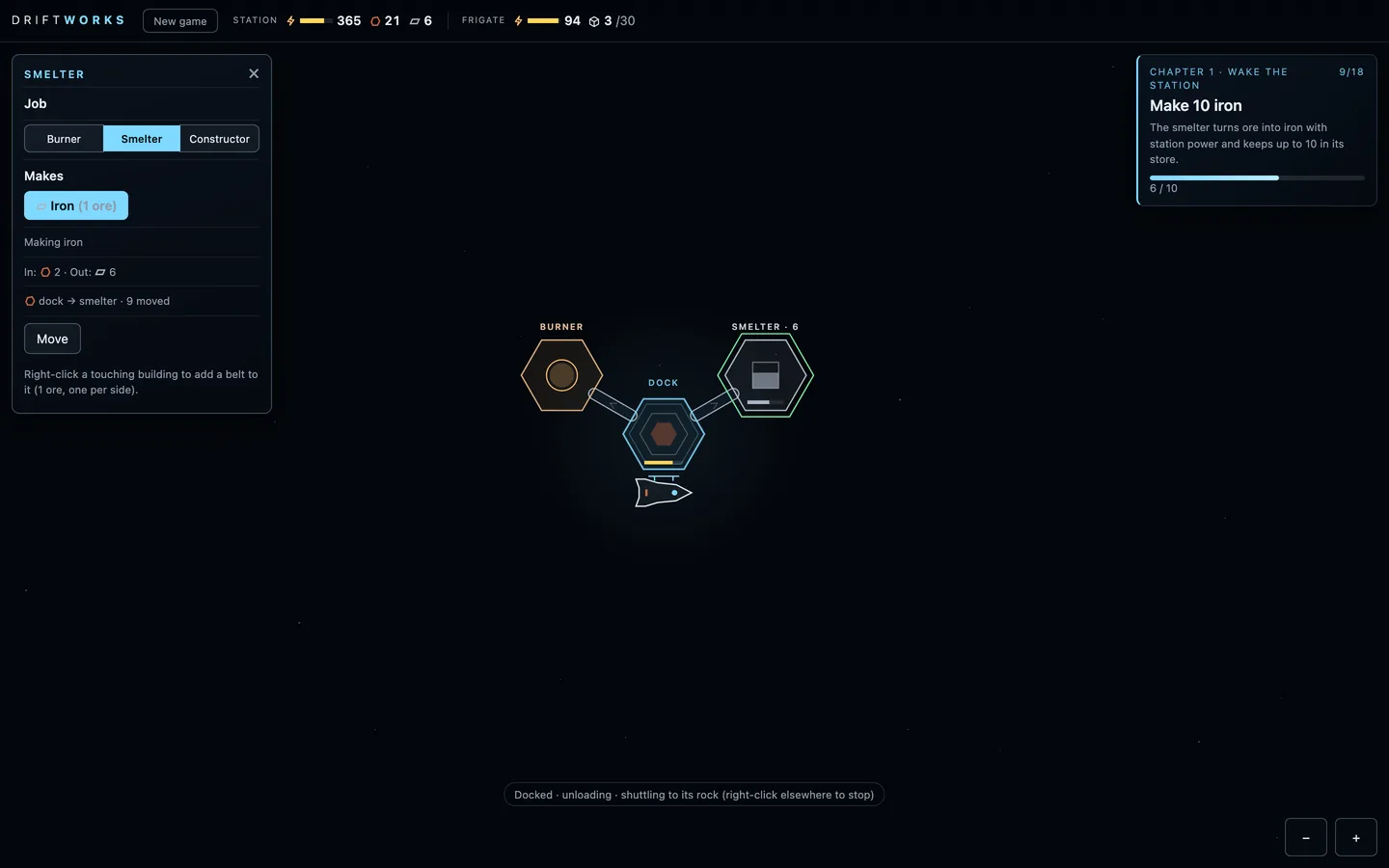
Claude: After its job, a module needs a recipe you pick: what the burner burns, what the smelter makes, what the constructor builds. Nothing runs until then. A job or recipe is only offered once you've actually had its input, so the choices grow as you do.
- A recipe to pick after the job.
- Only options you can really use are shown.
 (open full size)
A smelter's panel in Chapter 1: iron is the only recipe it can offer yet.
Docking and the copper line
Oct 16, 2:21 pm to 4:30 pm · v21–v30
Thrusters for the fine work so the frigate glides into the dock, and after Kraig finished Chapter 1, a second chapter with a copper smelter and a wire line.
v21mechanicart
Thrusters for the fine work
“The engines should light up for the like big movement of the flip and burn, but if it's moving a short distance or just like course correcting, it should have little thruster bursts that are just like light gray... so it can like dock easier... if it's flying into the dock, it should like thrust and turn or rotate so that it just like lands into the dock nicely.”Kraig, 2:21 pm
Claude: The main engine and the flip and burn are only for the long run now, and it brakes early enough to hand over smoothly. The last stretch, short hops and small corrections are on thrusters, light-grey puffs out the side opposite the push. On the way in the frigate turns to its arrival heading: side-on for the dock, nose to the rock for mining. No more overshooting and bouncing, and the trip to the first rock dropped from 46 seconds to about 30.
- Main engine for the long run, thrusters for the last 70 m and small moves.
- Light-grey thruster puffs.
- Turns to its arrival heading: side-on to dock, nose to the rock.
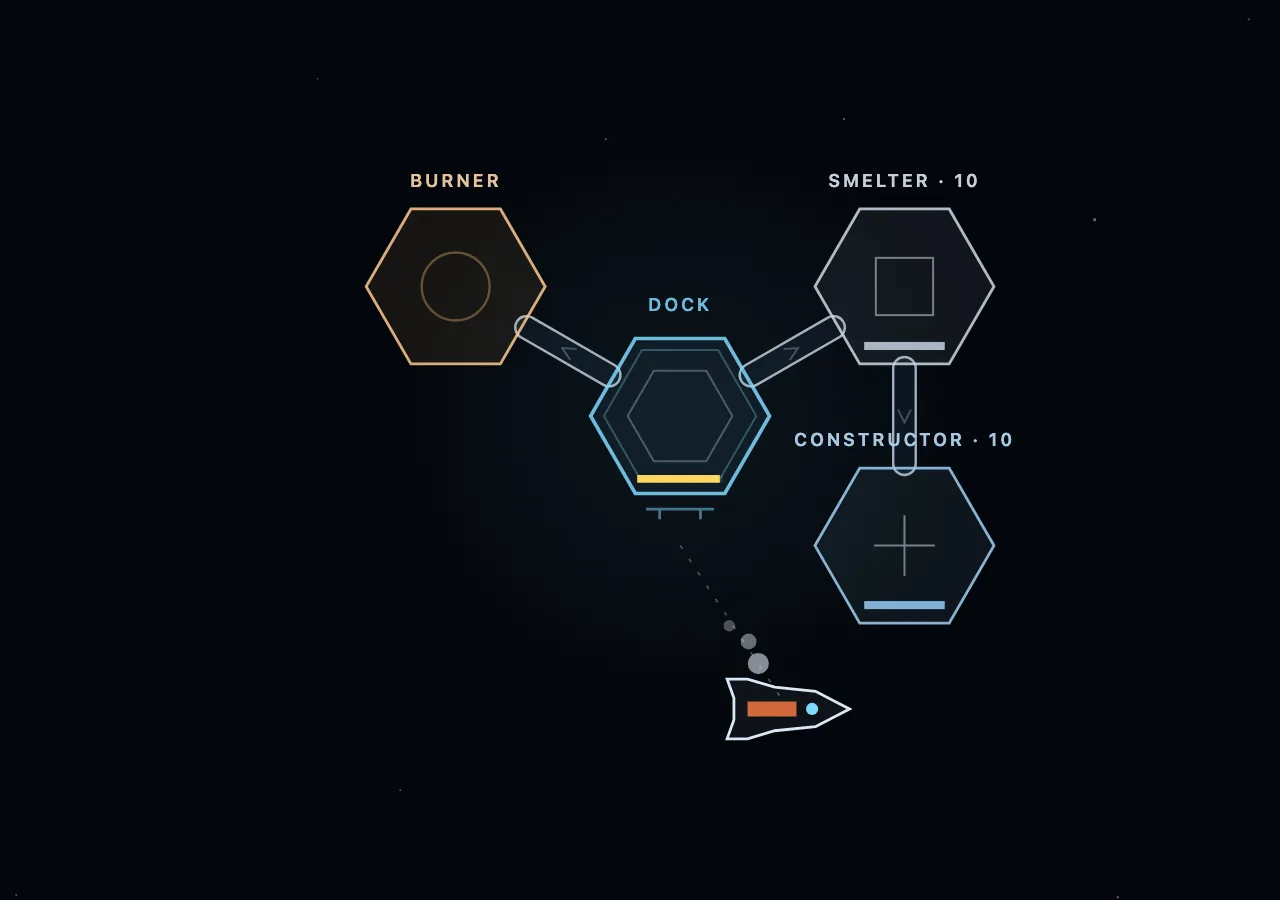 (open full size)
Coming in to dock on thrusters, side-on. v22milestonemechanic
Chapter 2: copper and wire
“I completed the chapter one. It's fantastic... Let's add on copper smelting, copper bars, or just copper, and wires. So we'll have a smelting and a constructing line for copper as well.”Kraig, 2:23 pm
Claude: Kraig finished Chapter 1. Chapter 2, Copper, follows the 10 copper ore you brought home. Build a copper smelter fed by a belt from the dock and make 10 copper. Then build a wire constructor fed from the copper smelter and make 10 copper wire, at two wire per copper. Finishing a chapter plays the small triumph. The test player gets through both chapters in 20 to 24 minutes.
- A copper smelting line and a wire line beside the iron ones.
- A chapter-complete moment.
- Both chapters in about 20 to 24 minutes for the test player.
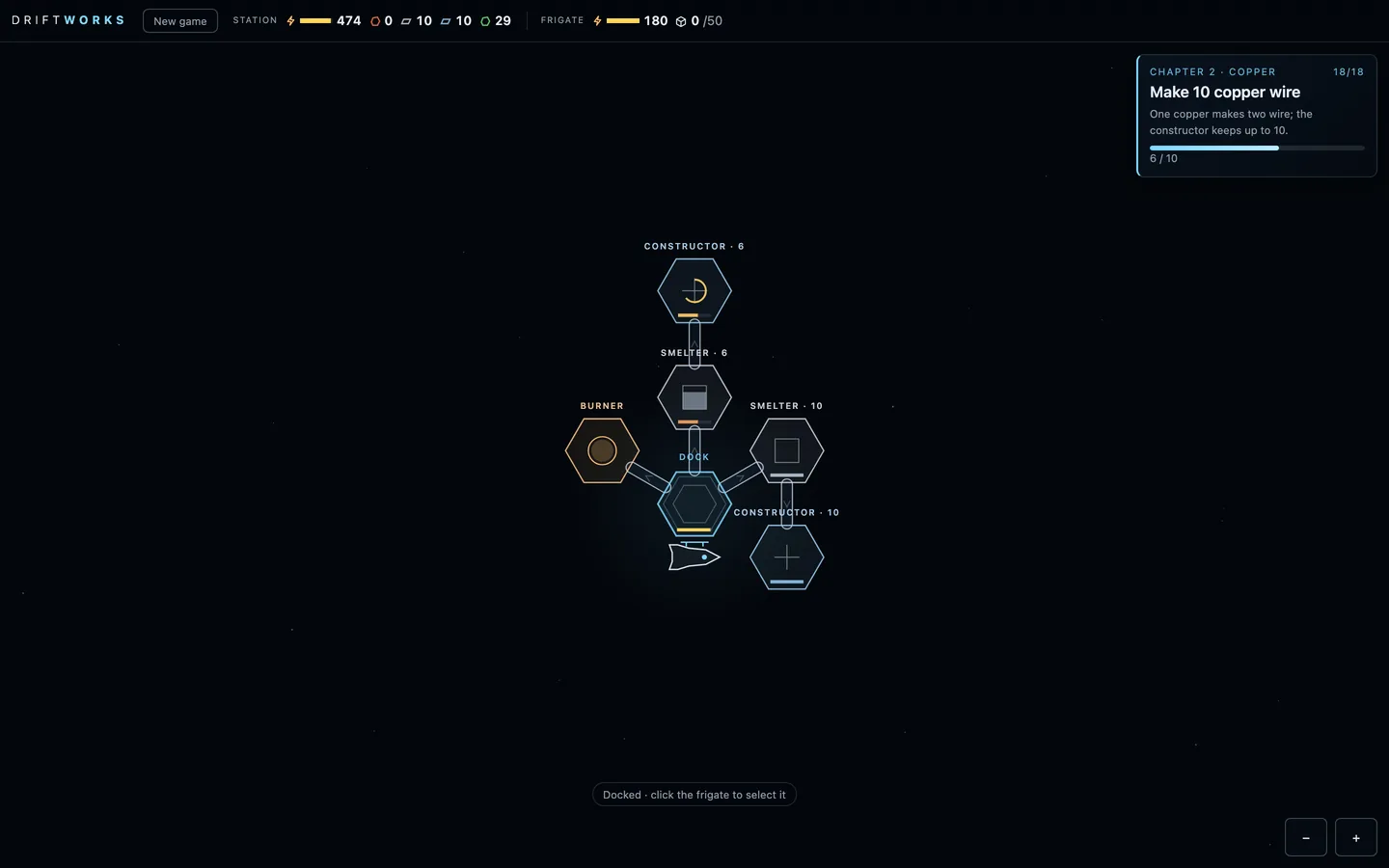 (open full size)
Chapter 2's two lines: iron to plates on the right, copper to wire above. 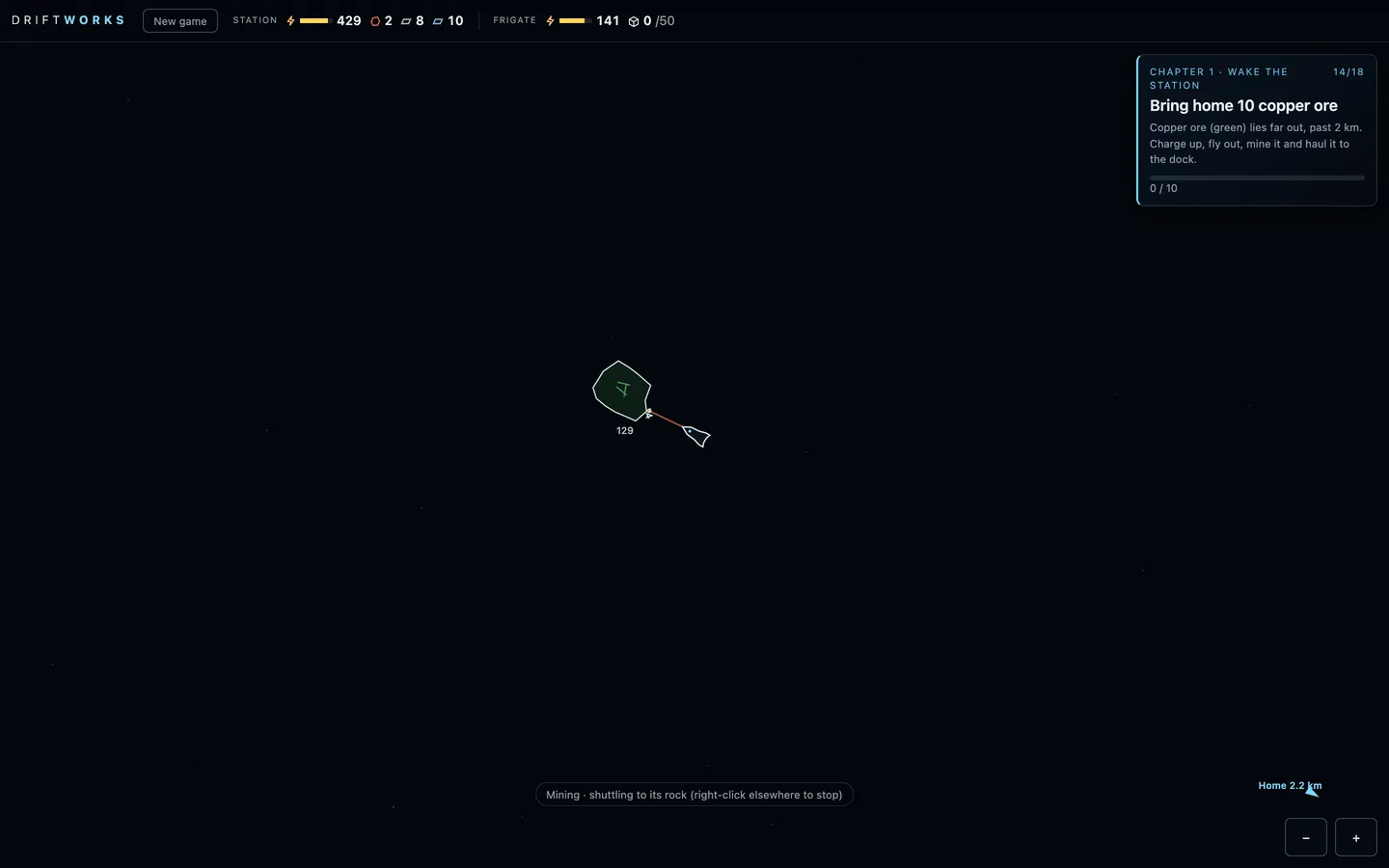 (open full size)
Mining copper 2.2 km from home. Published as “Build 22”
v23–v30playtestbalance
Fixes from the Chapter 1 playtest
“My dock ran out of power and my frigate ran out of power... I can't build the burner... a stalemate... We just should have more power... a lot of players would do this.”Kraig, 4:05 pm
“On auto mode, it shouldn't keep going if it knows it's going to fail.”Kraig, 4:20 pm
“The frigate battery should last just enough to go out to get the iron and back... a bigger battery for chapter 2... copper and back. That teaches you.”Kraig, 4:25 pm
Claude: Kraig's playtest found a trap: with both batteries flat at the dock, nothing could be built and nothing could fly. The station now starts with more charge, and the drone's work while docked costs nothing, so the trap can't close. The 'unload at the dock' goal now completes on the first unload. A frigate hauling on its own now waits at the dock until it has charge for the whole round trip, and a manual order warns when the battery looks short. The starting battery reaches the iron field but not copper, so the bigger battery is what opens the copper run. The Rocinante-style frigate drawing also got simpler and smoother.
- No power stalemate: more starting charge, free docked drone work.
- Auto hauling waits for enough charge; manual orders warn.
- The starting battery reaches iron only; the bigger battery opens copper.
Compute
Oct 16, 6:10 pm to Oct 17, 6:00 pm · v31–v34
Sound that follows the camera, a frigate that docks without spinning, and Chapter 3: data cards, compute, heat and radiators, chained burners and the lab.
v31mechanicsound
Sound follows the camera, and no last-second spin
“The frigate should just dock at its destination, like in the same orientation that it's approaching... there's no up or down in space, so any direction is fine, even for the dock back at the station.”Kraig, 5:40 pm
“We shouldn't hear the frigate mining if we're zoomed in on the station. Like, where our camera is should dictate what we hear.”Kraig, 5:55 pm
Claude: Mining, pickups, docking and repairs now play at full volume while they're on screen and fade out over about one more screen beyond the edge, so the camera decides what you hear. The frigate keeps the heading it arrives on, at rocks and at the dock, and rests a little further out when it docks nose-first so the hull clears the core. A test checks it doesn't turn in the final stretch. This version also brought the first Chapter 3, with data cards and research.
- World sounds fade with distance from the camera.
- The frigate arrives and docks on its own heading, no final spin.
- A first Chapter 3 with data cards and a data center.
v32milestonemechanic
Chapter 3: Compute
“For the data centers, it should make heat... a number that builds up in the data center... heat is just like different, it just needs to connect to the radiator.”Kraig, 6:20 pm
“I'd like to daisy chain the burners together. Like, should we be able to transfer ore through a burner to another burner? I think we should.”Kraig, 6:30 pm
“We feed those cards to the data center. But those cards are used by the data center to make compute, which then we can spend for research.”Kraig, 6:45 pm
“At the end of chapter 3, you build a lab after the data center. And it can be anywhere on the station... all it does is burn compute.”Kraig, 7:05 pm
Claude: Chapter 3 became a chapter about compute. A constructor makes data cards from plates and wire, and a data center turns them into compute, which it stores up to a limit. When it's full it stops taking cards, so the card line backs up like any other. Converting makes heat. A radiator touching the data center connects itself with a short heat pipe and keeps it cool; without one, compute slows to a crawl. The data center draws so much power that one burner can't keep up and everything slows evenly, so the fix is a second burner fed with ore through the first. The chapter ends when you build a lab, which spends compute on research from anywhere on the station. Compute is stored by tier, ready for harder cards later. New modules now cost plates and wire, and modules show just an icon and a status light when you zoom out. A quiet factory hum plays when you look at the station.
- Data cards, compute stored in each data center, heat and automatic radiator links.
- Burners pass ore to each other; power shortages slow everything evenly.
- The lab and the research card; Chapter 3 ends at the lab.
- Modules cost what you make; zoomed-out icons and status lights; a factory hum.
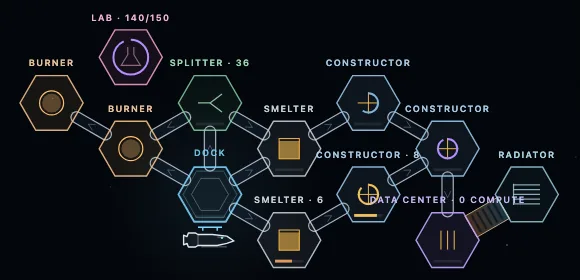 (open full size)
Chapter 3's station: cards into a data center, its radiator joined by a heat pipe, and a lab. 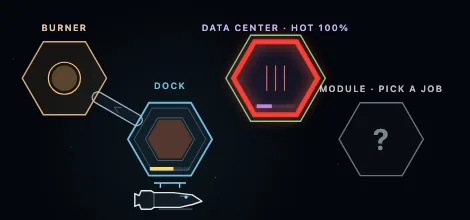 (open full size)
No radiator touching it: the data center runs hot and compute slows. v34balancetest
Chapter 3: plates shared fairly, and builds you can't pay for yet are ordered
“If we have a splitter outputting the plates to different places, then each would get the equal amounts, right? It's just a splitting issue. We don't want one machine getting everything. We want it to be spread out between all the machines.”Kraig, 5:27 pm
Claude: Belts and splitters already shared evenly: a module with several belts out sends from the one that sent longest ago, and a splitter takes turns between its belts and skips one that can't take. The squeeze was the build costs. The data center, radiator, second burner and lab were paid all at once, the moment you picked them, from the dock and the modules' stores. The belt to the card constructor takes each plate a second after it's made, so the store never reached 10 plates and the job was refused again and again. Now a job or recipe you can't pay for yet is ordered instead of refused. The order collects its plates and wire one at a time and takes turns with the belts, so the card constructor and the build split the plates evenly. Paid in full, the job is set; pick something else or remove the module and what it collected goes back to the dock. The test player also changed: after the 10 data cards it takes the card constructor's feed belts off until the lab is built, and it stops going back for copper once copper is stocked. Over ten maps it finishes Chapters 1 to 3 in 29.9 to 34.9 minutes, down from 32.6 to 39.0. Without pulling the card belts it takes 33.1 to 38.6: fair sharing alone doesn't save time, because the card line still turns about 60 iron ore into 25 cards when 10 get read.
- Plates are shared fairly: a job or recipe you can't pay for yet is ordered, collects its items one at a time and takes turns with the belts. The module panel shows what it has so far.
- Cancelling an order or removing the module returns what it collected to the dock. Paste stays all or nothing; frigate upgrades still pay at once.
- Test player: after 10 data cards it pauses the card line until the lab is up, and makes no extra copper trips once copper is stocked.
- Open for Kraig: the card constructor keeps making cards nobody reads (25 for 10), so a player who leaves it running spends about 60 more iron ore in Chapter 3.
Signal
Oct 18, 1:27 pm to 1:27 pm · v35–v35
Chapter 4, the first slice of the research tree: decode a signal from the vanguard, scale the station, and keep it powered.
v35milestonemechanicbalance
Chapter 4: decode the vanguard signal
“Our first set of research should just cause us to want to beef up the production and scale what we already have so that it operates quicker.”Kraig, 9:00 pm
“Maybe you need to add a third burner or maybe even a fourth just to keep up with the power demand because we're scaling things up so that we can get research going as a trickle.”Kraig, 9:00 pm
“We're past the tutorial now, and the player has a lot of options to solve the problems and needs to figure out themselves. So objectives should now be advancing the story.”Kraig, 9:00 pm
Claude: Building the lab now finishes Chapter 3 with its toast and music, and Chapter 4 opens with one goal: decode a faint telemetry burst from the vanguard jump gate. Decoding is research at the lab, 400 compute, and it's heavy work: a lab decoding draws 10 power a second, so two burners can't carry it and the whole station slows. The fix is a third and a fourth burner chained through belts. Four burners eat ore faster than the frigate's 50-ore hold brings it, so the dock now offers a cargo refit: a 100-ore hold, bigger pieces off the rock and a faster drone. The dock holds 150 of each ore, and a new research, Station storage, adds a module that holds 100 of one item, fed and drawn by belts, which builds and upgrades can spend. Frigate upgrades can now be ordered like jobs and collect their plates as they're made. A ring of bigger iron rocks lies further out for when the near ones run dry. Past the tutorial, the goal card no longer says what to do step by step: only what's in the way. The test player finishes Chapter 4 in 15 to 19 minutes.
- Chapter 4 · Signal: one story goal, decode the vanguard signal (400 compute at a lab; a lab decoding draws 10 power a second).
- Station storage research: a Storage module holds up to 100 of one item; belts fill and draw it; builds, upgrades and blueprints can spend it.
- The cargo refit at the dock: 100-ore hold, 5-ore pieces, a faster drone. Frigate upgrades can be ordered.
- The dock holds 150 of each ore; an outer ring of bigger iron rocks, 750 to 1,100 m out.
- Fixed: the 'Build a constructor' goal card no longer shows an empty research bar.
- Open for Kraig: Chapter 5 (solar, silicon wafers and silicon mining) is designed and kept as notes.
First full run
Oct 18, 1:38 pm to 3:40 pm · v35–v47
Kraig plays chapters 1 to 4 end to end and sends notes as he goes; the game gets a new name, a sensor, research that eats data cards, ship upgrades by research, and a steadier pace.
v35milestone
A new name: Starhex
“i want to rebrand the game. ideally one unique word. like "Stellarus" but having to do with the story or mechanics of the game.”Kraig, 1:35 pm
“starhex”Kraig, 1:38 pm
Claude: Kraig asked for one made-up word tied to the story or the mechanics. Claude offered six: Cogitara, Ferrovox and Signara, then Oremind, Hexwake and Expergia (a seventh, Hexara, was already a puzzle game on Steam). Kraig picked his own instead, Starhex: a station out among the stars, built on a hex grid. A web search found no game by that name. Only the title changed: saves, settings and playtest recordings carry over, and the play link stays the same.
- The name: Starhex (was Driftworks).
- The same play link, save and playtest recordings.
v36visual
Support beams
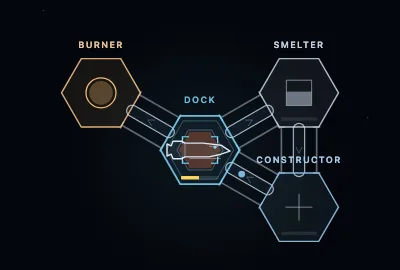
“i think all adjacent modules should have two thin support beams holding them together. belts appear between them in the middle once built”Kraig, 1:41 pm
Claude: Drawn as two thin steel struts across each gap between touching buildings, near the ends of the shared side, with the belts running down the middle.
- Every built module and the dock it touches are joined by two thin support beams.
- Belts and heat links run between the beams, in the middle.
- A blueprint gets its beams once it's built.
 (open full size)
Two struts on every shared side; the belt runs between them. v37mechanic
A sensor, and the frigate's reach
“i don't think we should see the copper astroids in chapter 1. maybe the start of chapter two is building a sensor which then allows us to see far enough to reveal the astroids in a radius”Kraig, 1:44 pm
“selecting the frigate should show a slight diameter of its current possible roundtrip”Kraig, 1:45 pm
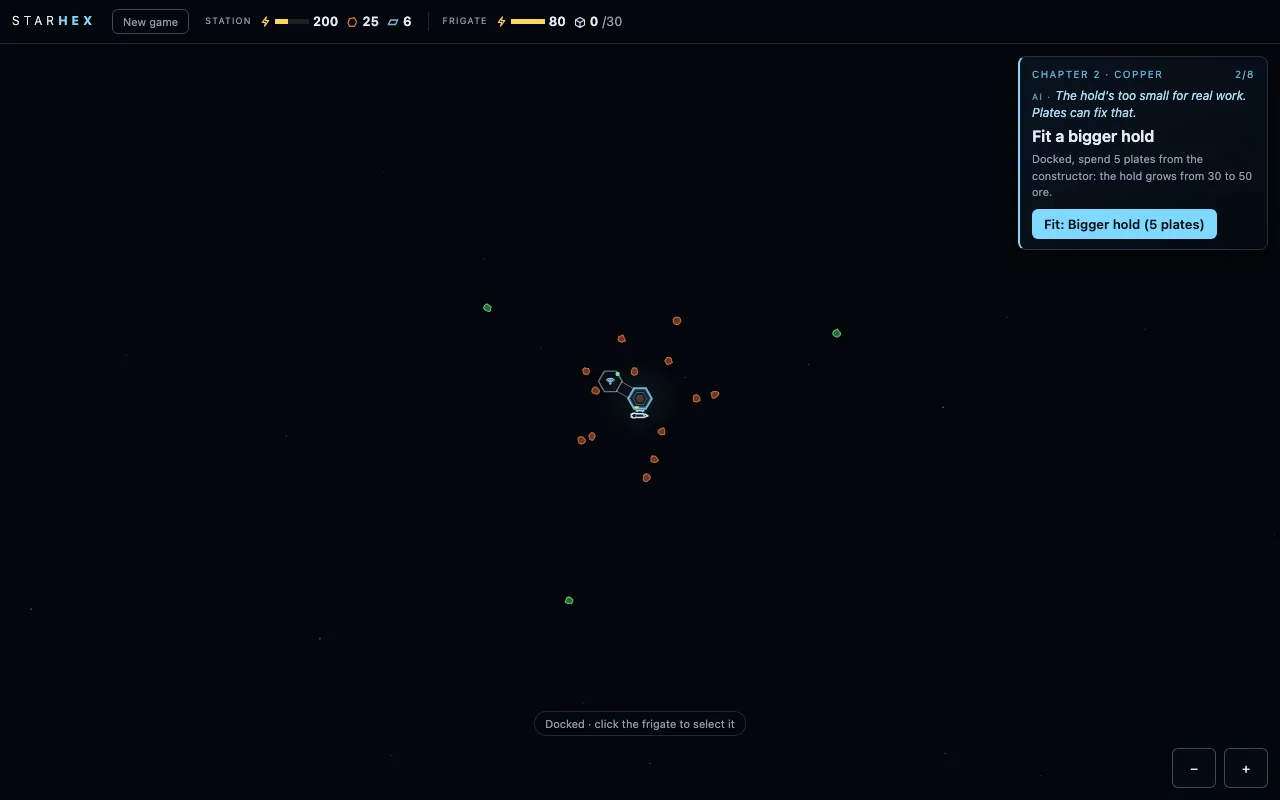
Claude: Rocks now show only once they've come within sight. Chapter 2 opens with a new goal, Build a sensor, and its first sweep rushes out and reveals the copper field. With the frigate selected, a faint outline shows how far it can go and still get home.
- Copper is hidden in chapter 1.
- Chapter 2 starts with Build a sensor: a module that sweeps out to 3.6 km and reveals every rock in range.
- Selecting the frigate shows its reach: a whole mining trip when docked, the way home when out.
 (open full size)
The sensor's sweep shows the copper field. 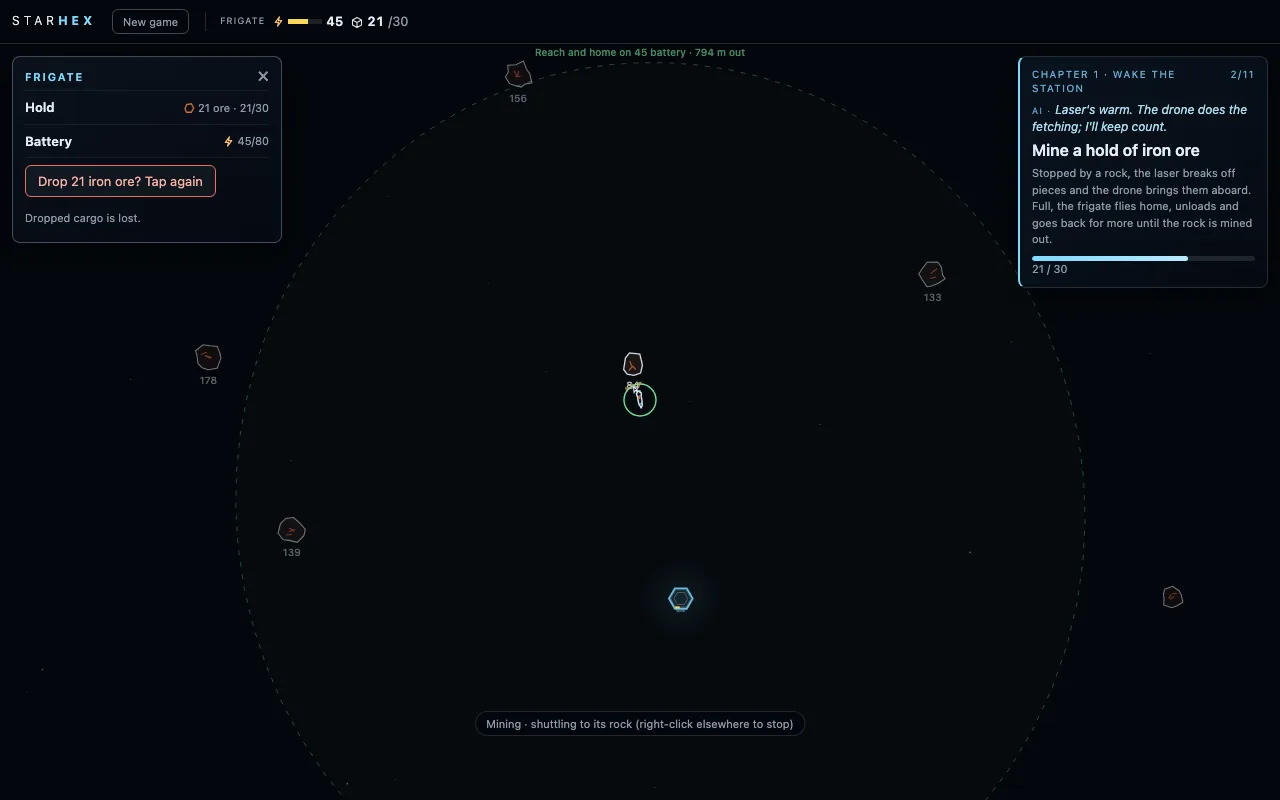 (open full size)
Its reach on the battery it has left. v38controls
Q makes a ghost
“pressing q over a module or any item should create a ghost that you can build”Kraig, 1:52 pm
Claude: Q over a module picks up its job and recipe as a ghost under the cursor; each click lays a blueprint that takes that setup once the drone has built it.
- Q over a module: a ghost with its job and recipe follows the cursor.
- Each click lays a copy; Esc, a right-click or Q again puts it away.
v39balance
Just enough battery
“the battery of the frigate for chapter 3 should be just enough for one roundtrip to copper astroid and back”Kraig, 1:53 pm
Claude: Sized from the trip estimate the game already uses for auto mode: one full charge is one copper trip.
- The frigate's battery is sized for exactly one copper round trip.
v40interface
A steady top bar
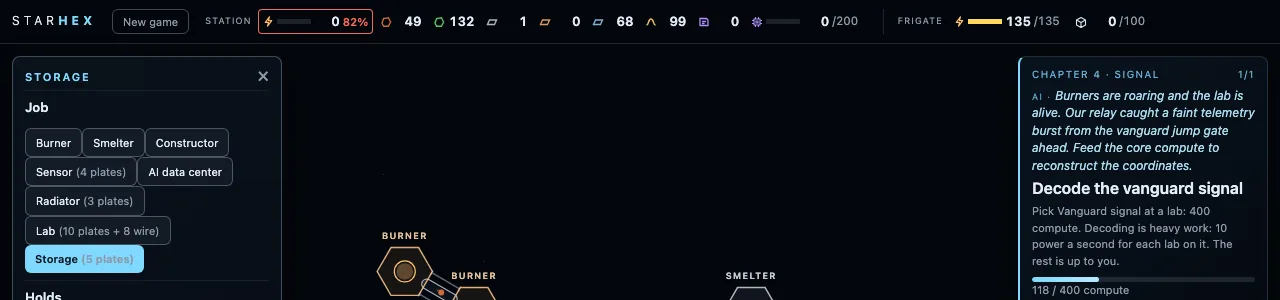
“we need to fix the top bar info read out. give an overall improvement for it with hover over details. keep the main bar as minimal as possible yet gives all required info. shouldn't bounce around as numbers change”Kraig, 1:58 pm
Claude: One chip per thing, always in the same order, each number in a fixed-width slot, so nothing shifts as values change. Hover (or tap) for a live detail card.
- Station power with a trend arrow, then each item, then the frigate's battery and hold.
- A chip stays once it has appeared, even at 0.
- Hover or tap a chip for its details.
 (open full size)
Every number in its own fixed slot. v41mechanic
Docking over the middle
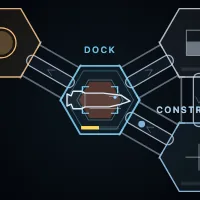
“i want the frigate to dock over the middle of the dock module leaving all 6 sides free for building”Kraig, 2:00 pm
Claude: The frigate now docks on the dock's centre, with small cradle brackets lit while it's in, and the side below the dock takes a module like the others.
- The frigate docks over the dock's middle.
- All six sides of the dock are free to build on.
 (open full size)
Docked in the middle, six sides free. v42interface
Drop inventory
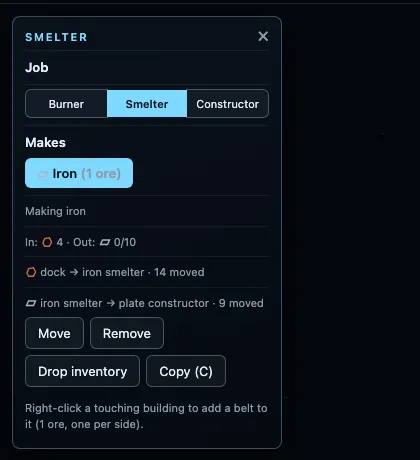
“every module should have a "drop inventory" button. change the button for ship”Kraig, 2:02 pm
Claude: Two taps, like the frigate's: what a module holds goes out into space and is lost.
- Every module and the dock have Drop inventory.
- The frigate's Drop cargo is now Drop inventory too.
 (open full size)
Drop inventory on a module's panel. v43mechanic
A job is for good
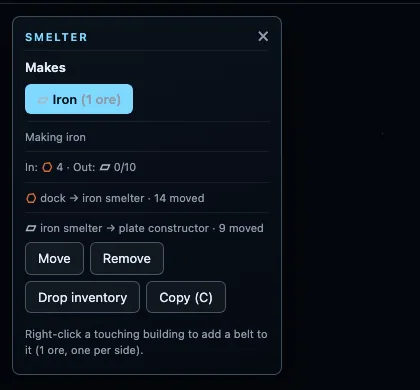
“i think once a module is built, it shouldn't be able to change so we can get rid of these options”Kraig, 2:04 pm
Claude: Once a module has a job the job list is gone; to make it something else you remove it and place a new one. Extra smelters and constructors now cost a few plates, like extra burners.
- A module's job is fixed once picked.
- The second and later smelters and constructors cost 3 plates.
 (open full size)
No job list once a job is picked. v44mechanic
Ship upgrades are research
“i think all ship upgrades should be research. so we'll have to make the trip to copper possible with base ship. also reveal the copper with the sensor instead of the trip distance”Kraig, 2:07 pm
“auto mine toggle for the ship should be a reserach after the bigger battery and cargo. should mine the next closest and possible astroid with priority to what we have least in dock cargo”Kraig, 2:10 pm
Claude: Chapter 2 lost its two upgrade goals; the starting frigate can reach the copper on one charge. Bigger hold, Bigger battery, Cargo refit and a new Auto mining switch all come from research now, fitted the moment they're done.
- Ship upgrades are research.
- The base frigate reaches copper on a full charge.
- Only the sensor reveals copper.
- Auto mining: the frigate keeps fetching the ore the station holds least of, nearest rock first.
v45mechanic
Research eats data cards
“i'm wondering if we should just have the datacenter consume the data cards to do tech. data cards can go into cargo to increase storage”Kraig, 2:14 pm
“Yes: data centers eat data cards for research, the lab and compute go away, cards are stored in the dock and storage, chapter 3 ends with the first research done.”Kraig, 2:15 pm
Claude: One building and one resource fewer: you pick research at a data center and it reads cards straight into it, one at a time. Cards wait in the dock and storage until it wants them, so a stack of cards is research waiting to happen.
- Data centers read data cards into the research you pick.
- The lab and compute are gone.
- Chapter 3 ends with your first research.
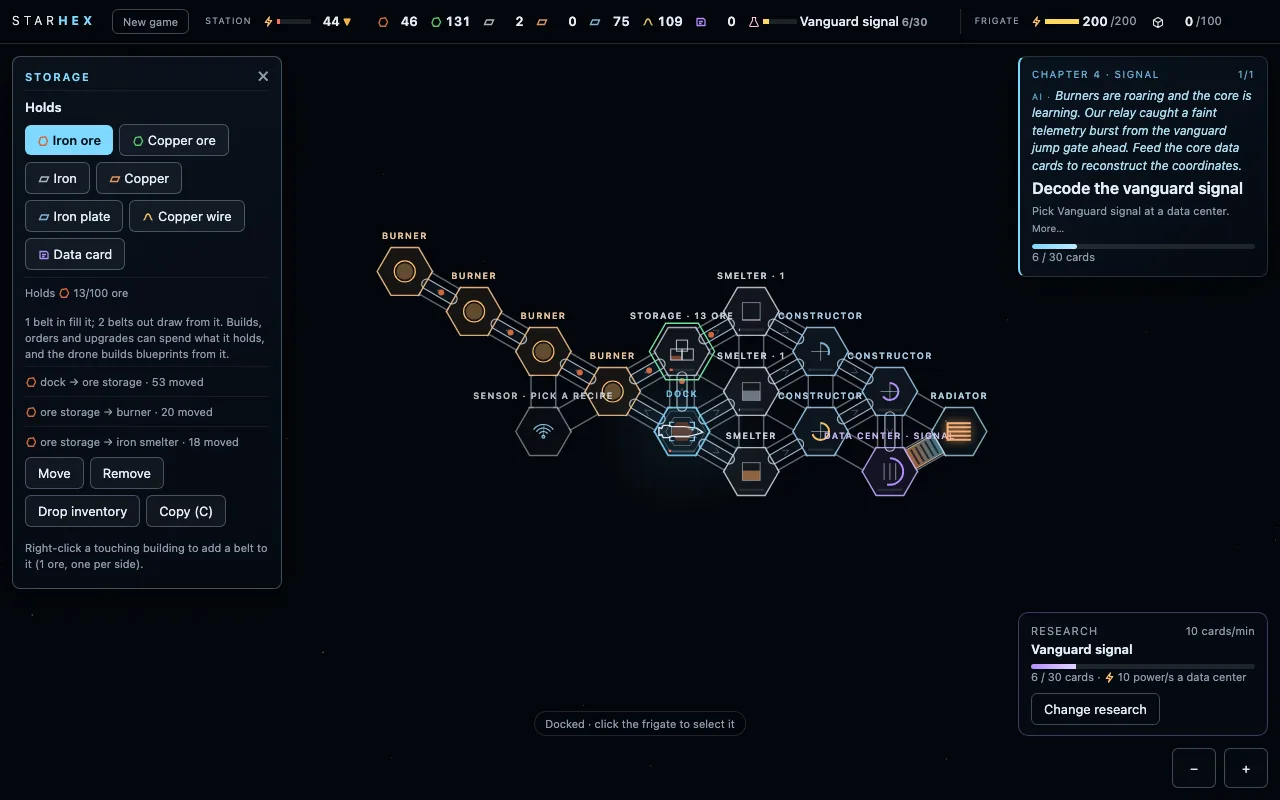 (open full size)
Research counted in cards. v46interface
Polish from ten questions
“wait for me to pick, with a toast saying to pick the next research.”Kraig, 2:25 pm
“yes, add a research chip to the top bar.”Kraig, 2:26 pm
“removing a module refunds half.”Kraig, 2:26 pm
“shorten goal cards from chapter 2 on: title plus one line, full text on hover.”Kraig, 2:31 pm
“drag from one module to its neighbour to lay a belt, item picked automatically when there's only one choice.”Kraig, 2:42 pm
Claude: Claude asked ten questions one at a time; these are the answers that changed something. Kraig also handed the numbers over: "I wish there was some way that you could just analyze how I play so that you can make those adjustments yourself."
- Research waits for your pick, with a nudge when one finishes.
- A research chip in the top bar.
- Removing a module gives back half its cost.
- Shorter goal cards from chapter 2, the rest on hover.
- Drag from one building to its neighbour to lay a belt.
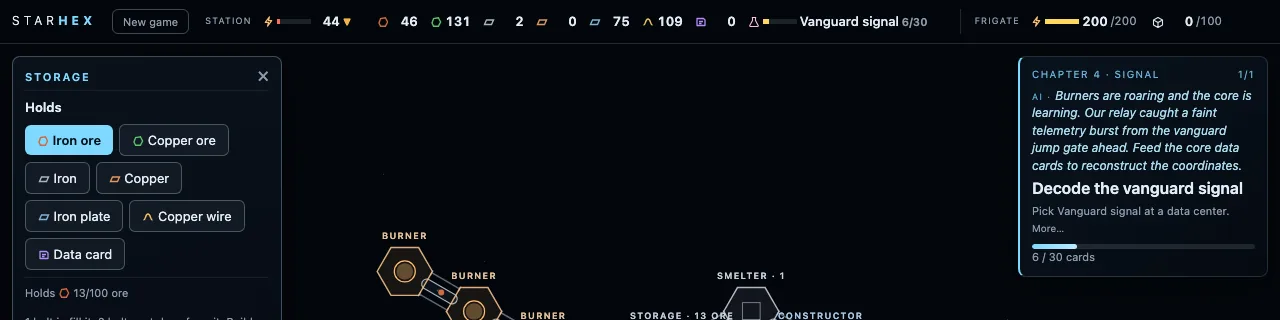 (open full size)
The research chip. v47balance
Mining keeps up
“the time it took to go out and mine ore and bring it back was longer than the time it took to process it, construct items and do research. these should almost all balance out closer but they also wait on each other just a little bit”Kraig, 2:41 pm
Claude: The game now measures how long the station's machines sit waiting for ore and how long the frigate sits idle, in every playtest and in the test player. The frigate was never idle while the smelters waited two thirds of the time, so mining got faster and the hold bigger. A round of small sounds and rings marks builds, research, goals and chapters.
- Pacing is measured in every playtest.
- Faster mining and a 42-ore hold: the smelters wait far less.
- New sounds and rings for builds, research done, goals and chapters.
Sunlight
Oct 18, 4:30 pm to 7:10 pm · v48–v57
The chaingun and the pull field, then Chapter 5: the near iron runs dry, solar power, silicon from far out, and the first dust storm.
v48mechanic
The chaingun and the pull field
“i want to switch the mining from laser to chaingun on frigate. within a diameter of the frigate, items fall into it slowly like gravity well. it collects this way. the start of the game has grabable chunkes of ore on the float. making amno from iron is an objective after burning power and smelting and constructor”Kraig, 2:17 pm
“because once we unlock amno mining, then we can crack open the large astroids floating around to get much more ore amno refills into the ship like power”Kraig, 2:19 pm
“This is all great”Kraig, 4:40 pm
Claude: The laser and the fetching drone are gone. The game opens with loose ore chunks drifting near the station, and a pull field draws anything within 60 m into the frigate. Big rocks need the chaingun: each burst uses a round and knocks off a chunk. Ammo is made from iron at a constructor and loads into the frigate while it's docked, like charging. The drone stays home as the station's builder.
- Loose ore chunks to gather from the start; the pull field collects them.
- The chaingun cracks big rocks, a round a burst; no battery to fire.
- Ammo from iron at a constructor, reloaded while docked.
- Chapter 1 ends with Make 20 ammo and Crack a big rock; plates open chapter 2.
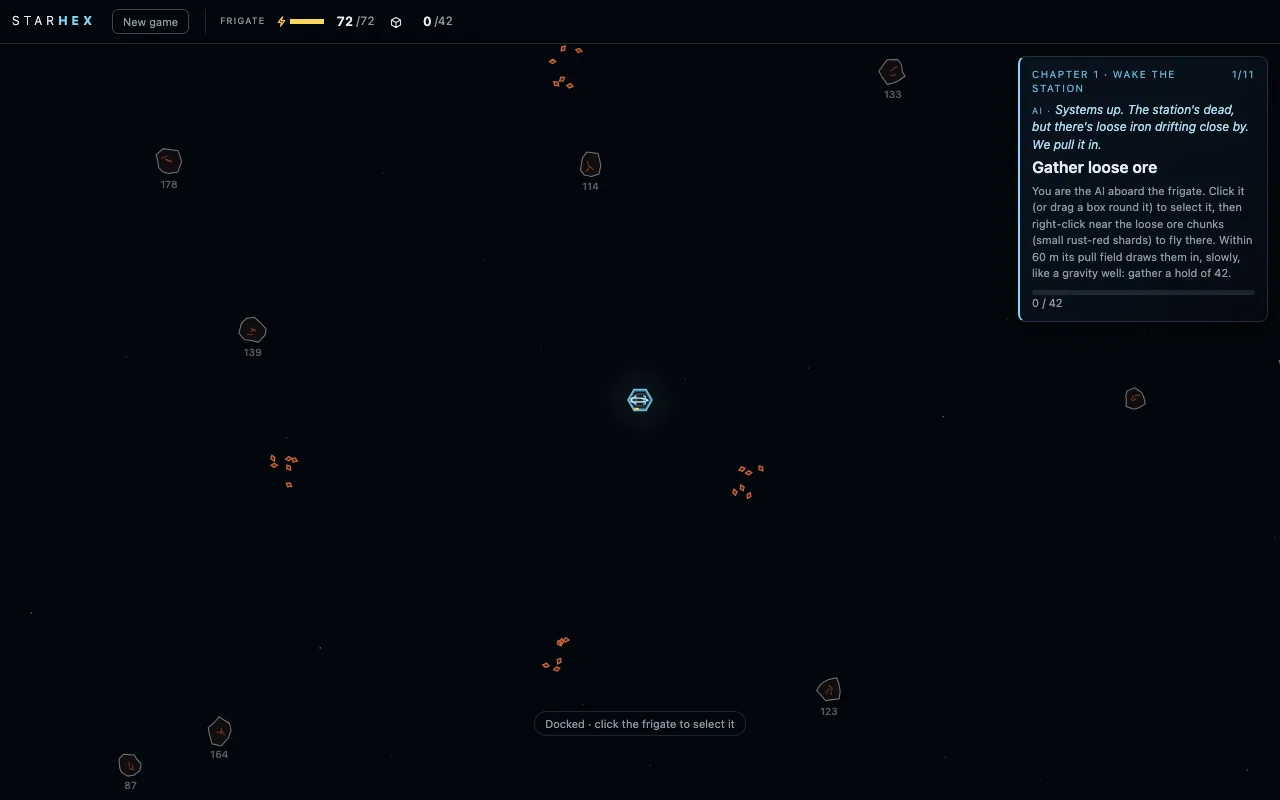 (open full size)
Loose chunks to gather before there's any ammo. 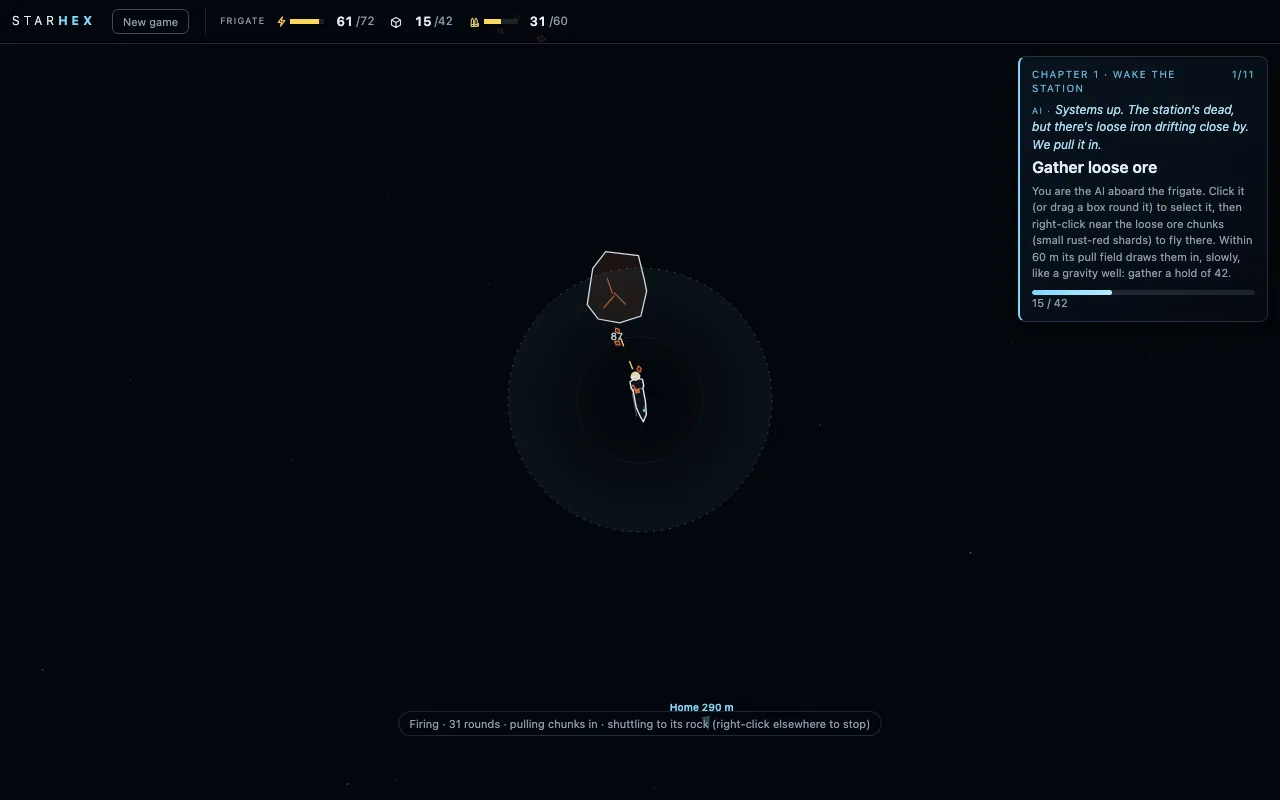 (open full size)
Firing at a rock; the pull field brings the chunks in. v49mechanic
Chapter 5: Sunlight
“i think we should do dust storms to introduce a day night type cycle that is irregular. solar panels have to balance storage with batteries”Kraig, 4:05 pm
“we need a reason to switch from burners to solar. getting to use the ore for construction makes sense but is that enough”Kraig, 4:08 pm
“we'll have normal amno break the silicon astroid for now but eventually we'll make up a reason for an upgraded version for the harder astroid”Kraig, 4:12 pm
Claude: Designed one question at a time. By chapter 5 the near iron is nearly mined out, so every ore a burner eats is a long trip. Solar power reveals a silicon field four kilometres out; a long-range battery gets the frigate there and back. Silicon smelts into wafers on heavy power, wafers build solar panels, and the chapter ends when the station runs on sunlight alone, just as the first dust storm rolls in. Batteries are chapter 6.
- Research Solar power: a long-range scan reveals the silicon field.
- Research Long-range battery for the trip out.
- Silicon ore smelts into wafers, on heavy power.
- Solar panels: free power, no fuel.
- Run on solar alone, then the first dust storm.
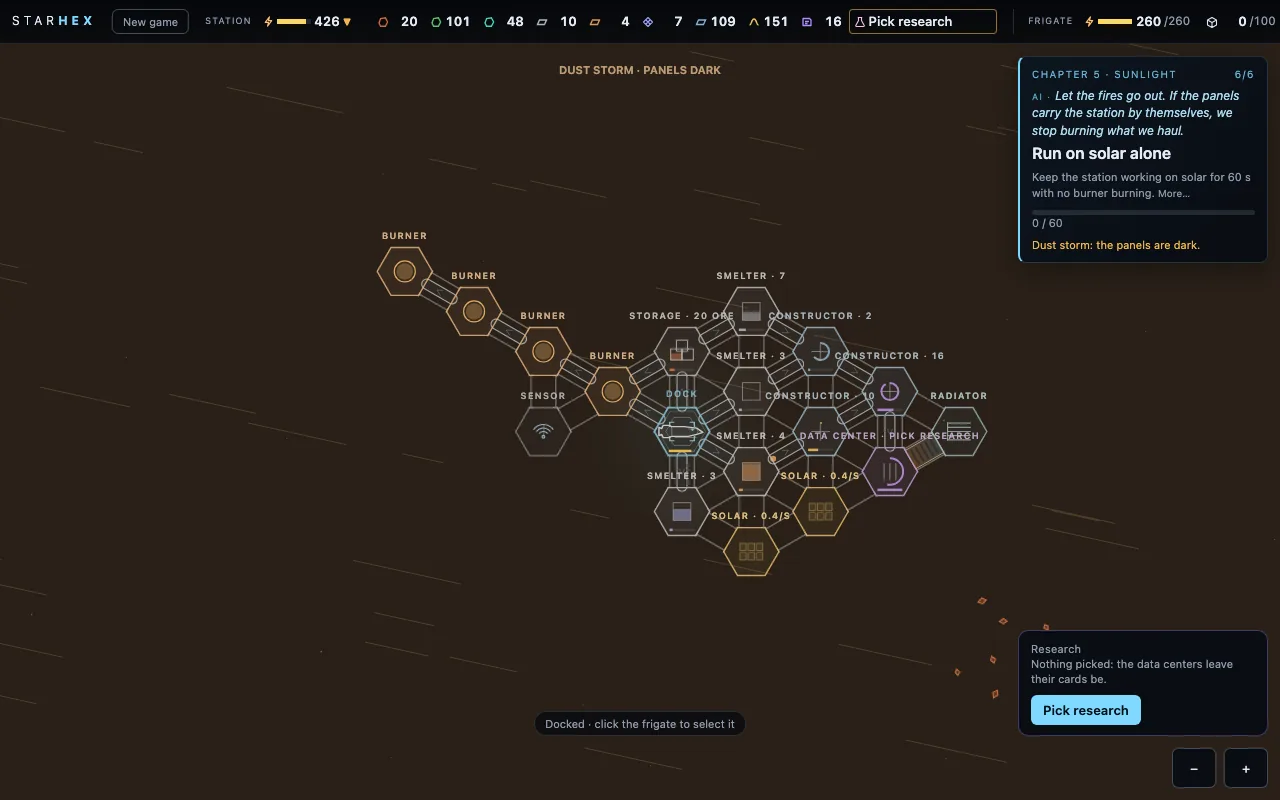 (open full size)
The first dust storm: the panels go dark. 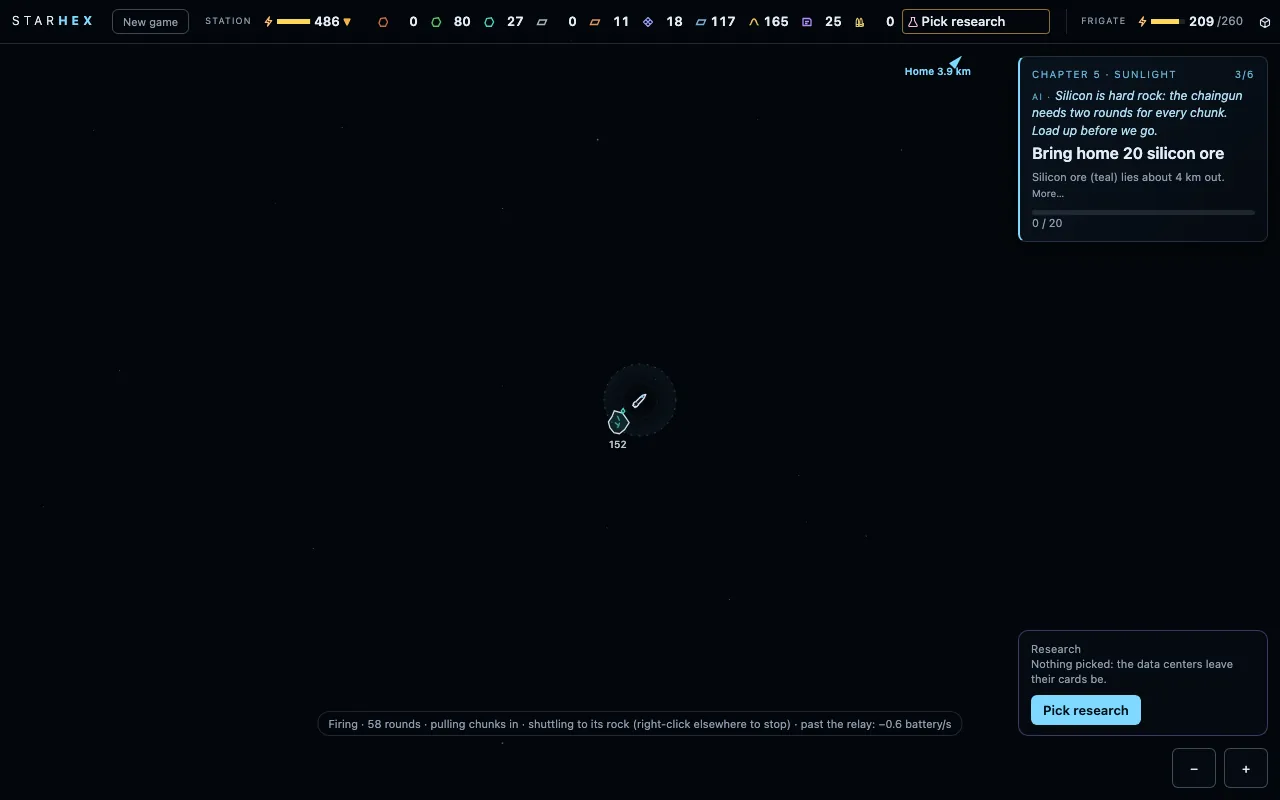 (open full size)
The silicon field, four kilometres out. v50–v57playtest
Fixes from a full playtest
“amno isn't loading into the frigate”Kraig, 5:40 pm
“should the build drone just stay at the station?”Kraig, 5:46 pm
“the frigate should be able to shoot at astroids as it's moving as long as it's inside it's range”Kraig, 5:50 pm
“amno capacity should be just enough to do an ore run”Kraig, 5:55 pm
“let's get rid of this in the top bar. it's better in the bottom right. we should be able to see reserach we've finished. the list should always have the top one in the list be the cheapest”Kraig, 6:00 pm
“let's get rid of the click drag selection box. instead it should allow you to pan the camera and map”Kraig, 6:05 pm
Claude: Kraig played the new chaingun build from a fresh start and sent notes as he went; each was fixed and live within minutes. Afterwards the recording showed where time went: the ammo goal ran long and, late in chapter 4, cards weren't reaching the data center, so the game now says what's in the way.
- The frigate reloads ammo from anywhere on the station, constructors included.
- The build drone lives at the station and builds while the frigate is out.
- The chaingun fires at its target rock while flying in.
- A dark station still charges a docked frigate enough to restart.
- The ammo store holds one ore run; the ammo goal is 10 rounds.
- A job with one recipe picks it; belts with one fitting item set themselves.
- Research lives on the bottom-right card, cheapest first, with what's done listed.
- Dragging empty space pans the view.
- A warning when research is picked but no cards reach the data center.
Storm season
Oct 18, 7:40 pm to Oct 20, 9:00 am · v58–v158
Chapter 6: batteries to keep the sun for the dark, storms that grow each time, and the great storm.
v58mechanic
Chapter 6: Storm season
“1 (Storms grow: each one is longer and darker than the last, so you keep expanding your batteries and panels to stay lit)”Kraig, 6:52 pm
“1 (batteries cost wire and wafers, keeping both far trips busy and leaving iron for building)”Kraig, 7:03 pm
“1 (anywhere: a battery module joins the station's power like the station battery, no belts, no placement rules)”Kraig, 7:10 pm
“Yes”Kraig, 7:11 pm
Claude: Designed one question at a time, a chapter after the first dust storm browned the station out. Station batteries is offered only once that storm has hit. A battery is a module anywhere on the station, paid in wire and wafers; it joins the station's power as one store. Fill a reserve, then ride out the storms, each longer and darker than the last, until the great storm: five minutes with the panels fully dark. Burners still help as a backup.
- Research Station batteries, offered after the first dust storm.
- Battery modules: wire and wafers, no belts, 500 more power stored each.
- Store a 1400 power reserve.
- Storms grow through the chapter: 110 s, then 140, 170 and 200, darker each time.
- Ride out a storm, then the great storm, with the lights never dropping.
v59visual
The visual pass: colours that follow the chains
“Let's do a design and color and make the game look better now. Small animations like the thrusters being more realistic, belts, better visuals for modules so you can tell what it is. Colors need to match the production chains more”Kraig, 7:45 pm
Claude: A polish pass on the same thin-line look. Each production chain now keeps one colour family, getting lighter as it goes up. Iron runs from rust ore to blue-grey iron to bright steel plates; copper from green ore to copper orange to amber wire; silicon from deep teal ore to bright cyan wafers. Cards stay violet, ammo dull brass, power gold. Every module takes the colour of what it makes and has its own glyph: a flame, a crucible, a press, server racks, fins, crates, arrows. Working modules move, belts carry beads in their item's colour past sliding chevrons, and the frigate's drive burns a flickering plume. No game rules changed.
- Item colours by chain: iron rust, steel, bright steel; copper green, orange, amber; silicon teal, cyan; cards violet; ammo brass; power gold.
- Modules tinted by what they make: an iron smelter steel, a copper smelter copper, a wire constructor amber, a card constructor violet, a wafer smelter cyan.
- A glyph per job: burner flame, smelter crucible, constructor press, data center racks with blinking LEDs, radiator fins, storage crates, merger and splitter arrows.
- Working modules come alive: the flame flickers, the melt glows, the press strokes with each recipe, panels shimmer, batteries fill.
- Belts in their item's colour, with beads travelling and chevrons sliding the way they flow.
- The frigate's engine: a glow and a plume that flickers and lengthens with thrust; RCS puffs when it turns or corrects; the dock's clamps light softly.
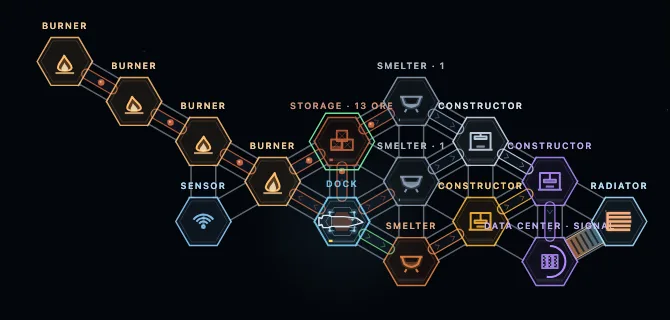 (open full size)
Each chain in its own colours: iron, copper, cards. 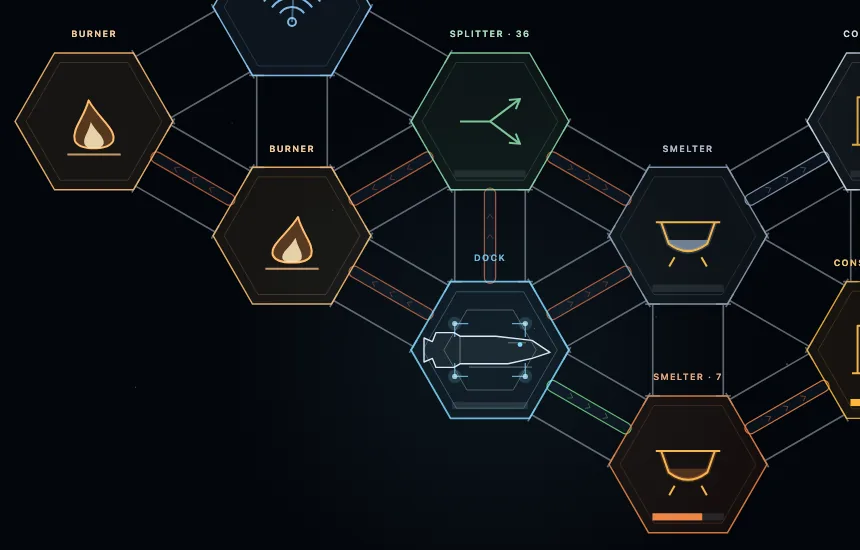 (open full size)
Close in: a glyph for every job. v60interface
The interface pass: a title screen, a menu, one icon set
“Looks great. What about a menu and icon and text buttons upgrade”Kraig, 8:40 pm
Claude: A pass on everything around the game. It now opens on a title screen: the STARHEX wordmark over the station drifting slowly behind, with Continue (your chapter and time played), New game, Settings and How to play. Esc, or the new Menu button, pauses into a menu with Resume, Settings, Controls, a note for Claude and New game, which asks first in the page. Settings keep the music and sound volumes, a mute and the starting speed. Every item, job and action has one line icon, drawn like the module glyphs, and every button has its icon, its label and its key. No game rules changed.
- Title screen over the live game view, the sim held: Continue, New game, Settings, How to play.
- Pause menu on Esc or the Menu button (it replaces the old New game button): Resume, Settings, Controls, Note for Claude, New game with an in-page confirm.
- Settings: music and sound volume, mute all, starting speed x1 or x4, remembered on this device.
- How to play: three lines on the basics and every mouse and key control on one card.
- One line-icon set for items, jobs (flame, crucible, press, racks, fins, dish, cells, battery, crates, arrows) and actions.
- Panels: a header with the module's icon in its chain colour, small-caps section labels, an even type scale.
- Buttons in four kinds: primary, outline, ghost and danger (the two-tap arm turns it solid red), with key hints, hover, pressed, disabled and can't-afford states.
- Home, pause and speed buttons beside the zoom, for phones as much as anyone.
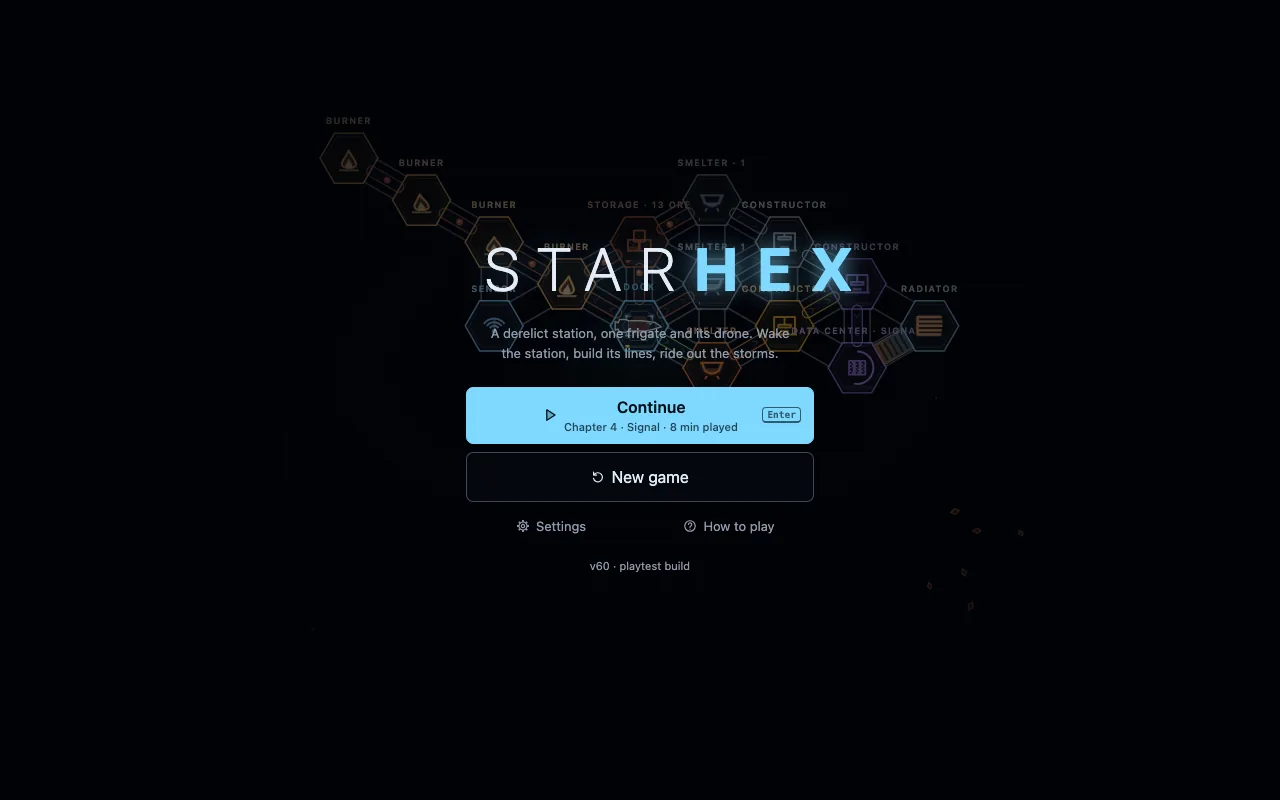 (open full size)
The title, over the station drifting by. 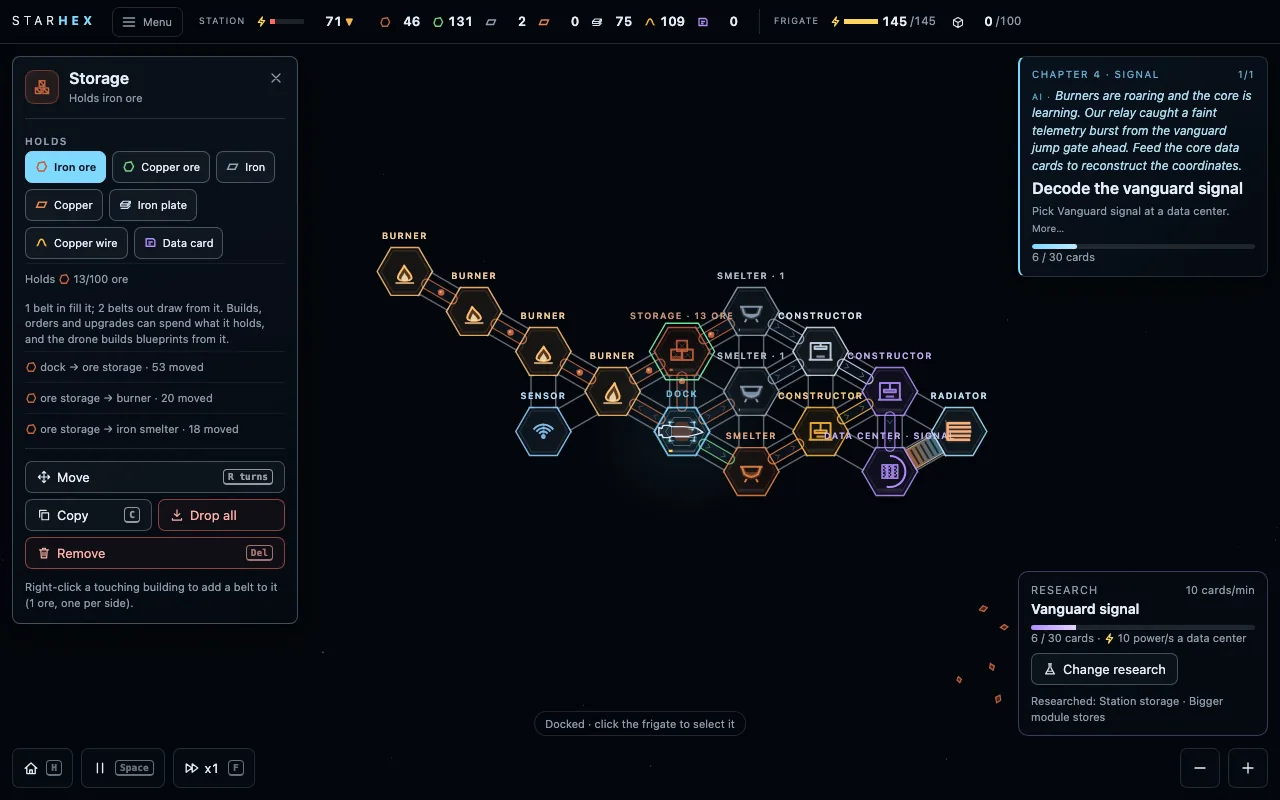 (open full size)
Panels with a header, icons and key hints. v61combattest
A combat test: one hostile drone off to the side
“Let's put a small enemy in the game off to the side so we can test combat”Kraig, 10:00 pm
Claude: A small test of fighting, kept apart from the chapters. Every game now has one hostile drone about 1.5 km out, on the side away from the copper and silicon, marked in red from the start. Fly within 400 m and it fires slow red bolts that take the frigate's new hull (100, shown in the top bar). Select the frigate and right-click the drone to attack: the chaingun fires on it within 300 m, one round a burst, and eight bursts break it into iron scrap the pull field brings in. Docked, the hull mends for free; at 0 the frigate drifts home on life support like a flat battery, with no game over. Nothing in the chapters depends on it.
- One hostile drone a game, 1.5 km out away from the copper and silicon, clear of every rock; a red Hostile edge marker shows where it is.
- Within 400 m it fires a slow red bolt every 3.5 s, aimed where the frigate is: a stopped frigate gets hit, one passing fast can be missed.
- The frigate has a hull of 100: a shield chip in the top bar with a detail card, a row in its panel, a bar under the ship when damaged.
- Right-click the drone to attack: the frigate closes to 220 m, turns its nose to it and the chaingun fires within 300 m (1 round, 8 of its 60 hp a burst). A drone in reach is fired on by itself when the frigate isn't mining; with no ammo it can't fight.
- Destroyed: a flash and sparks, a crunch, a toast and 25 iron ore of scrap in five chunks for the pull field. A new game brings it back.
- Docked, the hull mends 2 a second for free. At 0 the frigate is disabled and drifts home on life support.
- New sounds: the drone's low zap, a thud on a hit, a crunch for the kill.
- Old saves get the drone and a full hull. The test player stays clear of it and plays chapters 1 to 6 exactly as before.
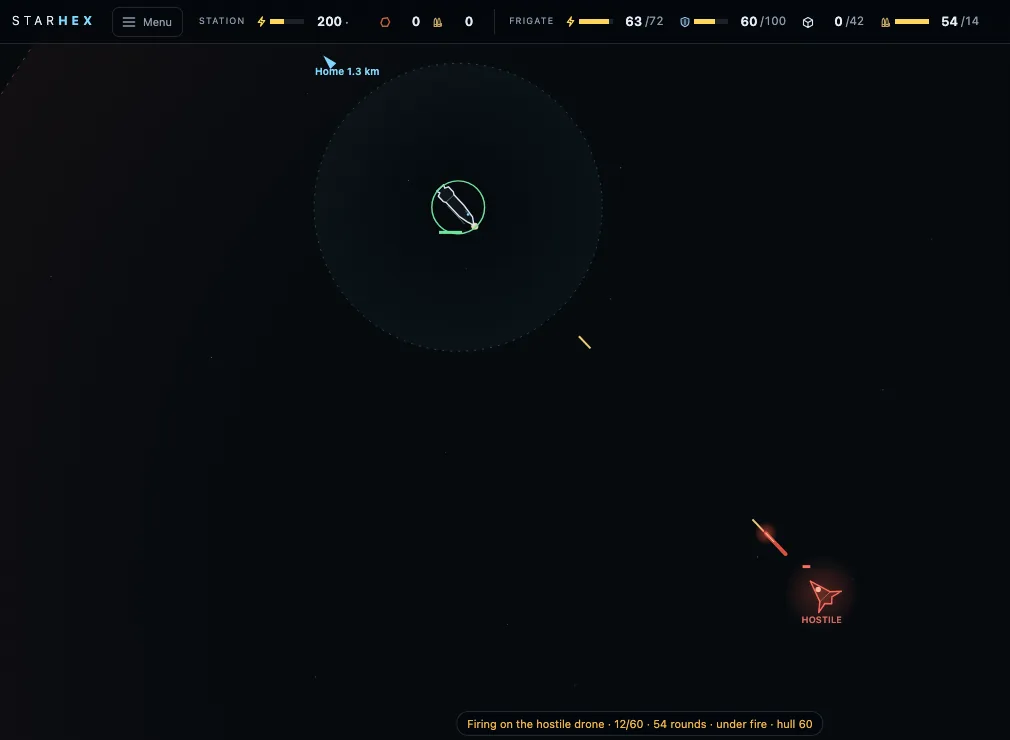 (open full size)
Mid-fight: tracers out, a bolt coming back. v62playtestbalance
Ammo keeps coming when the frigate takes part of it
“why is this amno not filling up”Kraig, 10:45 pm
Claude: The constructor makes ammo ten rounds at a time and kept at most ten. With no belt out, the frigate loaded five from it and left, and the five left over meant the next ten-round job had no room, so the constructor sat idle with the smelter's iron piling up beside it. A module that makes several at a time now holds two jobs' worth (an ammo constructor 20 rounds), so it always tops itself back up.
- An ammo constructor keeps up to 20 rounds (two jobs), not 10, so a partial load by the frigate never stalls it.
- Modules that make one item at a time keep 10, as before (25 with Bigger module stores).
- A test for the case Kraig hit: a constructor left holding 5 rounds goes on making them.
v63playtest
No more crumbs of ammo blocking a constructor
“like right now, why isn't the amno filling the constructor to max 10? there is plenty of iron waiting to be input”Kraig, 10:48 pm
Claude: His constructor showed "Out: 0/10" and "Full" at the same time. The frigate loads ammo a sliver at a time, and taking slivers out of a store of 10 can leave a crumb like a trillionth of a round. The panel rounds it to 0, but the check for room saw 10 plus a crumb, over 10, and never started the next job. A store emptied this way now snaps to exactly 0, the room check allows for rounding, and a new test fails if any module is ever left holding a crumb.
- Taking from any store (the dock, a storage, a module's output) snaps a crumb under a billionth to 0.
- A module's room check for its next job allows for rounding.
- A test that a constructor holding a crumb of a round starts its next job, and a check in every test that no module is left holding a crumb.
v64playtestmilestone
Anyone can playtest now, and every playthrough comes back to me
“you can do the stranger recording now. getting feedback from other people playing seems important”Kraig, 10:52 pm
Claude: Until now only Kraig's playthroughs were recorded, inside Claude. The public play page now records too: the same summary of each session (the goals reached and when, the quiet stretches, how the factory was paced, errors, screen size) goes to a small database in Kraig's own Cloudflare account, with no names, emails or IP addresses. Press C any time to send feedback, and finishing chapter 3, the end of the test, asks once what confused you and where you felt like stopping. The title screen says it's a test build that records, and #norec on the address turns it off. I read every recording with the same pacing report I use on Kraig's, so the first strangers' playtests (Gate 1 on the road to Steam) can start.
- The play page's recorder posts each session's summary, event log and notes to kraigadams.com, kept in a separate D1 database (starhex-playtests).
- Guards on it: the document's shape, a size cap, same-origin only, 30 posts a minute per visitor and 4,000 rows a day in all, and an off switch.
- On the play page, Note becomes Feedback, the title screen explains the recording, and finishing chapter 3 asks for feedback once.
- The site's privacy page says what the game records.
- A script pulls the public playtests into the same files as Kraig's, for the pacing report.
v65interfaceplaytest
A Build button you can always find
“i think the sensor objective was missing the module build button. also where is the module build option in general?”Kraig, 10:56 pm
Claude: Placing a new module was only offered in the dock's panel and on some goal cards, from a list written before the sensor goal existed, so "Build a sensor" had no button. The toolbar at the bottom left now has a Build button (Q) that's always there: click it, then click a cell touching the station. It lights up while you're placing. The sensor and burner goals show the button on their cards too.
- A Build button (Q) in the bottom toolbar, lit while placing; click it again to stop.
- The sensor and burner goal cards offer Place module.
v66soundinterface
Each chapter opens with its own music and its name
“can we add little chapter text motifs for those transitions”Kraig, 10:59 pm
“i don't want actual cards that stop the game. more so music motifs and the chapter names to fade in and out cineamtically”Kraig, 11:00 pm
Claude: When a chapter begins, its number and name fade in over the map, a thin line drawing out between them, and fade away about five seconds later. Nothing stops and clicks go straight through. Under it the score plays that chapter's own short phrase in the game's key: chapter 1 wakes on a bare fifth, 2 warms into C, 3 ticks like data, 4 calls three times and waits, 5 opens on the one bright chord, and 6 falls through the dust. Then the usual music carries on. A new game opens the same way, on chapter 1.
- A chapter's number and name fade in and out over the map as it begins (and at a new game); never blocking, and shown without motion when the system asks for reduced motion.
- A music phrase per chapter (music.js chapter()), in place of the one triumph stinger; finishing the last chapter still plays the triumph.
v67interfaceplaytest
The frigate's range shows where it can fly now
“the distance possible to travel should work better. it was correct to have the circle further past the copper but when i got to the copper the circle was tiny. it should reflect current state and not the end of the return trip”Kraig, 11:03 pm
“we'll be able to see if it can get home because the dock will be inside the circle?”Kraig, 11:04 pm
Claude: Out in space, the outline round a selected frigate used to show how far it could go and still get home, which shrinks to almost nothing right when you reach a far rock. Now it shows how far it can fly from where it is on the battery it has. If the dock is inside the outline it can make it home, and the label says so too: "Range on 45 battery · 3.6 km · enough to get home", amber when it isn't. Docked, it still shows the full mining round trip.
- Out, the selected frigate's outline is its range from here on its current battery; the label says whether that gets it home (amber when not).
- The battery chip's tip says the same.
v68interfaceplaytest
It's the ship now, and its hold shows its cargo in colour
“the color of the item should be reflected in the inventory bar of the ship. change name from frigate to ship”Kraig, 11:08 pm
Claude: The hold's chip in the top bar has a bar now, split by what's aboard, each part in its item's own colour: rust iron ore, green copper ore, teal silicon. Its tip lists them with their icons. And everywhere the game talks to the player it says ship, not frigate: the top bar, its panel, goals, tips and messages. Saves and the code keep their old names, so nothing breaks.
- The ship's hold chip: a bar in segments, one per item in its colour; its tip shows each item's icon.
- Frigate becomes ship in every word the player reads; the code and saves keep the old name.
v69interfaceplaytest
The station's top bar keeps just the ores
“maybe we just keep base ores on top bar and one spot for inventory that shows all items if hover”Kraig, 11:11 pm
Claude: The station's half of the top bar had a chip for every item the station had ever seen, so it kept growing. Now it keeps power and the base ores (iron, copper and silicon ore, each once found), and one Items chip: a small dot per made item in its colour, dimmed when there's none. Hover it for the whole list: each item's icon, name, how many there are and the dock's limit, and where they are when some sit in modules. It goes amber when anything fills the dock.
- The station bar: power and the base ores only, plus one Items chip.
- The Items chip: a coloured dot per made item; its tip lists every item with counts and limits.
v70interfaceplaytest
The STARHEX wordmark is the menu
“menu button should be the starhex text”Kraig, 11:13 pm
Claude: The separate Menu button is gone: click the STARHEX wordmark at the top left to open the menu (Esc still works). It shows a faint outline on hover so it reads as a button.
- The wordmark opens the menu; the Menu button is removed.
v71interfacevisual
The screen dims under a chapter's title
“whole screen should darken a little more when white chapter title cards appear”Kraig, 11:15 pm
Claude: While a chapter's name is up, the whole screen (the map, the top bar and the goal card) dims a little, a touch less round the title, on the same five-second fade in and out. The game keeps running and clicks still go through.
- A full-screen dim under the chapter title, fading with it; never blocks a click.
v72interfacebalanceplaytest
Research cards on hover, and mergers and splitters apart
“hovering over research items should give description and info card”Kraig, 11:17 pm
“make merger and splitters two researches and each 20”Kraig, 11:18 pm
Claude: Hovering a research in the list now opens an info card beside it: what it does, what it costs in data cards and how far along it is, what it needs first and what it opens next, a note when it's a story research or a ship upgrade, and a warning when no data center is reading cards. And Mergers and splitters is two researches now, Mergers and Splitters, 20 data cards each. A save that already had the old research keeps both.
- A research's info card on hover, in the research card and the panel.
- Mergers (20 cards) and Splitters (20 cards) are separate researches; old saves with the combined one keep both.
v73controlsplaytest
Drag to select again, and Auto mining on its own
“let's reverse the decision for click map pan and go back to drag select. makes it easier to select the ship. also if i drag click select over the base it should only select the ship if it's in there”Kraig, 11:21 pm
“auto mining should be it's own research”Kraig, 11:22 pm
Claude: A left-drag across empty space draws a selection box again. If the ship is inside it, the box selects just the ship, even when the box also covers the station, so grabbing the docked ship is one sweep. Without the ship it selects the modules inside. The map pans with a right-drag or a middle-drag (a right-click that doesn't move still sends the ship), with WASD or the arrows, and with one finger on a phone. And Auto mining no longer waits for Bigger battery and Cargo refit: it's a research of its own, on the list from the start.
- Left-drag from empty space is a selection box; with the ship inside, only the ship.
- Right-drag or middle-drag pans; a right-click without a drag still sends the ship.
- Auto mining has no prerequisites.
v74interfaceplaytest
Shorter research messages that stay longer
“the research done info in green should stay on screen longer and be shorter sentence”Kraig, 11:25 pm
Claude: Finishing a research now says just "Researched: Mergers" and stays up for 9 seconds, not 4. The "Pick the next research" reminder after it is shorter too, and stays 7 seconds. What each research does is on its info card when you hover it.
- The research-done message: its name only, 9 s on screen.
- The pick-next reminder: shorter, 7 s.
v75interfacedesign
Research moves a tenth of a card at a time
“should be make data cards have a percentage of use and research needs a number of data instead of actual cards? similar to reserach packs in factorio. give me pros and cons and what you'd do”Kraig, 11:30 pm
“2”Kraig, 11:33 pm
Claude: We kept research priced in data cards, the way Factorio prices it in packs, and showed the partial reading instead. Research progress now reads to a tenth of a card (Mergers 7.4/20) on the research card, its list, the hover card and the goal card, so it moves every second rather than jumping a card at a time. Each data center shows how far through its current card it is: a thin violet line over its meter on the map, and "this card 60% read" in its panel. A data unit, with cards worth different amounts, waits for tier-2 cards in Act 2.
- Research progress to a tenth of a card everywhere it's shown.
- A data center's current card: a violet line on the map and a percentage in its panel.
v76interfaceplaytest
No zoom buttons
“get rid of these buttons”Kraig, 11:38 pm
Claude: The zoom buttons at the bottom right are gone. Zoom with the mouse wheel or a trackpad pinch, the + and − keys, or a pinch on a phone.
- The zoom in and out buttons are removed.
v77interfaceplaytest
The Items list shows totals only
“this looks messy. i don't think we need to have both dock and modules. just total”Kraig, 11:41 pm
Claude: Hovering the Items chip now lists each item's icon, name and total on the station, one tidy line each, with "dock full" only when the dock can't take more. Where the items sit, dock or modules, is gone.
- The Items tip: icon, name and total per item; "dock full" when it applies.
v78balanceplaytest
Mergers and Splitters wait for chapter 5
“we should push mergers and splitters to the next chapter”Kraig, 11:46 pm
Claude: Mergers and Splitters now join the research list when chapter 5 (Sunlight) begins, the way the story researches wait for their goal, so the early chapters' list is shorter: the ship upgrades, Auto mining, Station storage and Bigger module stores. A save already researching Mergers carries on with it.
- Mergers and Splitters are offered from chapter 5.
v79interfaceartplaytest
Modules show what they make
“i think we need to have modules show icons of what they're making instead of the module type. each module should have some indication around the "what it makes" icon that shows the mod type. plan this with me before taking action”Kraig, 11:50 pm
Claude: We planned it first, and Kraig picked a corner badge for the type. Now the middle of a smelter or constructor is the icon of what it makes, in that item's colour: iron, copper, a plate, wire, a data card, a wafer. A burner shows the fuel it burns and a storage the item it holds. The job's own drawing, the crucible or the press or the crates, shrinks into a small badge at the top left. A thin arc round the icon fills as each one is made, and the icon breathes while it works. Far out the badges drop away and the icons carry the map. The sensor, radiator, panels, batteries, data centers, mergers and splitters keep their own drawing in the middle.
- Smelters and constructors show their output's icon; burners their fuel, storages their item.
- The type's drawing is a corner badge, hidden far out.
- A progress arc round the icon while it works.
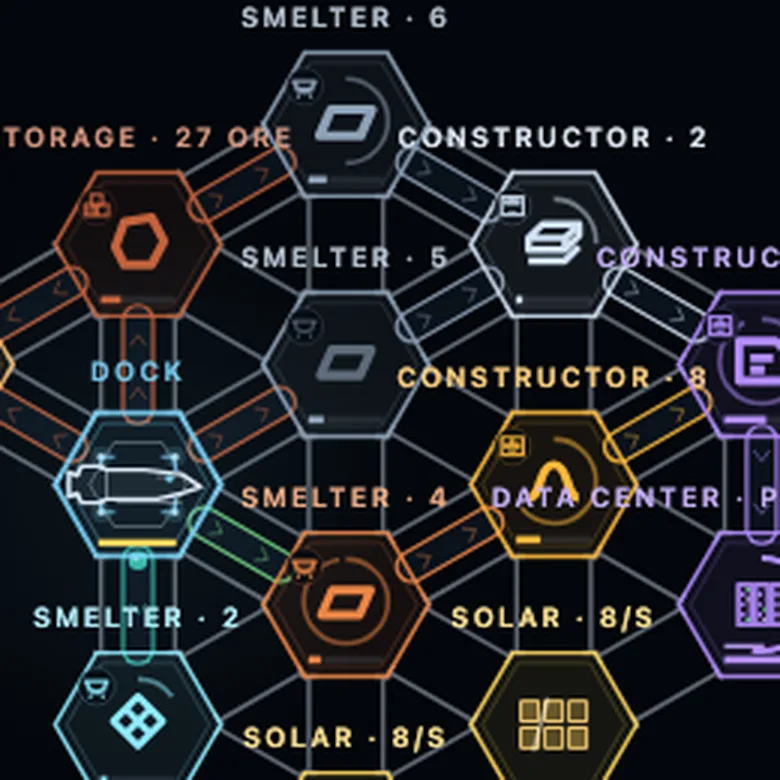 (open full size)
Each module shows what it makes; its type sits in the corner. v80soundtest
A first test of the ship AI's voice
“could you make the VO just for the first 2-3 lines so i can hear it in the game as a test? female. like cortana from halo as inspiration”Kraig, 12:00 am
Claude: The AI now speaks the first three goals' lines as they appear: waking up to the loose iron, the full hold and the old dock, and the first module. The music dips under her and the words stay on the goal card. They're recorded ahead with Artlist's voiceover (Eleven v3, American accent), in two voices to compare, Insight and Hope; pick one, or turn her off, under Settings > AI voice. A third voice kept cutting a line short and was dropped.
- Pre-recorded lines for the first three goals, played as each goal appears (src/voice.js, vo/test/).
- Settings: AI voice, Insight, Hope or off; picking one plays a sample.
- The music dips while she speaks.
v81interfaceplaytest
The ship's own cargo bar shows what's aboard
“the inventory bar on the actual ship should match the inventory on the top bar with different colors based on what's in there. this is showing iron color but there's only cu in this ship right now”Kraig, 12:16 am
Claude: The little cargo bar drawn on the ship itself was always iron-coloured. Now it's in segments like the top bar's: green copper ore, rust iron ore, teal silicon, each as long as its share of the hold.
- The ship's on-map hold bar: one segment per item in its colour, in the top bar's order.
v82interfaceplaytest
A cleaner research card
“"researched" list should only be visible when selecting new research. make the base UI cleaner by moving that behind button”Kraig, 12:23 am
Claude: The research card now shows only what's being researched, its progress and the button. The list of what's already researched appears when you open Change research (or Pick research), and when there's nothing left to pick.
- The researched list shows only while picking research, or when nothing's left.
v83mechanicplaytest
Auto mining doesn't get stuck on leftover cargo
“the ship is waiting at dock because cu is still in hold but station is at max to hold cu but we need fe. the ship is on auto mine and should know to leave and go get fe even with cu in hold”Kraig, 12:28 am
Claude: Auto mining used to wait at the dock until the hold was empty, so copper the full dock couldn't take kept it there forever while the station ran out of iron. Now, when the dock is full of what's aboard and at least a quarter of the hold is free, it leaves with the leftovers and fetches the ore the station needs; it also never picks an ore the dock is already full of. The leftovers unload once there's room.
- Auto mining leaves with cargo the full dock can't take, when a quarter of the hold is free, for the ore the station needs.
- It never picks an ore the dock is full of while the hold has cargo.
- A test for the case.
v84interfaceplaytest
An alert when the ship is stuck at a full dock
“an alert should show if the ship is full of one item and can't send it to max capacity station and other item is needed. like if the ship was full of cu and the station needs fe. an alert to drop cargo or something”Kraig, 12:38 am
Claude: When the ship sits docked holding something the dock is already full of, with too little room left to go mining (or Auto mining off), and the station is short of another ore, an amber alert appears at the top: "Ship stuck at the dock: the dock is full of copper ore, and the station needs iron ore." Its button drops just the stuck cargo, keeping anything else aboard. It goes away by itself once the ship can move again.
- A stuck-cargo alert with a warning sound, naming what's stuck and what's needed.
- Its Drop button drops only the stuck items (Drop cargo can now drop chosen items).
- A test for it.
v85mechanicmilestone
Drifting rocks, short sight and the sensor's ping
“i like the idea of slightly drifting astroids that can be mined while they're moving. the ship matches with it. maybe you can select the sensor and use high power to send out a ping in a radius that reveals everything for 20 seconds or some duration. besides that the station has a short visibility and the ship has a visibility as well. player could go out to scout with ship to find things but ping makes that much better. you can set sensor to auto which pings every minute or something”Kraig, 11:50 pm
Claude: Every rock now drifts slowly on its own small loop, and the ship matches a rock's motion while it mines it, for almost no battery. You only see live within 1.2 km of the station and 600 m of the ship; a rock you've seen that drifts out of sight stays on the map faded and dashed where you last saw it, "seen 4 min ago", until a visit or a ping updates it. Select the sensor and press Ping (or P): for 120 of the station's power it lights up everything within 3.6 km for 20 seconds, with a ring sweeping out. Its Auto switch pings every minute when the station can spare the power. Chapter 2 is now "Build a sensor and ping", and the ping finds the copper: one field, drifting together 1.5 to 2 km out. Auto mining and every trip estimate go by what you know, the last-seen marks, not where things secretly are.
- Rocks drift slowly on bounded loops; the copper and silicon fields move as one.
- The ship holds station on a drifting rock while it mines.
- Sight: 1.2 km round the station, 600 m round the ship; faded last-seen marks for the rest.
- Sensor Ping (120 power, 3.6 km, 20 s) and Auto ping every 60 s with a 25% reserve.
- Chapter 2: build a sensor and ping; the copper is one field.
- Saves load with nothing jumping.
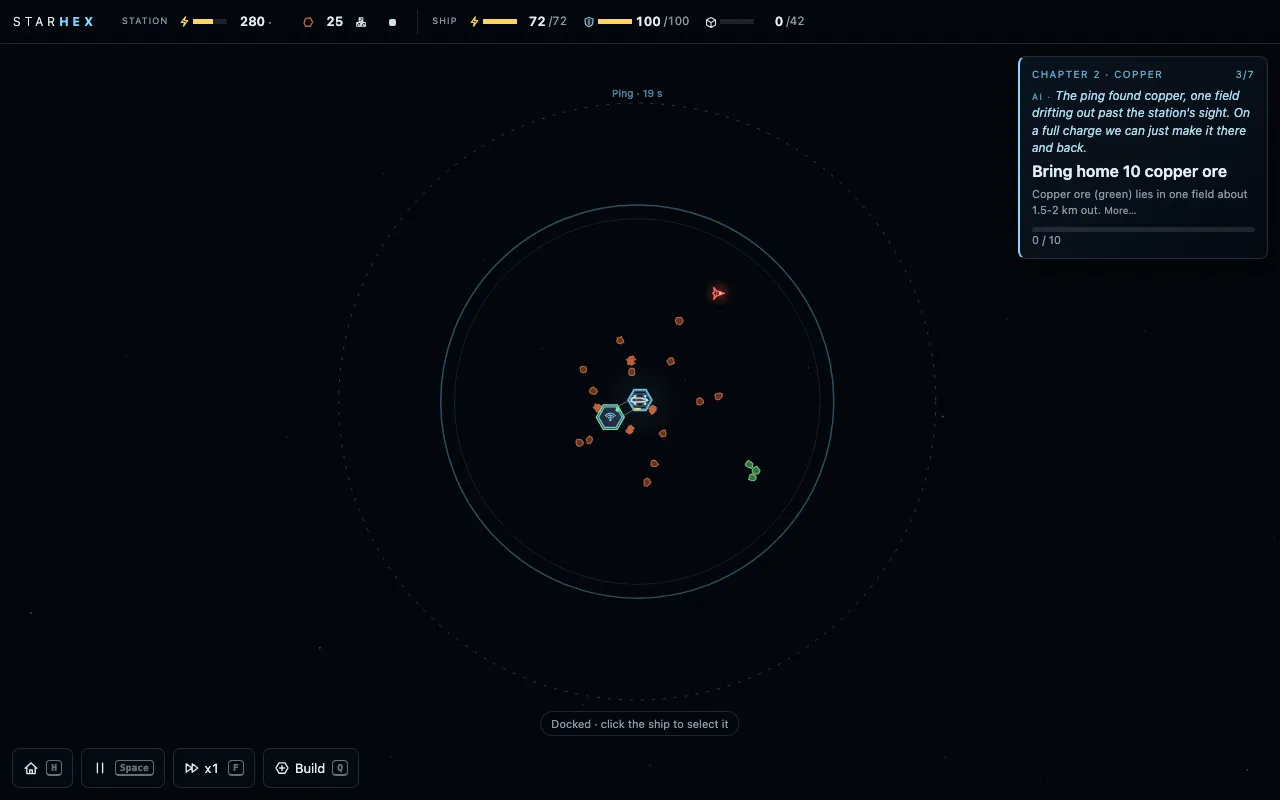 (open full size)
A ping sweeping out: the copper field lights up. v86interfaceplaytest
Auto mining shows what it's going for next
“auto mine should show an icon of what it's going to get next in the panel”Kraig, 12:58 am
Claude: In the ship's panel, the next ore's icon sits beside the Auto mine switch, marked "next", and the line under it names it.
- The next ore's icon beside Auto mine.
v87artvisual
A new ship, on an electric drive
“let's improve the ship design. also should the engine plume be more energy based? we're not burning fuel so does that make less sense?”Kraig, 1:02 am
“Ship 1 design is great but round the front out just a little. take the antenia lines off”Kraig, 1:10 am
Claude: Three mock-ups, Kraig picked the first: long and lean like the Rocinante, a softly rounded wedge nose, a slim hull in segments, the cargo bay mid-hull where the coloured hold bar sits, the PDC on a dorsal blister and one flared drive bell. The chaingun's tracers now come from that PDC mount. And since the ship runs on its battery, the fiery plume is gone: the drive is a thin cyan-white beam with a white core, fading to violet, with a shimmer of ions, longer and brighter the harder it thrusts.
- The ship's new hull: rounded wedge nose, segmented body, drive bell, PDC blister, no antenna lines.
- Tracers fire from the PDC mount.
- An electric drive plume in place of the fire.
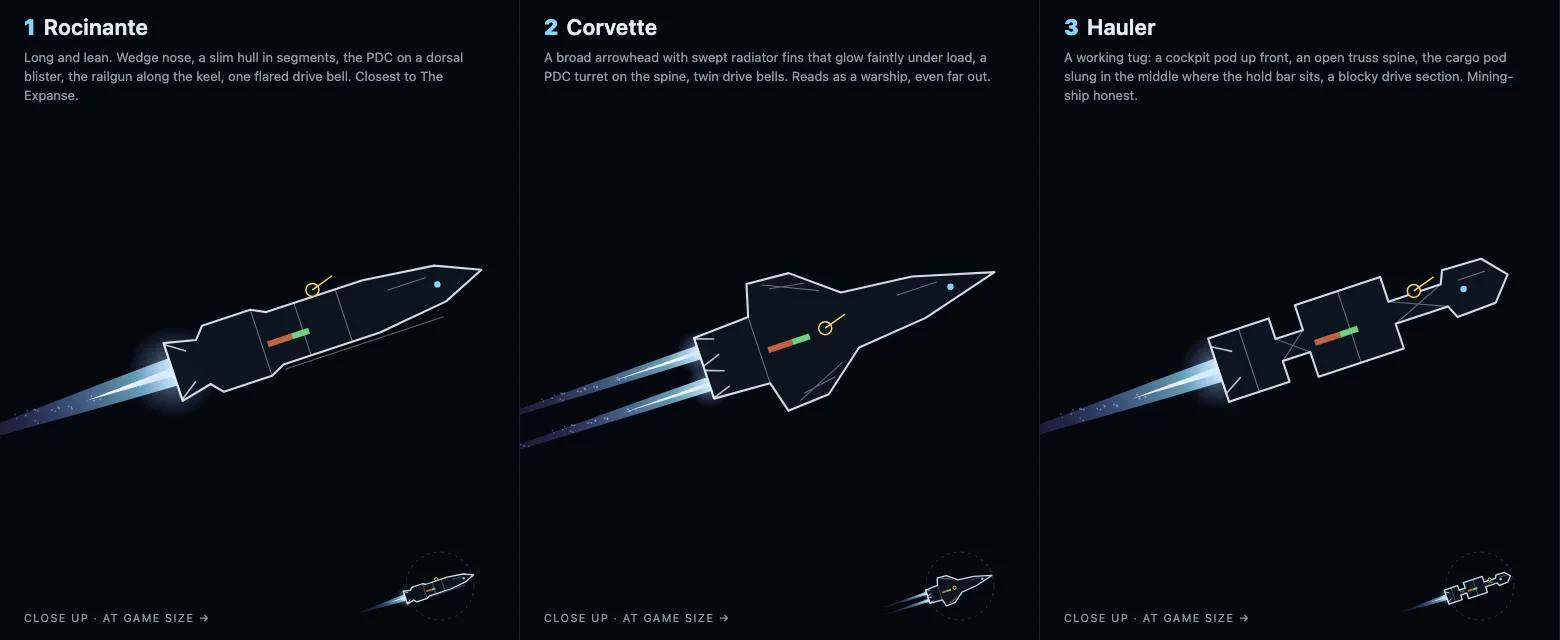 (open full size)
The three options; Kraig picked 1. v88interfaceplaytest
Fe ore
“iron ore should be called fe ore”Kraig, 1:20 am
“no, the ore is called that. not the iron bar”Kraig, 1:22 am
Claude: The rust-red ore is Fe ore now everywhere you read it, matching cu ore and si ore. The smelted bar is still called iron.
- Iron ore is named Fe ore (fe ore for short); iron, the bar, keeps its name.
v89mechanicplaytest
Recipes that pick themselves, and construction first
“bug. si ore isn't flowing to smelter”Kraig, 1:30 am
“it's not letting me pick the siion wafer recepie”Kraig, 1:34 am
“if an item is being requested by drone and the constructor is belting it way, it should divide the availability. so the drone should pick every other if one belt is connected. or we just give master priority to construction”Kraig, 1:38 am
Claude: Three fixes from one jam. A smelter with no recipe takes nothing in, so a belt of si ore just sat there: now a belt bringing an item that only one of a module's recipes uses picks that recipe by itself (si ore into a smelter means wafers), also when its job is picked later, and once for saves already stuck this way. The wafer recipe costs 4 plates and 2 wire, and a recipe you can't pay for yet looked disabled: it now reads "Order: Silicon wafer", and once ordered it lights up with what it has collected. And construction comes first: orders (a recipe's or job's cost, a ship upgrade) take the plates and wire they need before any belt does, so a busy line can't starve them; the dock already kept back the ore the drone's builds wait for.
- A belt's item picks the module's recipe when only one recipe uses it (on setting the belt, picking the job, and once for older saves).
- Unaffordable recipes read as "Order: …"; an ordered recipe shows its progress.
- Orders take items before belts (construction first).
v90interfaceplaytest
A quieter toolbar
“these should be much more greyed out unless the cursor moves over them”Kraig, 1:48 am
Claude: The bottom toolbar (home, pause, speed, build) sits dim until the cursor reaches a button, which then lights up fully; one that's on, like pause, stays a little brighter. On a phone they stay at full strength.
- Toolbar buttons dim to about a third until hovered.
v91interfaceplaytest
You can see when the station's power fails
“there should be much more visual indication that the power is low or empty at the station”Kraig, 1:52 am
Claude: Low power is hard to miss now. Every module browns out on the map, darker the lower the station's running speed, and flickers when it's nearly dark. The dock's rim pulses amber while browning out and red when it's out. The power chip in the top bar pulses red, and an alert at the top says how bad it is and what to do: "Station out of power: nothing runs. Feed the burners Fe ore", or "Low power: everything runs at 62%. Add another burner or more solar panels", noting when dust has the panels dark. Running out also sounds a warning.
- Modules brown out and flicker with low power.
- The dock pulses amber (low) or red (out).
- A power alert with the fix; the power chip pulses; a warning sound when it runs out.
v92controlsplaytest
Copied setups go onto new blueprints
“the hover and q on a module should paste the copied module into the new blueprint”Kraig, 2:05 am
Claude: Q over a module already made a ghost with its job and recipe. Now Q anywhere else uses the setup you copied with C, so you can copy once and lay out a row of the same module, and pasting (V) onto a blueprint the drone hasn't built yet gives it that setup for when it's built. A module whose recipe is still waiting on its cost is labelled "ordered" on the map, not "pick a recipe", so it doesn't look like the setup was lost.
- Q over empty space places the copied setup.
- Paste onto an unbuilt blueprint sets its plan.
- "Ordered" on the map label of a module whose recipe is on order.
v93balanceplaytest
Efficient drive: a research for chapter 5
“there weren't enough research to do in chapter 5”Kraig, 2:12 am
“add research 1. drive”Kraig, 2:15 am
Claude: Chapter 5 only had its two story researches, so the data centers sat idle. Efficient drive (15 cards) joins the list when chapter 5 begins: every burn costs a fifth less battery, so a 1.5 km trip needs about 51 battery instead of 63 and the long silicon run gets easier. More chapter 5 research and repeatable upgrades are planned, waiting on Kraig's call.
- Efficient drive: 15 cards, offered from chapter 5, every burn costs 20% less battery (trip estimates and the range outline follow).
v94visualplaytest
A lighter storm that shows its strength
“the visual of the storm should depend on its intensity. i think the look was overall too much.”Kraig, 2:24 am
Claude: The dust veil is much lighter and greyer, and it now follows how much sunlight the storm is blocking at that moment: a faint haze as a front comes in, thicker at its darkest, and the great storm a touch heavier again. The blowing streaks thin out the same way, and the banner is quieter.
- The storm veil and streaks scale with how dark the storm makes it, and are lighter overall.
v95interfaceplaytest
Shorter module panels
“i don't think we should have these logs. it's not that helpful and complicates the panel”Kraig, 2:45 am
Claude: The list of every belt in and out, with how many items each had moved, is gone from the module and dock panels. Click a belt itself to see what it carries and its count.
- Module and dock panels no longer list their belts.
v96interfaceplaytest
The power bar says how the station is doing
“should we have power bar be green, yellow or red. once battery is introduced, the bottom becomes battery charge bar.”Kraig, 3:00 am
Claude: The station's power bar now shows supply against demand: green when more comes in than is wanted, yellow while it draws on storage at full speed, red when it's short and browning out. Once Station batteries are researched, a thin gold line under it shows the stored charge. The number beside it is still what's stored.
- The power bar: supply against demand, in green, yellow or red.
- A stored-charge line under it once Station batteries are researched.
v97interfaceplaytest
Time stays at the bottom
“the time indicator should be bottom of screen somewhere so it doesn't overlap anything”Kraig, 3:09 am
Claude: Changing speed no longer pops up "Time x4" and "Time x1" at the top, where they covered the storm banner. The paused and x4 indicator now sits at the bottom, just above the status line, and the speed button in the toolbar still shows x1 or x4.
- No speed toasts; the paused / x4 indicator moved to the bottom.
v98interfaceplaytest
Continue reads cleanly
“i don't like how the enter overlaps the text”Kraig, 3:15 am
Claude: The title screen's big buttons keep room on both sides, so the chapter and time played under Continue never run under the Enter key hint; the icon sits at the left and the text stays centred.
- The title's big buttons pad around their icon and key hint.
v99balanceplaytest
A full playthrough, read
“just finished playthrough. check it and give me your thoughts and change ideas”Kraig, 3:30 am
Claude: Kraig played chapters 1 to 6 start to finish on the new chapter 1 (53 minutes of active play across the night's builds). Chapters 1 to 3 now run smoothly, with every goal inside its window. Chapter 4's one goal, decoding the vanguard signal, took 26 minutes of game time, far past its 15-minute window, so it now costs 20 data cards instead of 30 (about 3 minutes shorter for the test player). A rare click error the recording caught is fixed. The bigger finding, long stretches of watching while Auto mining does the work in chapters 4 to 6, is what the planned defence update is for.
- Vanguard signal: 20 cards, was 30.
- A rare pointer-capture error can't interrupt a click.
v100combatmilestone
The copper guard: real combat, lasers and honest flight
“what if we have only a single location for the copper and our first enemy ship jump scares the player when they approach. the battle is always won. has to have enough battery and weapons always fire on enemy before mining.”Kraig, 12:00 am
“if you arrive with no amno, it should reveal but escape to raise the alarm”Kraig, 12:05 am
“the ships should only be able to fire inside its radius which isn't happening right now. if i auto pilot attack to a target, it should flip and end burn slightly past the target to get a good round of rounds off in close combat.”Kraig, 12:12 am
“can the enemy be laser weapon based. sustained but short pulses of laser energy that follows the target but needs to recharge after each shot.”Kraig, 12:20 am
Claude: Step 2. The test drone off to the side is gone; a dormant gate-builder guard now sleeps among the copper, invisible even to the ping. Come within 400 m and it wakes: a red flash, an alarm, a music sting, a shake, and the AI: "Contact. It was waiting." The ship's PDC, on its dorsal mount with a 270° arc and a 350 m ring, fires a tearing stream whose hit chance falls with distance and crossing speed (95% close and still, a few percent far and fast), misses flying past. Order an attack and it burns in, flips, brakes with its drive toward the target, drifts past and holds close. The guard's laser charges for a second, then a tracking pulse burns hull, then it recharges; a rock between you blocks it, both ways. The fight is always won (the hull never drops below 40, holding costs no battery, the last rounds always hit), and the wreck gives scrap. Arrive with almost no ammo and it shows itself, then runs off the map to raise the alarm, something Act 2 will remember. Mining is three heavy thudding taps now, twice the old pace, unmistakable from the combat rip. And flight is honest: the ship's systems draw a little battery while it's out, every trip flies at the best speed its battery allows, and a low battery means slower, not stuck.
- The copper guard: dormant, the wake-up scare, the always-won fight, the flee path (S.story).
- The PDC: range ring, 270° dorsal mount, hit chance by distance and speed, a tracer stream, misses visible.
- Attack runs: flip-and-burn, drift past, hold close.
- The guard's laser: charge, tracking pulse, recharge; blocked by rocks.
- Mining taps: 3 rounds every 3.6 s, twice the old rate; separate mining and combat sounds.
- Honest flight: a small drain while out (1.0/s past the relay), economical cruise speeds, slow-but-reachable trips in the range outline.
- Saves migrate (v11).
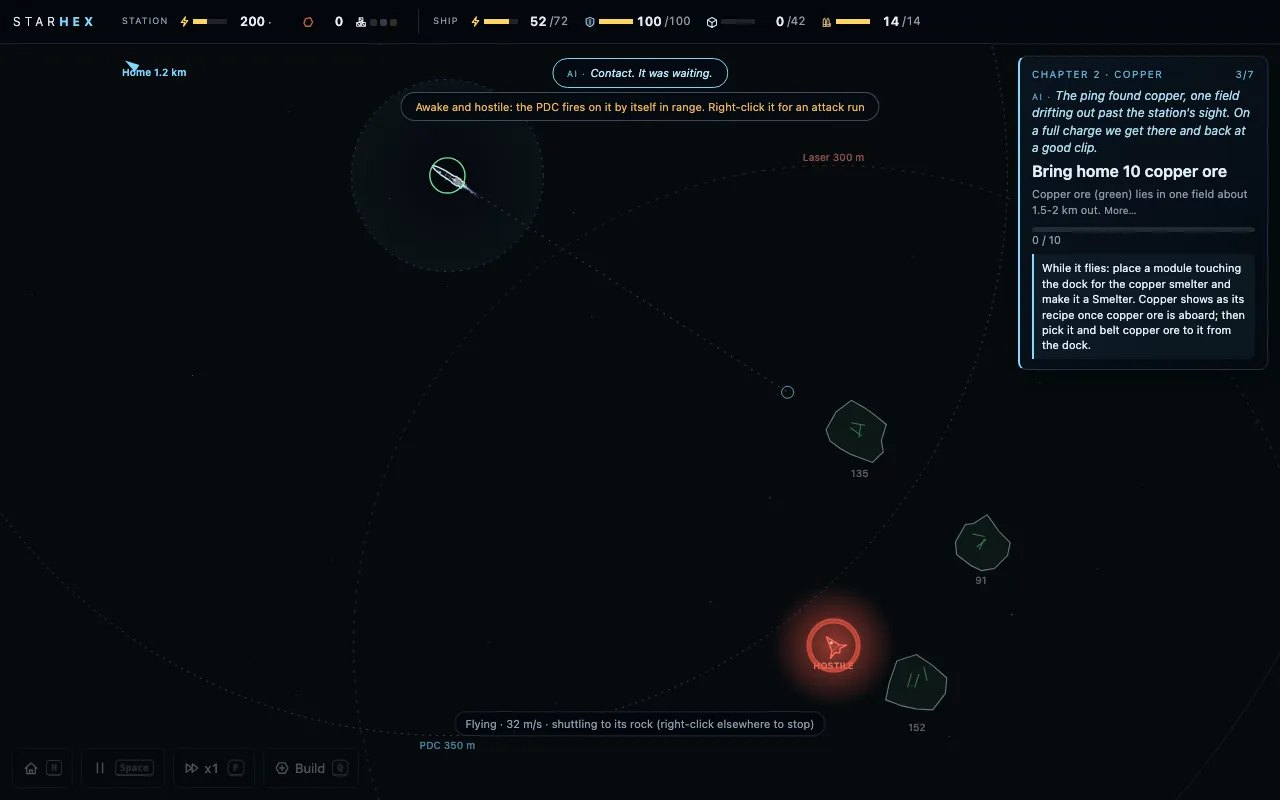 (open full size)
The guard wakes. 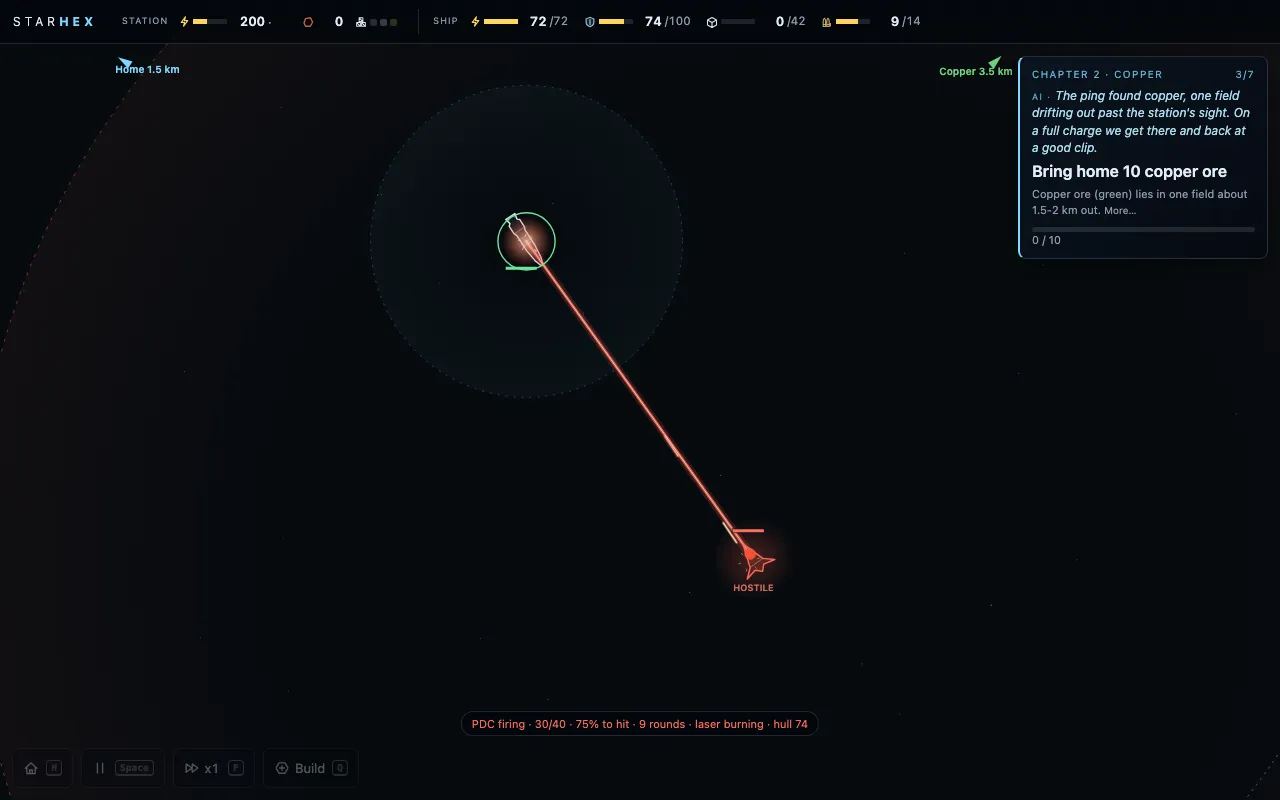 (open full size)
Its laser burns while the PDC answers. v101combatmechanicmilestone
The defence update: rocks, turrets, repairs, relics and heat
“cost could come from defense or combat. what if astroids that drift toward the base need to be gunned down or they damage the station. this could happen from the start. making a gun turret defense module could happen after amno at some point”Kraig, 3:20 am
“i think combat based research advancment is the best way to control the progress of the player. it doesn't have to be 100% but most resaerch should come from exploration and combat”Kraig, 3:25 am
“i think the heat of the entire station should slowly rise and datacenters raise it incredibly. makes heatsinks a balance for a growing station.”Kraig, 4:00 am
Claude: Step 3, built overnight. Every module has a hull now: below half it slows, at zero it goes offline but is never lost. Repair packs (2 plates and a wire, 25 hull each) are made once something first gets hurt, and the station drone carries them to the damage, keeping a part-used pack aboard. From chapter 2 rocks drift onto collision courses, with a warning line, a countdown and an AI call, and the ship or a turret shoots them into collectable chunks. The station turret (4 plates, 2 wire, fed ammo from the dock) opens chapter 4. From chapter 3 scavenger drones sometimes turn up while the ship mines; it fights, then goes back to work. Gate-builder relics, from the copper guard and those fights, are read by a data center on spare power, and each one makes a new research appear: most research comes this way now, while the story's own never waits on one. Chapter 6's storms throw debris, outer modules hardest; a storm shield turns most of it aside while the stored power lasts. And the station has one heat level, from every unit of power used and a lot from data centers, shed by radiators anywhere and best on the edge: over 60% everything slows, over 85% modules start to take damage. When nothing happens for two minutes, the AI suggests something useful.
- Module hulls; repair packs and the drone's repairs.
- Incoming rocks from chapter 2; the station turret (chapter 4's first goal).
- Scavenger encounters from chapter 3.
- Relics: most non-story research now comes from them; five new relic researches.
- Storm debris and the storm shield (chapter 6).
- Station heat in one pool, with a top-bar chip and alerts; data centers' own heat and touching radiators retired.
- The idle hint.
- Saves migrate (v12).
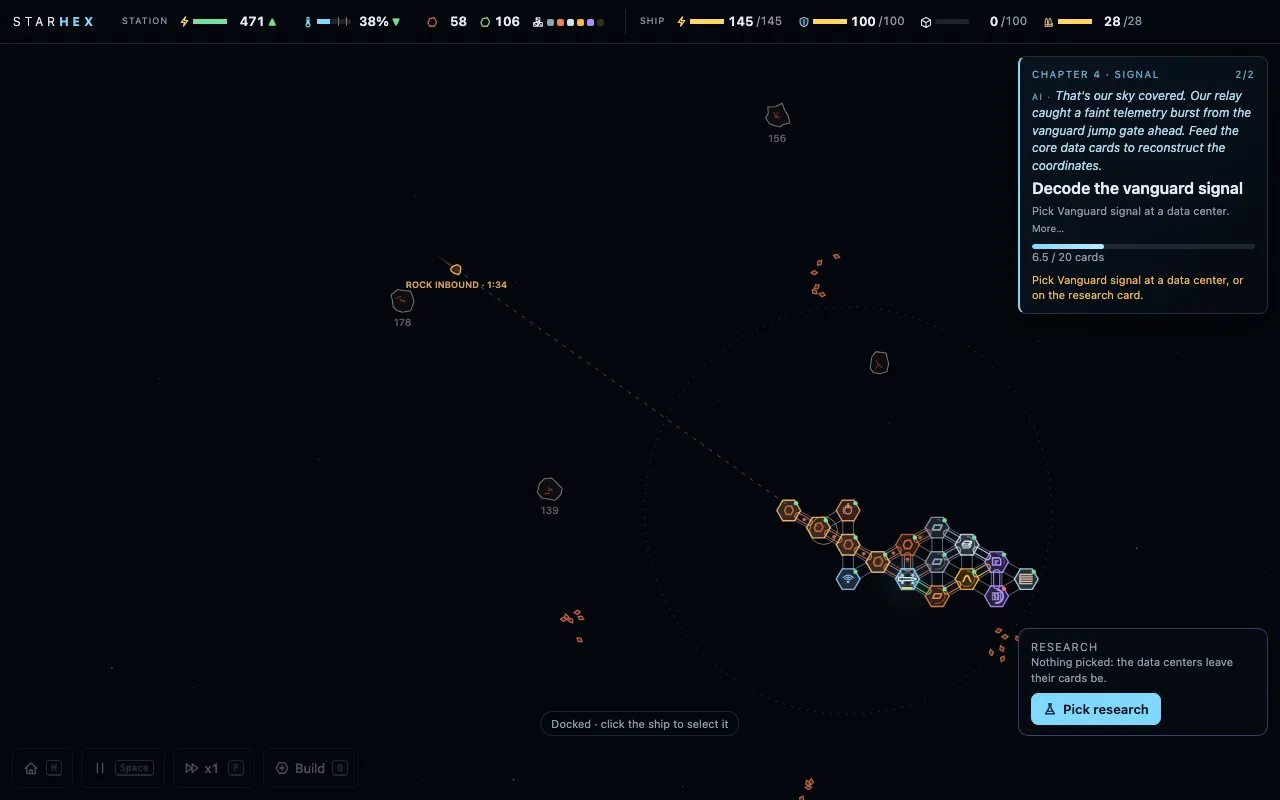 (open full size)
A rock inbound, with time to impact. 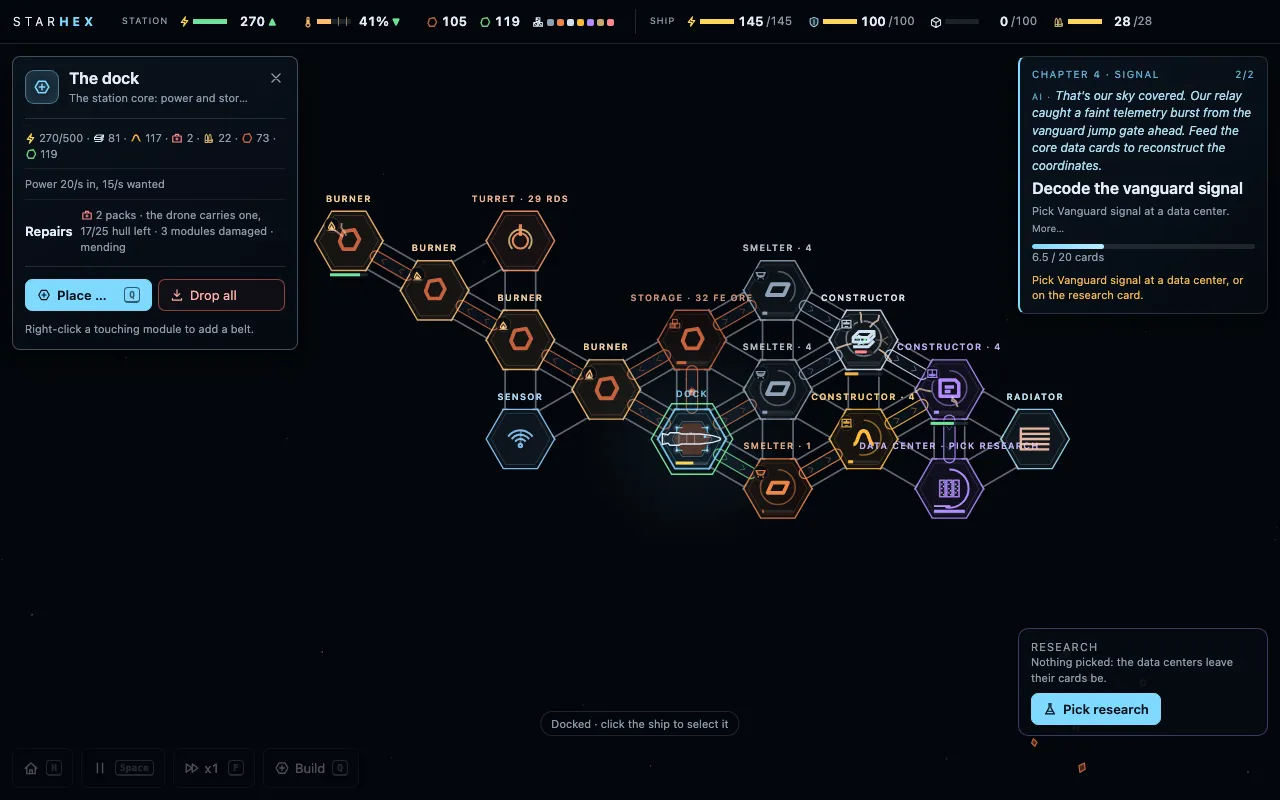 (open full size)
Repairs and the turret. 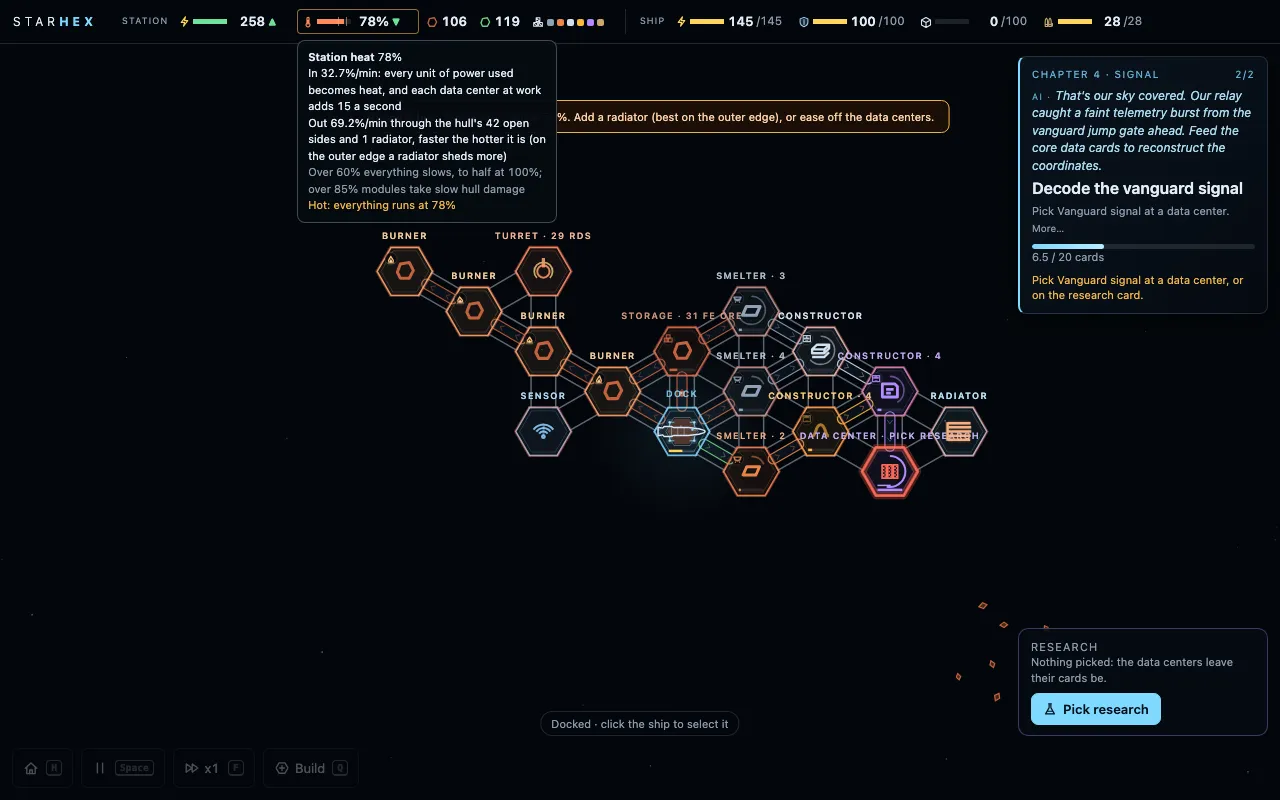 (open full size)
The station running hot. v102mechanicbalancemilestone
Parts in the chain, upgrades in place, and a busier factory
“i think we should add 2-3 components to stack the production chain”Kraig, 4:10 am
“i don't want to have to replace modules with other modules but rather upgrade them with research”Kraig, 4:20 am
“try to balance the factory production so it's almost always running during play through”Kraig, 5:10 am
Claude: Three parts now sit in the middle of the chain: steel plate (2 plates and an iron, in a smelter) from chapter 4, the circuit (a wafer and 2 wire) from chapter 5, and the motor (2 wire and a plate) from chapter 6, each with its own goal. Later builds use them: solar panels, station batteries and the storm shield. Upgrades never replace a module: a research upgrades every module of its kind where it stands, each one collecting its parts while it keeps working, the drone fitting them, and a rank numeral (II, III) appearing on the map. And the factory was rebalanced so the lines keep each other busy: plates, copper, wire and cards run at matched speeds, ammo is made at the pace it's used, burners need a third less ore for the same power, and the signal decode is 14 cards. For the test player, idle time across the line fell in every chapter (chapter 3 from 53% to 21%).
- Steel plate (ch4), circuit (ch5), motor (ch6), each with a goal; panels, batteries and the shield use them.
- Research upgrades in place with ranks, collected through orders and fitted by the drone; new Smelter speed, Constructor speed and Sun trackers.
- Balance: matched line speeds, slower ammo, thriftier burners, richer outer iron, a 14-card decode.
- Saves migrate (v13).
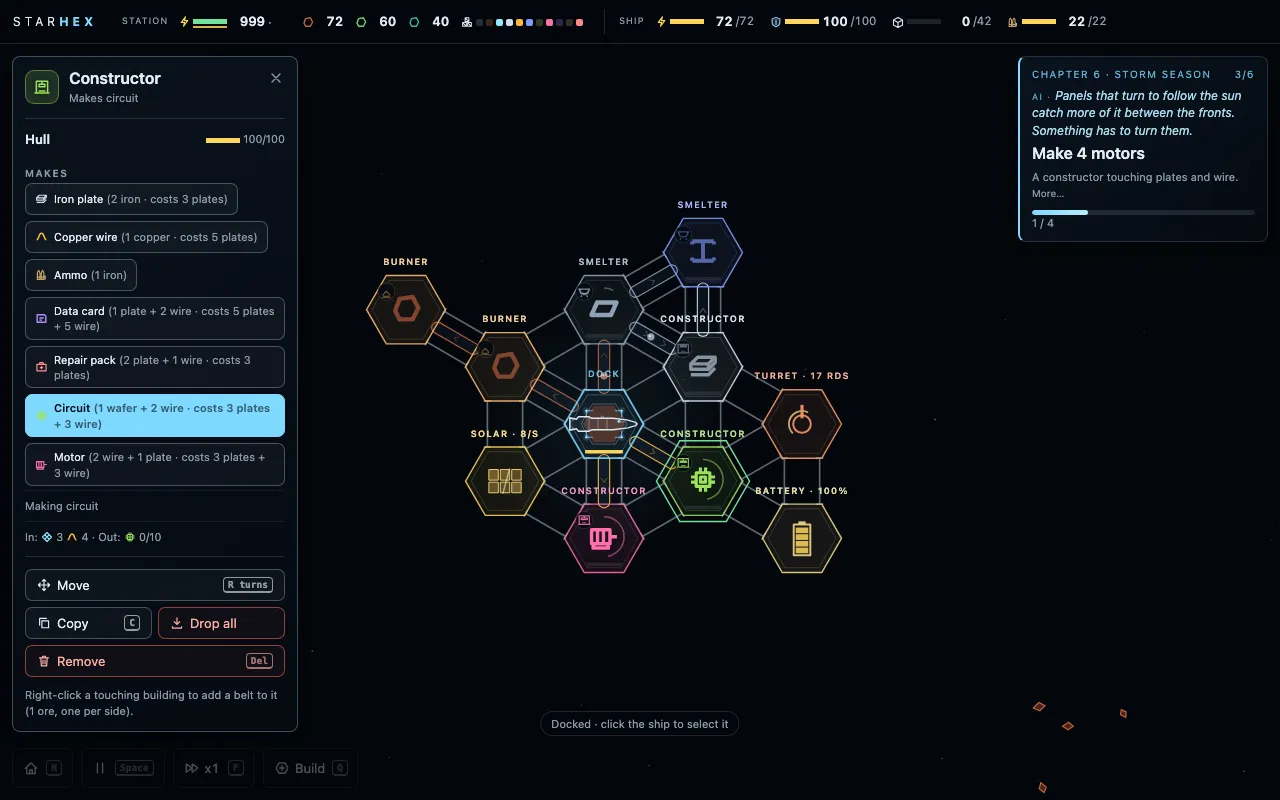 (open full size)
The three parts in the line. 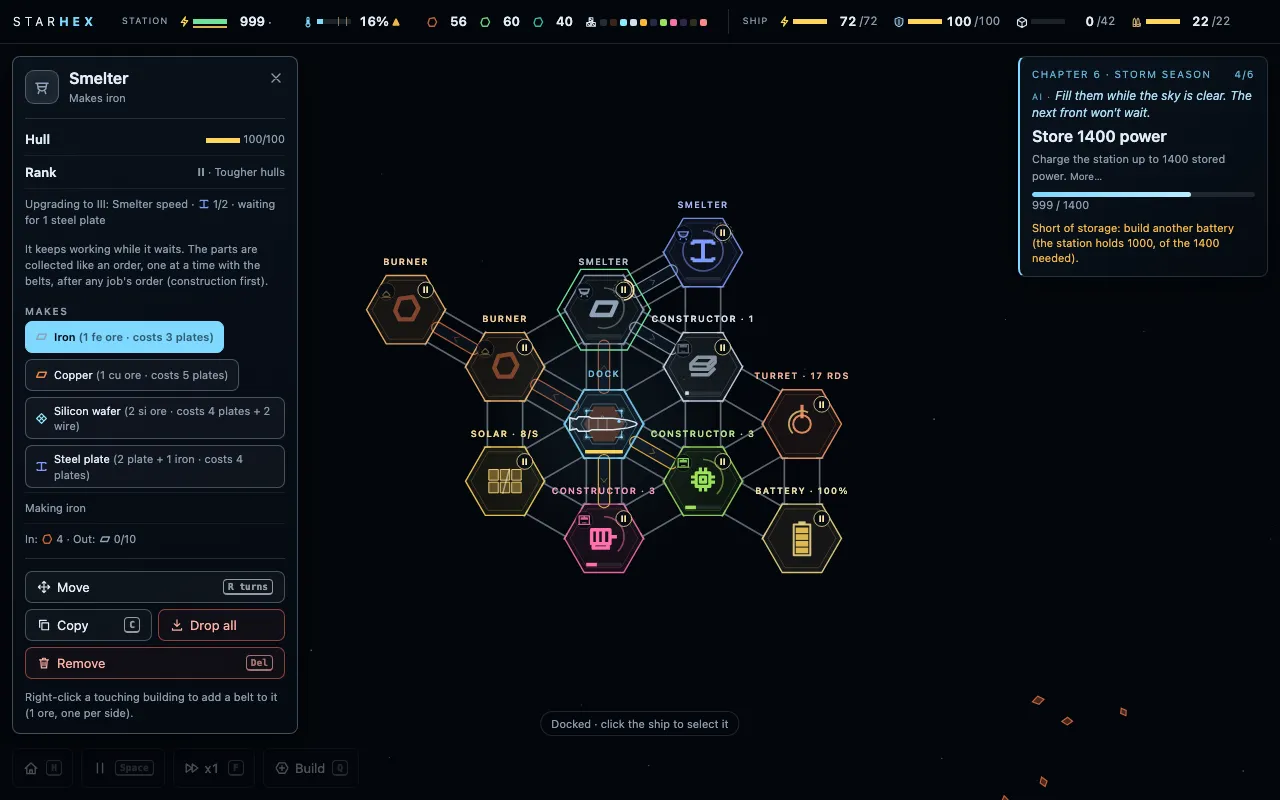 (open full size)
Upgrades in place, with ranks. v103combatmechanicmilestone
A bigger map, and a threat in every chapter
“we can spread the map out more too since traveling is time relative”Kraig, 2:05 am
“no auto speed”Kraig, 8:00 am
Claude: Step 5. The map is bigger: iron stays close, the copper field (and its guard) sits 2.5 to 3 km out, still inside the ping, and silicon is one cluster 6.4 to 7.4 km away. Batteries and drain were retuned so a full base charge does copper and back at a good speed and the Long-range battery (now 320) does silicon; you can zoom out until the station and both fields share one screen, each field ringed and named. Chapter 4's decode is loud: partway through, two raiders come to see what's broadcasting, and the turret and the ship silence them, for a relic. Chapter 5's silicon is guarded by a fixed sentinel whose laser outranges the PDC: close in behind the drifting rocks, or mine where it can't see you. And the great storm brings a raid: three waves of raiders from split directions while the panels are dark; the shield stops debris, not lasers. Beat them and the last one drops a relic that charts the way past the gate. No auto-speed, on Kraig's word. Saves keep their layout; new games get the big map.
- Copper 2.5-3 km, silicon 6.4-7.4 km; Long-range battery 320, relay drain 0.5/s; zoom out to 0.02 with field rings and markers.
- Chapter 4 patrol (two raiders, damage capped, a relic: Efficient drive).
- Chapter 5 sentinel (420 m laser, blocked by rocks, a relic: Tougher hulls).
- Chapter 6 storm raid (three waves; the gate relic, Act 2's hook).
- Saves keep their layout (v14).
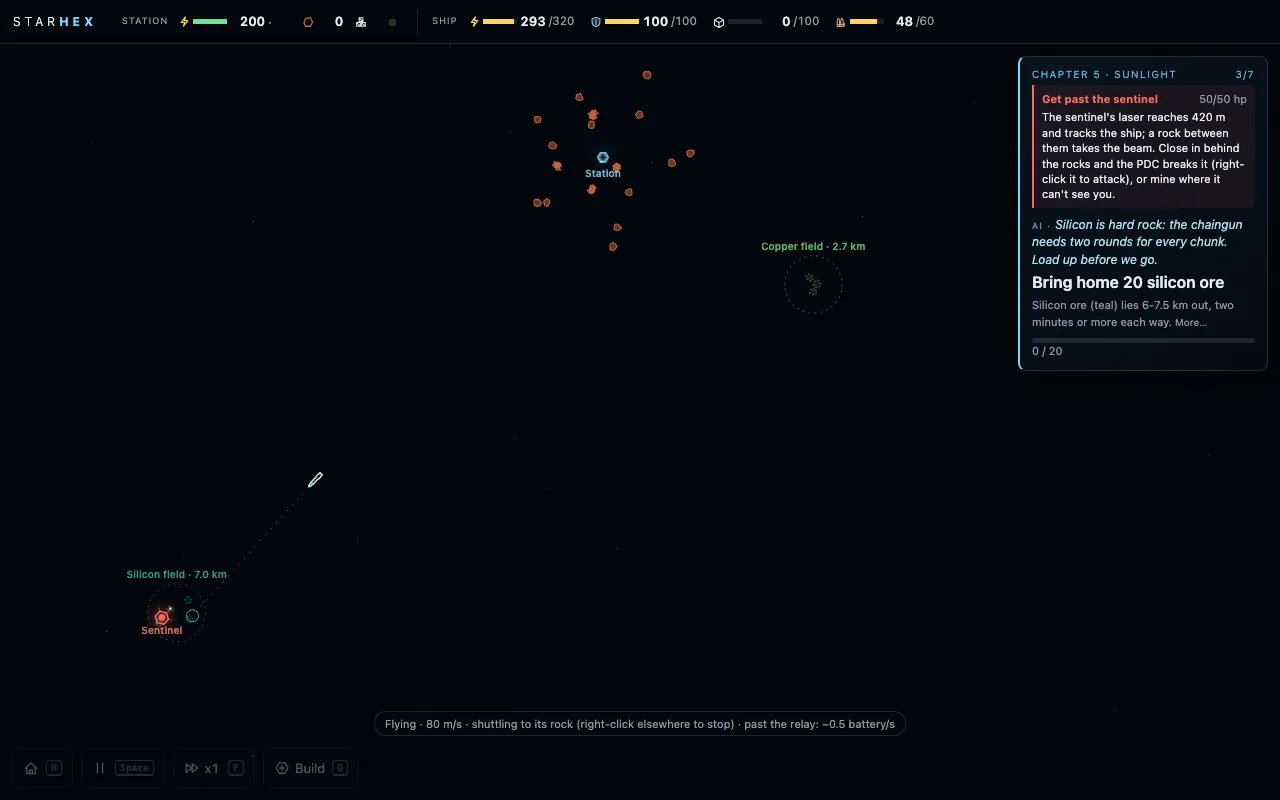 (open full size)
The bigger map, all on one screen. 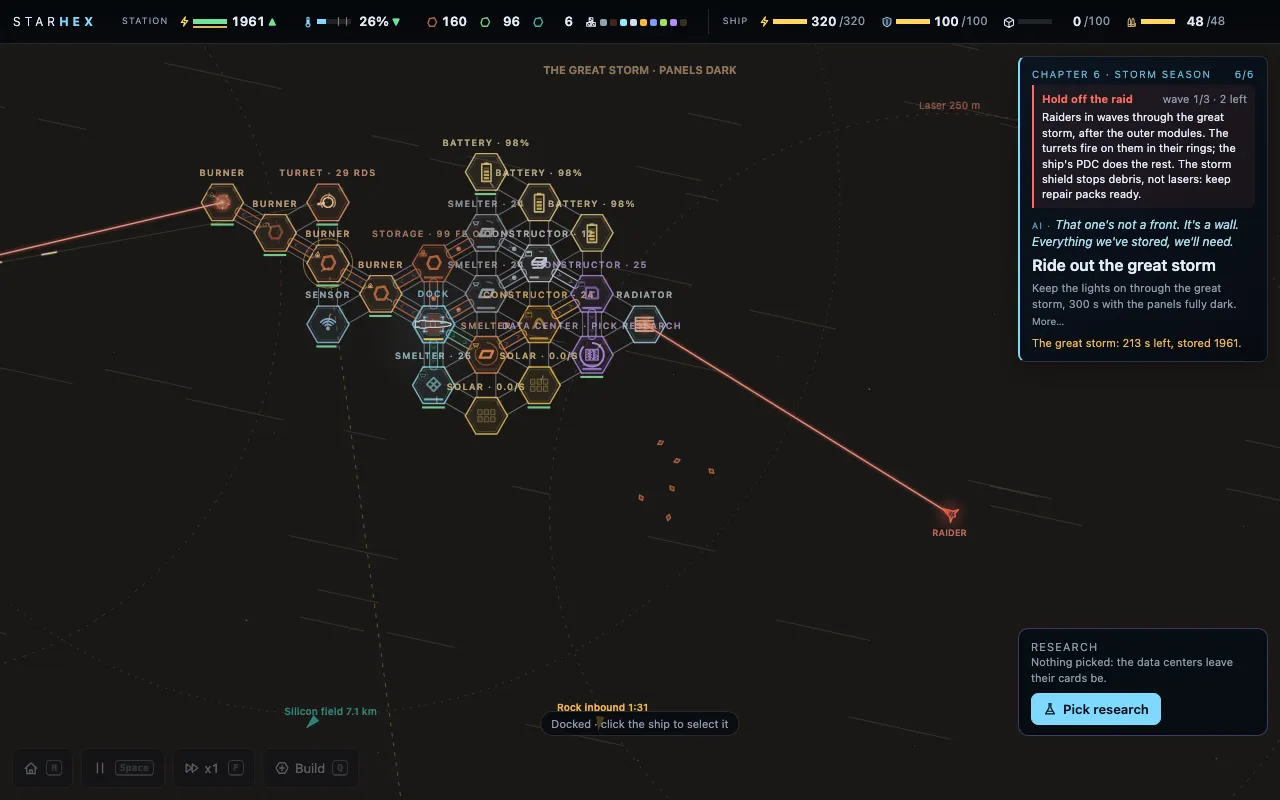 (open full size)
The storm raid. v109combatplaytest
The relic stays where it fell
“the relic is flying away. not good”Kraig, 9:53 am
“i could go retreieve it”Kraig, 9:53 am
Claude: A relic dropped by a beaten enemy used to shoot off with the wreck's speed. Now it drifts slowly where it fell and you fly over to pick it up. The PDC's ring also shows whenever the gun is on something, incoming rocks included, and labels at the screen's edge no longer pile on top of each other.
- A dropped relic drifts slowly where it fell; fly to it to bring it aboard.
- The PDC ring shows while it engages rocks too.
- Shots fired on your order hit more often (30%, was 15%).
- Overlapping edge labels stack instead of overlapping.
v110combatinterfaceplaytest
Close combat you can see
“the ship fires PDC wayy to far away. do we even have a firing radius indicator? i keep thinking that the gravity well is the PDC range”Kraig, 9:53 am
Claude: The PDC reached 350 m, well off screen when zoomed in, while the only circle you could see was the 60 m pull field. Now the PDC reaches 200 m and every enemy weapon shrank to match, so fights happen up close. The PDC ring shows whenever the ship is selected, warm and ticked like a gun sight and labelled "PDC 200 m". The blue pull field is labelled "Pull 60 m".
- PDC range 350 m to 200 m; the guard's laser 300 to 170 m, the sentinel's 420 to 250 m, scavengers' 250 to 145 m, the turret's 240 to 150 m; enemies hover closer.
- The PDC ring always shows while the ship is selected, in its own warm, ticked style with a label.
- The pull field is labelled.
v111interfacepowerplaytest
Seeing the station's power
“ideally, I would like to look at the station and know where the power is flowing and what machines are using power and how much. There should be some like faint like glow or something about like how much power the station is using.”Kraig, 10:04 am
“this should be a button to select the ship. same with station. swap the home button the bottom to clicking station button”Kraig, 10:04 am
Claude: The dock holds the station's power, so power now visibly flows in from the burners and panels and out to every machine drawing it. It travels as small warm pulses along the support beams, more and faster where more power crosses, and slowed and flickering in a brownout. Machines using power get an amber rim as bright as their draw, and generators get a green rim. Select one to see its rate, and its panel says what share of the station's power it takes. A faint glow around the station grows with what it uses, and the top bar shows the total. The STATION and SHIP labels in the top bar are now buttons that select them and bring them into view, replacing the home button.
- Power pulses along the support beams, from what makes power to the dock and from the dock to what uses it.
- An amber rim on machines using power and a green rim on generators, each as bright as its rate; the rate shows when selected or zoomed in.
- The module panel's Power row: uses or makes so much a second, and its share of the station.
- A faint station glow and the top bar's "uses N/s" for the whole station.
- STATION and SHIP in the top bar are buttons; the home button is gone (H still looks home).
v112combatinterfaceplaytest
The PDC ring only when it matters
“the PDC radius line should disapear when there's no reason for it and come back then there is something nearby that could activiate it”Kraig, 10:05 am
Claude: The PDC ring no longer appears just because the ship is selected. It fades in as an enemy or an incoming rock comes within twice its reach, reaches full strength once the threat is close, and stays while the gun is on something.
- The PDC ring fades in with nearby enemies and incoming rocks, and stays while firing.
- The top bar's station use hides while nothing draws power.
v113interfacepowerplaytest
A rail and a power line
“I think it's a little too much having it go on both connection support rails. Let's just have like one be the support rail which is like a little thicker and then one be a thin power line and let's just lower the opacity of the power flow a little bit”Kraig, 10:09 am
Claude: Each pair of touching modules is now joined by one thicker support rail, with its brackets, and one thin power line. The power pulses run only along the power line, smaller and fainter than before.
- One support rail (thicker) and one thin power line between touching modules.
- Power pulses on the power line only, about a third fainter and smaller.
v104sound
The ship AI speaks through chapter 2
“You can just pick one of the voices and put it in the game so I can hear what it sounds like. And we'll iterate from there.”Kraig, 10:00 am
Claude: Of the two test voices, Hope (natural, clear and calm) is now the ship AI's voice. She reads every goal's line through chapters 1 and 2, and the copper guard's three moments: "Contact. It was waiting.", the flight if it escapes, and what it was once it's down. The music dips under her and the words stay on screen. Settings > AI voice turns her on or off. Later chapters' lines come once the voice is settled.
- Hope's voice on chapters 1-2's goal lines and the guard's three lines (21 recordings).
- Settings: AI voice on or off.
v114combatpowerinterfaceplaytest
The station's pull, a gun that fires, power in plain numbers
“if we destroy an asteroid it should get we should get the resources you know it should like slowly drift towards the station because it's going towards the station and a gravity well should bring it into the”Kraig, 10:29 am
“so why didn't the ship fire PDC on this astroid when it was in the radius? it should have. i also want the PDC radius reduced by 20%”Kraig, 10:29 am
“this power info is a little confusing”Kraig, 10:29 am
Claude: The station now has its own pull field, reaching 150 m past its outermost module. Chunks from a rock you shot down, or from a rock that hit the station, fall to the dock and go into its store, but only what the store has room for. Anything the dock is full of floats on, marked 'dock full', and comes in once there's room. Select the dock to see the ring. The ship's PDC skipped that rock for two reasons: it left incoming rocks to the station's turret, and it held fire until its chance to hit reached 45%. Now it fires at anything inside its ring. Every combat range is 20% shorter, so the PDC reaches 160 m. The power chip now reads made and used per second (+26.9 −24.6), adding the speed only when the station is short, and its card says the same in plain lines.
- The station's pull field: chunks within 150 m of the station fall to the dock, only what fits; the rest float on, marked.
- Removing a belt into a full dock floats the refunded ore beside it.
- The PDC fires at anything inside its ring, incoming rocks included even with a turret.
- Every combat range is 20% shorter: the PDC 160 m, the guard's laser 135 m, the sentinel's 200 m, scavengers' 115 m, the turret's 120 m.
- The power chip reads made and used per second, the speed only when short, and its card is plainer.
v105soundmusic
Music that comes and goes
“Could we also do a music upgrade pass where instead of just the drone and instead of just the milestone objective chapter motifs, we can have really low, simple, ambient, but like forward momentum progress music that comes in and out, similar to like Minecraft, Homeworld, games like that.”Kraig, 10:25 am
Claude: The score has pieces now, the way Minecraft's music arrives: every few minutes a piece fades in for about two to three minutes, builds and resolves, then the drone has the room again for a while. Each piece is low and simple but moves: a soft muted pulse in eighths underneath, slow pads changing every two bars, a sparse piano-like line once it's settled, and in the warmer and darker pieces a far-off choir-like tone. The chapter sets its colour: cold and sparse at the start, warmer with copper and compute, darker through the storms. A long trip gives it a little more drive, and a chapter's own motif always takes the floor. It's all generated live, in the same key as the rest of the score, so there are no licences to worry about for Steam.
- Ambient pieces every few minutes (about 1.7-3 min each, 3-5 min apart), coloured by chapter and storms, a touch more drive on long trips; chapter motifs take precedence.
v115interfaceresearchplaytest
A research card that holds still
“I want this card that's on the screen to not change and move. The only things that happen is when you click the change research button, it opens a new menu. That expands it up. Or if you hover over the current research bar, it gives you the full details.”Kraig, 10:48 am
Claude: The research card now keeps the same rows whatever happens: the research, its bar, one line of cards (with the relic being read, if there is one) and a Change research button that's always there. The 'no data cards' warning is gone. Hovering over the name and bar shows that research's full card. Change research opens the list above it, with what's already researched behind a Researched drop-down.
- The research card keeps a fixed layout; the relic's progress sits in its cards line.
- Hover the current research for its full details.
- Change research is always there and opens the list upward, with a Researched drop-down.
- The no-data-cards warning is gone from the card.
v116combatplaytest
Guns that turn before they fire
“I want the um, barrel to like turn and target the next thing it's going to shoot before it starts shooting. So it should like if it's within its visibility, it should target it. So it's ready to like start firing and doesn't like whip snap over to where it's shooting once it starts shooting.”Kraig, 10:51 am
Claude: The station turret's barrel used to snap onto a target once it was in range. Now it turns smoothly toward the nearest threat it can see, from three times its reach, so it's already lined up when the threat comes in, and it only fires once it's on target. The ship's PDC gets a small barrel that does the same, tracking whatever is coming within twice its range.
- The turret turns toward threats from 3x its reach, at a set speed, and fires only once lined up.
- The ship's PDC has a visible barrel that tracks the next target.
v106visualplaytest
Smooth motion at x1
“Is there a way we could improve slightly the frame rate of one times play? It seems to, like, I don't know, be a little jumpy.”Kraig, 10:45 am
Claude: The simulation ticks ten times a second while the screen draws about sixty, so at x1 everything that moved visibly stepped ten times a second (x4 hid it with more ticks per frame). Now the ship, the drone, rocks, chunks, enemies and shots are drawn blended between where they were before the last tick and where they are now, by how far the clock is into the next one: smooth motion, at most a tenth of a second behind, with nothing about the game itself changed.
- Moving things are drawn blended between ticks; the simulation and its timing are unchanged.
v117interfaceplaytest
Recipes at a glance
“We also need to clean up the design of like quickly understanding what is being made and what it costs and we should borrow from Factoria. I think they use icons and just do it pretty well. And we at like a quick glance, I should be able to tell what's being made, what it costs, and if I hover it over, it should give more information.”Kraig, 10:59 am
Claude: Each recipe in a module's panel is now one line, the Factorio way: what it makes and its name, then the recipe in icons (2 si ore → 1 wafer), then what switching to it costs, in icons and dimmed. An order is dashed and shows what it has collected. Hovering a recipe opens its card: what goes in and out, how long a batch takes, its power, and what switching costs. The long explanation under the list is gone.
- One-line recipe rows with icons: makes, the recipe, the switch cost.
- A hover card per recipe with the full details.
- The long note about unaffordable recipes moved into the hover card.
v118interfaceplaytest
A calm repair drone
“So when a drone goes to repair a building, it kind of spins around and freaks out as it's doing it. That should be like not happening. It should just be more simple.”Kraig, 11:08 am
Claude: The drone pointed itself at the module it was working on. Parked right on top of the module, that direction came from tiny leftover distances and flipped wildly. Now it keeps the heading it arrived with and turns smoothly. Its mending line glows steadily instead of flickering.
- The drone holds its heading while it builds, mends or fits upgrades, and turns smoothly when flying.
- The mending line glows steadily.
v107soundplaytest
The AI's voice fades instead of cutting off
“need audio cross fade out for VO. the sound cuts off and it's apparent”Kraig, 11:20 am
Claude: Every line now fades in over 30 milliseconds and out over its last quarter second, a line interrupted by the next fades out over 0.3 s instead of stopping dead, and a faint short room tail lets her last word ring out rather than clip. The voice plays through the browser's audio engine now, the music still dipping under her.
- Voice lines fade in and out; interruptions fade; a faint room tail.
v108interfaceplaytest
The goal card stays put
“this keeps bouncing open annoyingly when i try to press the button”Kraig, 11:45 am
Claude: The goal card used to open its full text whenever the mouse passed over it, so reaching for its button made the card grow and the button jump away. Now it opens only when you click it (or More…), and each new goal starts folded.
- The goal card's full text opens on a click, not on hover.
v119powersensingresearchplaytest
A small battery, pings that charge, an array to find the silicon
“The game should start with the dock having a battery, so the station has a battery to begin with, but it's very small and the station battery is depleting if energy creation is below consumption.”Kraig, 10:40 am
“the silicon field just shows up after like research and chapter. We should have to do an upgrade to the sensor to increase the radius to find it. Like anytime we want to find a new thing on the map, it should require some kind of sensor upgrade and ping. That takes power. And the power should have to charge up”Kraig, 10:40 am
“the station gravity well should be a research”Kraig, 10:42 am
“the power really should just be the single line being battery power. And then there should just be a plus green number for excess energy generated. Minus consumption.”Kraig, 10:50 am
Claude: The dock now holds just 60 power (it starts at 20), so whenever the station uses more than it makes it drains in seconds and browns out. Burners slow down when the battery is full instead of wasting ore, and a docked ship charges 4/s first and the rest from whatever the factory leaves. A ping now charges from the station's power, 6 a second like any machine (a gold ring fills around the sensor), then fires; you can cancel it. Auto ping only starts a charge when there's power to spare. The silicon no longer appears with Solar power: chapter 5 gains the Long-range array research and a sensor upgrade (plates, wire and a data card) that doubles a ping's reach to 9 km and its cost to 240, and that far ping finds the silicon. The station's pull field is now a research, Station gravity well (6 cards). The power chip is one bar for the battery's charge and one net number a second: green when gaining, dim when even, red when losing.
- The dock battery is 60 (starts at 20); burners slow when it's full; the ship charges 4/s first.
- Pings charge from station power (6/s) with a ring on the sensor and a Cancel; auto ping only with power to spare.
- Long-range array: a chapter 5 research and sensor upgrade; its 9 km ping finds the silicon (3 new chapter 5 goals).
- Station gravity well: the station's pull is a research (6 cards).
- The power chip: the battery's charge and one net number.
- Chapter 1's power goal is 30; chapter 6's reserve goal is 1000.
v120sensingcombatplaytest
Sight from the dock
“So the station should have its own visibility radius. From the dock. And it should start small. And when you get the sensor, the sensor becomes or just like increases the distance ... we shouldn't be able to see any live updates outside that radius. Because I feel like I'm seeing way too far out. And it like incentivizes the auto ping”Kraig, 11:00 am
Claude: The dock alone now sees 400 m; a working sensor raises the station's sight to 1.2 km and the Long-range array to 1.5 km. Select the dock or the sensor to see the ring. Nothing outside the station's sight, the ship's 600 m or a ping shows live: rocks, chunks, rocks inbound and enemies. What's been seen leaves a still, faded mark ('Raider · seen 0:30 ago'). A rock inbound is only announced once it's seen, and rocks now start further out, so the dock alone gives about 50 s of warning, a sensor about 3 minutes and a ping up to 4. The turret and the PDC only track what's been seen. Chapter 1's loose iron now drifts inside the dock's sight.
- Station sight: the dock 400 m, a sensor 1.2 km, the array 1.5 km; rings when selected.
- Nothing live outside sight or a ping; faded last-seen marks for rocks inbound and enemies.
- Rocks inbound are announced when seen and start further out (4 min away).
- Guns track only what's seen; attacks need the enemy in sight.
- Chapter 1's loose iron sits within 340 m.
v121powercombatexplorationplaytest
The dying RTG and isotope cores
“it's a constant annoyance having the RTG burning and no battery ... we need to get these isotope cores ... that helps for a little bit ... But like that goes away eventually and we're back to like the brownouts ... we should really only have to get like 3 of them, maybe 3 to 5 to get from the beginning all the way to solar ... it should feel like a great relief once we do finally like automate that manual task with solar.”Kraig, 12:00 pm
Claude: Burners are gone; ore is for building only. The dock's RTG wakes with the first module at 10 power a second, holds for 4 minutes, then falls 1 a second every 55 s to a floor of 2 that it never goes below, and the power card counts it down. Isotope cores, the same fuel the gate-builders' machines run on, lift it by 10 (up to 18) and hold it 5 minutes: about 11 minutes of comfort before the brownouts come back. The copper guard, the chapter 4 patrol and the chapter 5 sentinel always drop one, scavengers sometimes do, and five derelict wrecks lie out in the fields, the first always within the sensor's sight. A core in the dock goes straight into the RTG. Chapter 2 gains 'Fit an isotope core', and modules get an on/off switch so a short station chooses what runs. The test player used 4-5 cores before solar on every map.
- Burners retired; the RTG is the station's power until solar (10/s, decaying to a floor of 2/s).
- Isotope cores from the guard, the patrol, the sentinel, some scavengers and five wrecks; each lifts the RTG 10/s for 5 minutes.
- A new chapter 2 goal: Fit an isotope core.
- An on/off switch on every module.
- The RTG's floor charges a flat docked ship first.
v122logisticsplaytest
Drone logistics
“some sort of logistics research upgrade. Where it allows a very, very small trickle of provider and requester so the drone will go over to the wire and bring the wire to the smelter ... the drone should always just use like move just like one of the items or components ... there's still reasons to do the belts because it moves the like high quantity ore and smelting”Kraig, 10:58 am
Claude: A chapter 5 research, Drone logistics (12 cards). Once it's done, a module's panel has a Drone supply switch for each item input it uses; ores stay belt-only. A switched-on input asks when it's below half full, shown as a small bubble with the item's icon, and the drone fetches one item a trip from the dock, a storage or a maker's output store, flying at half speed and only after its builds, upgrades and repairs. Ammo goes as a box of 10. The test player used it to feed a circuit constructor's wire without a second wire line: 35-54 trips a game.
- Drone logistics research (chapter 5).
- Drone supply switches per item input; asking bubbles on the map.
- One item a trip at half speed, last in the drone's queue; ammo by the box of 10.
v123combatplaytest
Strikers and their missiles
“whatever enemies we start to face become just too easy. So they should also introduce the missile ... there should be another unit type other than scavenger that has one missile that it fires at the PVCs have to take down.”Kraig, 11:05 am
Claude: A new gate-builder machine, the striker. It holds 300 m off its target, outside the PDC's reach and a turret's best, locks on for 3 s, fires one homing missile and runs. The missile starts slow and speeds up to 22 m/s, turns slowly enough that a ship burning away can outrun it, and takes two hits from the PDC or a turret, which now shoot missiles before anything else. A hit costs the ship 25 hull (never below 5) or a module 30. 'MISSILE INBOUND' marks it with its path and a rising whine. One comes with the chapter 4 patrol, half of chapter 5's encounters bring one, and every chapter 6 raid wave has one. A killed striker drops scrap and sometimes an isotope core. In the test player's games 14 of 21 missiles were shot down.
- The striker: one missile, then it runs; two PDC hits kill it.
- Homing missiles the PDC and turrets shoot first; MISSILE INBOUND marker and a warning whine.
- Strikers in the chapter 4 patrol, chapter 5 encounters and every chapter 6 raid wave.
v124combatvoiceinterfaceplaytest
Honing: hints, missiles that run dry, Hope speaks every goal
“if you get the sense that they're doing things wrong or taking too long or not quite doing things right, there's like some extra tool tips that pop up that can help them, but they only go up if the player isn't doing stuff right”Kraig, 1:50 pm
“missiles don't have an infinite amount of energy or fuel to readjust itself. So yeah, they're not going to accelerate forever. And they won't be able to redirect forever. So there's the chance of like outmaneuvering a missile, outrunning a missile.”Kraig, 2:10 pm
Claude: From Kraig's lightning round. Chapters 1-3 now watch for someone stuck: a goal running far past its usual time, no progress, or a common mistake (a belt the wrong way, a module with no job, a machine with nothing coming in, the ship crawling on a low battery) brings a small hint and a ring on the exact thing to click; nothing shows when you're doing fine. Missiles launch cold, light their engine a second later and keep accelerating on a fuel budget shared with steering: run it dry by fleeing early and it coasts past, harmless. Each has a 28 m blast, when it hits or when it's shot down, so killing one near another takes both. Hope now speaks every goal's line in the same voice. The wafer goal is 6, the RTG's first fade comes sooner so the first brownout lands late in chapter 2, just before the guard's core.
- Adaptive hints in chapters 1-3, only when stuck.
- Missiles: cold launch, engine burst, acceleration on a fuel budget, 28 m blast, one hit to kill.
- Hope voices all 42 goals.
- Wafers 10 -> 6, quicker and lighter on power.
- The first brownout late in chapter 2.
v129interfaceplaytest
Salvaged wrecks go quiet
“salvaged wreck should eventually lose its tag on the map”Kraig, 4:08 pm
Claude: A salvaged wreck's 'SALVAGED' label shows for a minute after its core comes out, then fades away; the empty hull stays as scenery.
- The SALVAGED label fades a minute after salvage.
v130combatstoryplaytest
A rock to teach the turret
“Once we can build a gun turret, that an asteroid is launched at that moment, and the AI is like, oh, there's an asteroid coming. You should build a turret to get defenses up ... we need some kind of introduction to the mechanic of turrets for the station.”Kraig, 2:55 pm
Claude: When the turret goal comes up in chapter 4, a rock is set coming at the station, caught early by the sensor about four minutes out, and Hope says so: build the point-defence mount before that rock does the building for us. The first turret now has something to shoot the moment it's up.
- The turret goal starts with a rock inbound, announced at once.
v125interfaceplaytest
Only what matters yet
“the line under "the dock" is cut off and hovering doesn't reveal it. fix that. at the very start of the game we need to hide anything that doesn't affect the player yet. we don't even have another module so we shouldn't mention belt at all.”Kraig, 2:55 pm
Claude: Panel subtitles wrap instead of being cut off. The dock's panel only shows what matters yet: the power line once the RTG is awake, Drop all once the dock holds something, Fly home once the ship is really away, and the belt hint once there's a module to belt to.
- Panel subtitles wrap.
- The dock panel hides lines that don't apply yet.
v131storyuiplaytest
Hope's words on a terminal
“each time the AI speaks there should be a semi readable computer terminal type subtitle read out in the top left of the screen”Kraig, 3:02 pm
Claude: Whenever Hope speaks, her words now type out in a small terminal in the top-left corner, timed to finish just before she does, with a blinking block cursor at the end. It's faint on purpose, more texture than text. When she reads one of the machines' logs, the terminal turns amber and says it's translating.
- Hope's lines type out as a terminal subtitle, top left, in time with her voice.
- Machine log fragments show in amber, marked as a translation.
v126voiceplaytest
Hope waits her turn
“voice lines shouldn't cut off or interupt each other. just play in queue and wait”Kraig, 3:05 pm
Claude: A new line no longer cuts off the one playing: it waits and plays after it, with a short breath between. The same line is never queued twice, and one that has waited more than 45 seconds is dropped, since what it was about has passed.
- Hope's lines queue instead of interrupting.
v127storyexplorationvoiceplaytest
A pod, a sleeper, and the logs
“we need some sort of quick opening sequence”Kraig, 2:25 pm
“we should put having to put the ammo into the dock back into the game, because once you unlock logistics with drones, then you could build the ammo constructor anywhere”Kraig, 3:15 pm
“The make five iron plates should still be in chapter one.”Kraig, 3:25 pm
Claude: The story starts. The title screen is a lone pod in the dark with one light stuttering on, and after New game a short opening: boot text, then Hope: home sent this pod out to find a way through, one sleeper and her. Every relic read, wreck salvaged or core recovered now opens the next of 17 log fragments, half Hope's own notes and half the gate-builders' machines translated, which Hope reads aloud and keeps in a Logs list (L): watch kept, site quiet; build, never open; the sky behind the gate was not our sky. Wrecks are salvaged now: stop beside one and the drone cuts the core free over 10 seconds, and the noise can wake what guards it. The docked ship loads rounds only from the dock (or a storage) until Drone logistics, so the ammo line has to be belted home. Make 5 iron plates is back in chapter 1.
- A title scene and a skippable opening after New game.
- 17 voiced log fragments plus the gate's, and a Logs list (L).
- Wreck salvage: a 10 s cut that can wake the guards.
- Ammo must be belted to the dock until Drone logistics.
- Make 5 iron plates is in chapter 1 again.
v132combatbalanceplaytest
Forty rounds, a turret that always fires, a gun that looks behind
“199 amno in the dock is crazy. should be 40?”Kraig, 3:20 pm
“Regardless of if my ship is in transit or going to a destination or has a chain of destinations picked, it should always just fire on enemies that come within its range. I shouldn't have to select the enemy. If an enemy is in range, it should fire.”Kraig, 3:35 pm
Claude: Belts stop bringing ammo into the dock once it holds 40 rounds, so the ammo line idles instead of piling up. The test runs showed the new turret never firing at the rock it was built for: the factory drained the station to zero every moment, and each round needs a little power. Now a turret fires anyway and the power it used is paid back first from the next moment's power, so the factory takes the brownout, not the defence. And the ship's gun had a blind spot behind it, which is how two scavengers slipped past on the way to a wreck. It now turns all the way round and fires on anything in range, whatever the ship is doing.
- The dock stops taking ammo at 40.
- Station turrets fire even when the station's power is empty.
- The ship's gun covers all the way round.
v128interfaceplaytest
A queue of orders
“I should be able to shift click waypoints or like a queue of movements for the ship. And at each point, it'll stop and then start again. So I can like pick up a bunch of different batches of iron and I could also shift click back to the dock. So it's just like a chain of actions. And I could also shift click like two different asteroids. So it goes and gets them both.”Kraig, 3:55 pm
Claude: Shift+right-click adds an order to a queue behind the one in hand: fly to a point, mine a rock, or go home (up to 8). The ship finishes each before the next: at a point it waits for the pull field to take what's near, at a rock it mines until the hold is full or the rock is out, and home it unloads. The chain shows on the map as numbered stops. A plain right-click clears the queue.
- Shift+right-click queues points, rocks and home; numbered stops on the map.
- A plain order clears the queue.
v133storyplaytest
Start as the ship
“should we just start as the ship as it powers up. our first action is to place the dock module”Kraig, 2:20 pm
“the human is put in the dock after building. if we lose the dock, the game ends. if the ship is destroyed, we build a new one in the dock somehow”Kraig, 2:22 pm
Claude: The game now begins with the seed pod alone, the dock folded inside it. The first goal is to pick a clear spot close by; the ship flies there and the dock unfolds, its panels opening into the hex and the RTG lighting. The sleeper moves into the dock, so the dock now has a hull, and if it reaches zero the run ends. A ship destroyed far out is rebuilt in the dock from plates and wire. The starting iron is spread further out too.
- Start as the ship; place the dock; the unfold.
- The sleeper lives in the dock: dock hull and game over.
- A destroyed ship is rebuilt in the dock.
- Starting iron spread further out.
v134shipuiplaytest
Topped up before it goes
“Auto mining AI departure and leave, like, really needs to fully load the ship battery and ammo if it can before it leaves. Like, within it shouldn't, like, sit there waiting forever if it can't happen, but if it is happening, if it's loading, like, it should sit there and wait.”Kraig, 3:58 pm
“what is the stuck alert indicate? Like a production stall? I don't really like it.”Kraig, 4:02 pm
Claude: Docked, the ship now waits to finish charging and loading rounds before it sets off, whether the order is yours or auto mining's, as long as the charge is actually coming in. If it stalls, it goes with what it has. The status line says it's topping up. The off-screen "stuck" marker is gone: it counted any module not working, even an idle lab. Each module's status dot on the map still shows it.
- The ship tops up its battery and ammo before leaving the dock.
- The off-screen stuck marker is removed.
v135balanceplaytest
Research that weighs what it's worth
“I feel like should be like twice as much to do. So like Vanguard should go back to being what was it, like 30? Something like that? And solar power should be like 40 cards? I don't know. Like the number of cards should indicate how important the research is.”Kraig, 4:15 pm
Claude: Research now costs about twice the data cards, in tiers. The story's two steps are the biggest: the vanguard signal at 30 cards and solar power at 40. The big station and ship steps sit in the middle, and the small helpers are cheapest. A full run of chapters 1 to 6 is now roughly an hour and a half to an hour and three quarters for the test player.
- Research card costs about doubled and tiered by importance.
v136combatartplaytest
A spray of tracers
“Would it be possible to do turret and ship [flak] cannon or gun like a constant stream of bullets and tracers? So it's like those really fast [flak] guns on ships that are trying to stop missiles. Like, I really like that. It's like a spray.”Kraig, 4:22 pm
“pressing this ping button in the objective window doesn't do anything. I have to press the key P for it to happen.”Kraig, 4:26 pm
Claude: The ship's gun and the station turrets now draw each round as a burst of eighteen fine tracers, spread across the time until the next round, each a hair off the line, misses fanning wider. A gun that's firing is now one unbroken spray. It's only the look: ammo, hits and fire rate are unchanged. The Ping button on the goal card works now too.
- Point-defence fire drawn as a continuous tracer spray.
- The goal card's Ping button works.
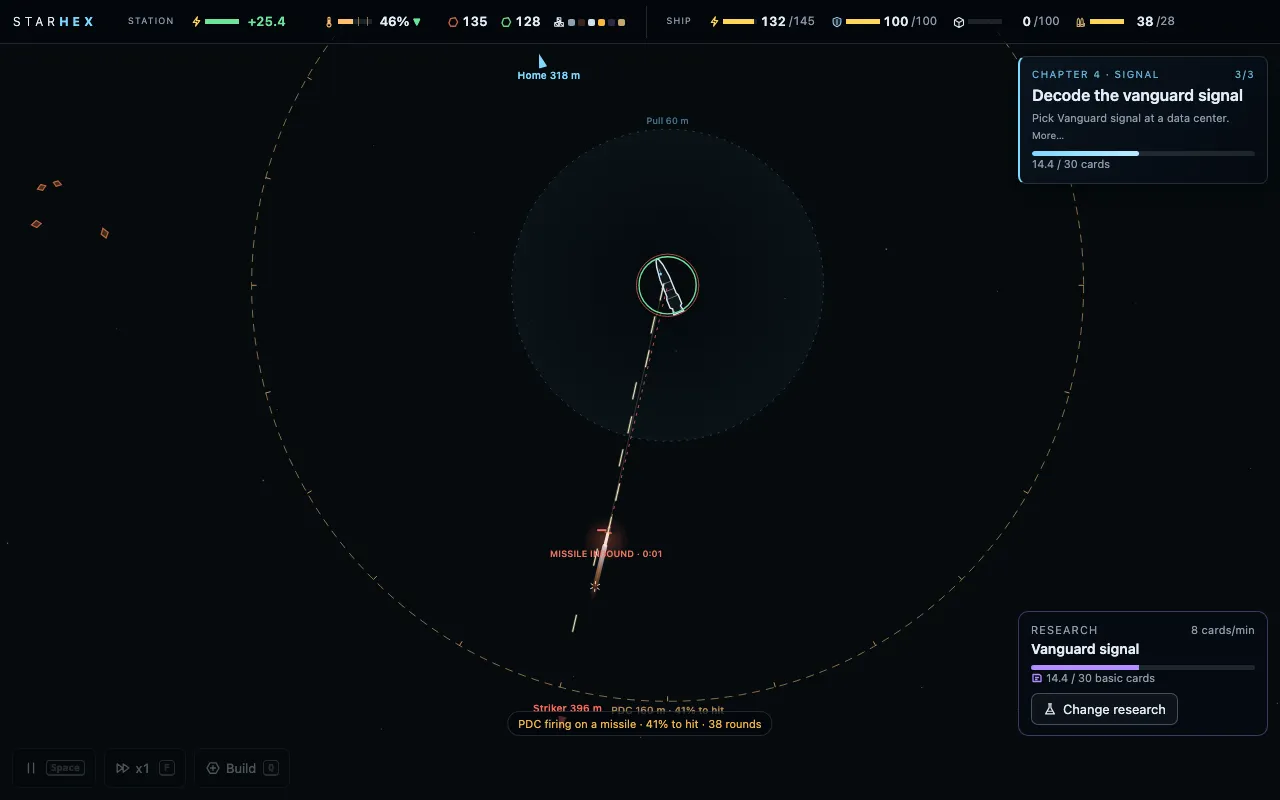 (open full size)
The point-defence gun as a continuous spray of tracers on an inbound missile. v137storyuiplaytest
An unknown contact
“the get past the sentinel text flickers. also it shouldn't read sentinel. it should just be red "unknown" or something like that”Kraig, 4:35 pm
“new PDC fire looks awesme”Kraig, 4:37 pm
Claude: The machine in the silicon field is now just an unknown contact: red "Unknown" on the goal card, on the map and on its off-screen marker. You learn what it is by fighting it. The threat box on the goal card was replaying its fade-in every time any line on the card changed, which made it flicker; it now fades in once.
- The sentinel shows as a red Unknown contact.
- The goal card's threat box no longer flickers.
v138combatbalanceplaytest
A turret that only just holds
“I think the station gun turret is a little overpowered. Maybe we should give it 10 rounds. And if it's being fed constantly, it has like a little bit more rounds, but it like should just barely be able to stop an asteroid. ... And also, the damage that the asteroids do when they hit isn't really that much.”Kraig, 4:45 pm
Claude: The station turret now holds 10 rounds, not 30, and reloads from the dock at half a round a second, not two. Fed, one turret only just brings down a rock; a second turret, or the ship's gun, is what holds a wave. Rocks that get through hit about twice as hard, and take a bit more shooting to break. On the test maps about a quarter of incoming rocks now reach the station.
- Turret: 10 rounds, slower reload.
- Rock impacts about twice the damage; rocks a little tougher.
- The drone brings turret ammo 4 at a time.
v139uiplaytest
One log
“I think we should move research completed to just a single log. In the top left, that sits in line in order with AI subtitles and just all station alerts and updates that just kind of fade. And if you hover over that area, they come up and you can scroll through the log. ... there shouldn't be a change research button. It should just minimize, make it a super simple box to the bottom right for research.”Kraig, 5:08 pm
Claude: Everything the game tells you now lands in one log in the top-left corner: Hope's lines typing out as she speaks them, the machine logs she translates in amber, research finished, rocks inbound, every alert and update. The last few lines show and fade. Hover over it, or tap on a phone, and the whole log opens with the time of each line, to scroll back through. The pop-ups in the middle of the screen are gone. With nothing to research, the research box shrinks to "Nothing picked" and the relic's progress, with no button.
- One log, top left, for Hope, alerts and updates; hover to scroll it.
- The middle-of-screen pop-ups moved into it.
- The research box shrinks when there's nothing to pick; finished research is in the log.
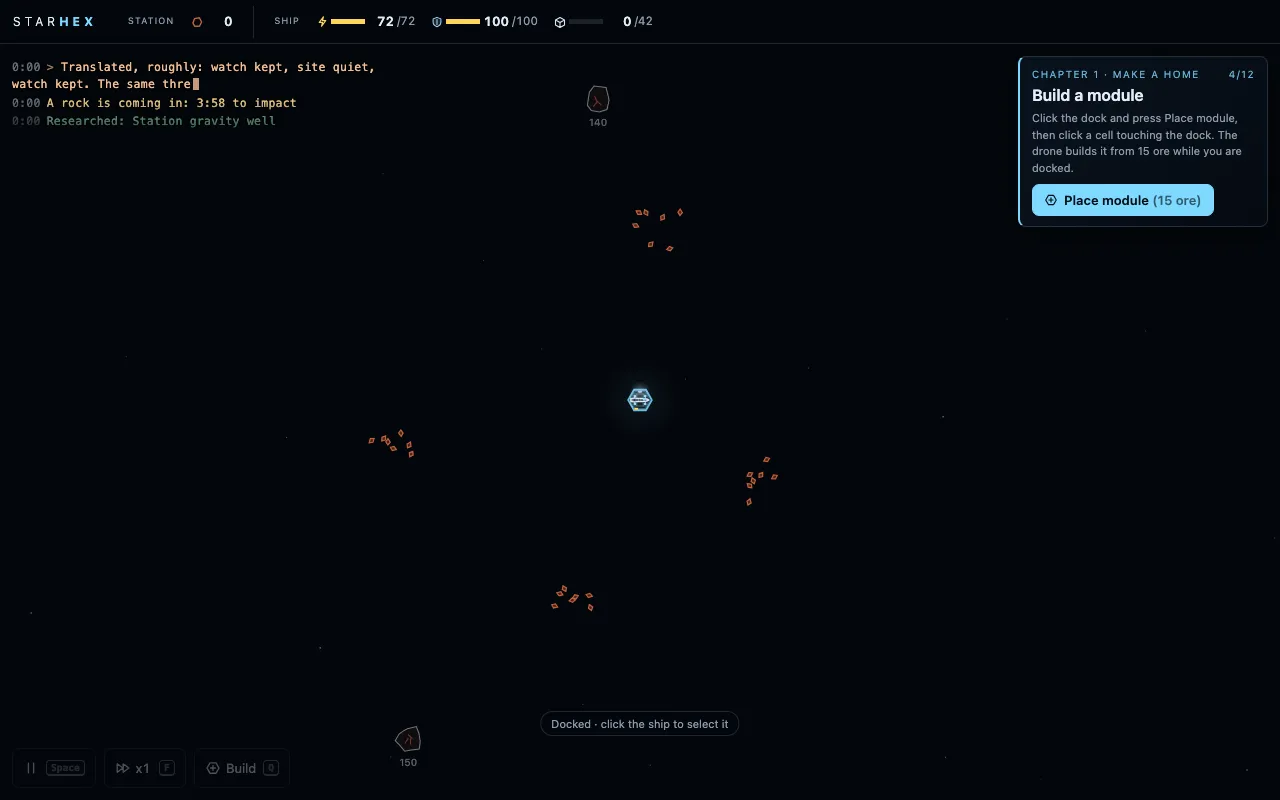 (open full size)
The one log, opened by hovering: every line with its time. v140combatstoryplaytest
The gun was the bait
“So the sentinel guarding the silicon is like a turret, and that's fine. We just go up and kill it. But then I feel like 3 ships should pop out and surprise us. Like, two missile corvettes and like one drone with lasers. Like, almost just enough for our ammo to take out”Kraig, 5:30 pm
“So for drone logistics, I feel like it should just happen automatically. I don't want an on or off. I don't want to have to pick like which item is droned in or not. If a building needs something, it either gets it by belting in or drone just automatically.”Kraig, 5:45 pm
Claude: Killing the gun in the silicon field now springs a trap. A few seconds later two missile corvettes and a laser drone come out of the rocks, and Hope says what we were all thinking: the gun was the bait. The corvettes hang back outside the ship's gun range and fire a three-missile salvo each, so the gun is busy shooting missiles down while the drone closes in. A full load of rounds only just covers it; on some test runs the ship limps home with a quarter of its hull. Drone logistics is automatic now too: the switches are gone, and whatever a module uses that no belt brings, the drone fetches.
- The sentinel's ambush: two missile corvettes and a laser drone.
- Drone logistics is automatic: no switches.
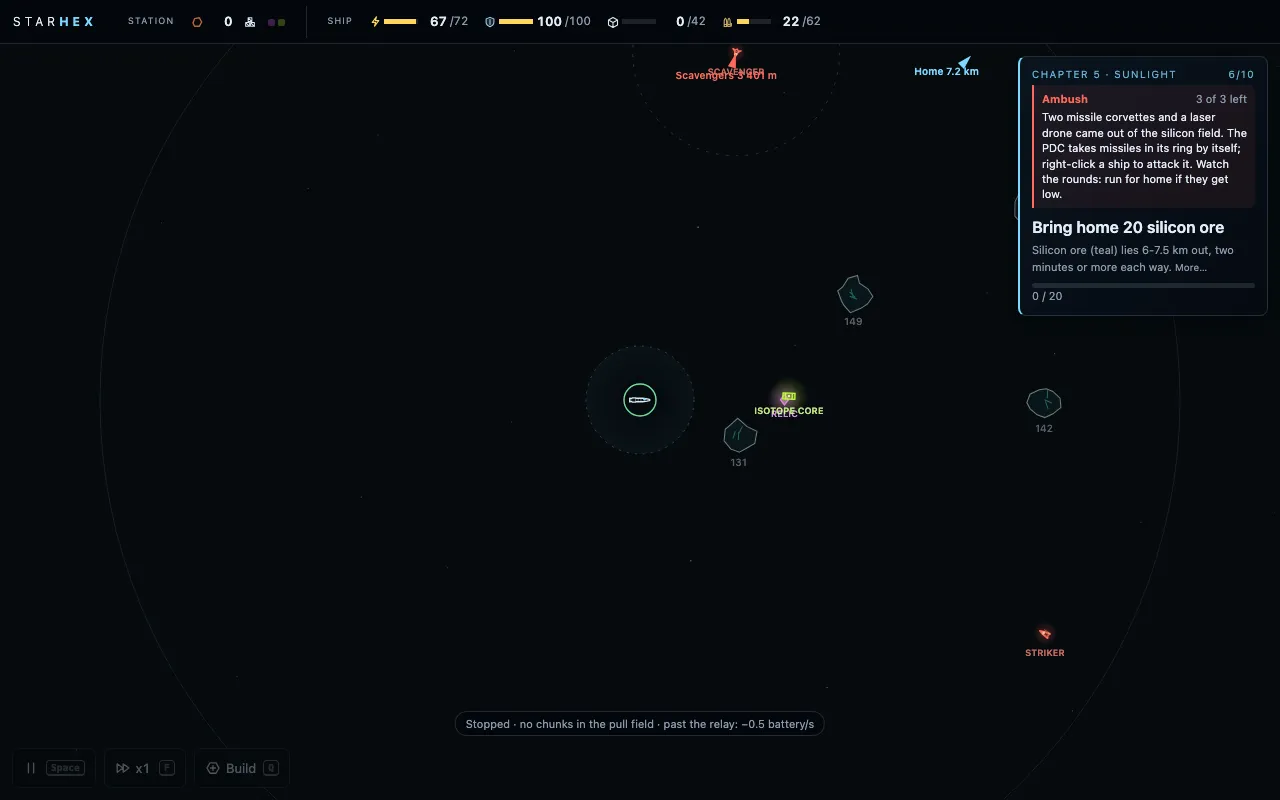 (open full size)
The sentinel down, the ambush springs. v141storyplaytest
The first dust
“I think we should have at least one dust storm happen before chapter 6. So like in chapter 2 or 3, there should just be a brief dust storm. So we're introduced to the concept and we don't fully understand why it matters until chapter 6.”Kraig, 6:08 pm
Claude: A couple of minutes into chapter 3, a short dust front blows through, warned first, the haze lighter than a real storm. Hope notices it and shrugs it off: on the RTG it can't touch us, but it's worth remembering if we ever run on sunlight. It changes nothing in play; it's a seed for chapters 5 and 6.
- A brief dust front in chapter 3.
v142uiplaytest
A fair drone, a quieter panel, a cleaner log
“the station drone was stuck just feeding the constructor for circuits, the wafers from the smelter, when there was a damage all over the station and repair packs are available ... So it shouldn't just be priority it should be priority in queue. So like if something's been waiting long enough in the drone queue for it to do, like it should increase its priority so that it happens eventually.”Kraig, 6:20 pm
“once a constructor or a building is doing something, it should just focus on that and not give this huge menu list of like other things that you could switch it to do.”Kraig, 6:30 pm
“top left log, should always be in like terminal font. And it shouldn't have like a backdrop or a box. It should always show the last log up there and then the next one faint and then when you hover over the last log the other logs below it ... and then you can also scroll”Kraig, 6:38 pm
Claude: Kraig's playtest recording explained the drone: fifteen repair packs made and none used, because the storms' dents were all small and the drone only mended a module once it was badly hurt. It now mends any dent (a part-used pack stays aboard for the next), and its jobs wait in a fair queue: each scores how long it has waited plus a head start for its kind, so nothing waits forever. Builds still come first. A module with a recipe picked now shows only that recipe, with a button to open the rest. The log lost its box: plain terminal type, the newest line on top and the one before it faint; hover, and older lines run on below to scroll through.
- The drone mends small dents and works a fair, aging queue.
- The recipe list folds once one is picked.
- The log: no box, newest on top, hover to scroll.
v143uiplaytest
The goal, and only the goal
“take out the AI quote and just have [ride] out a storm, keep the station a full power, dust front, like we should just have the AI subtitles in the log to the top left and the voice.”Kraig, 6:48 pm
“nothing picked makes me feel like there are research to do, but I haven't picked one. What's happening is there is no research. So that's what it should say.”Kraig, 6:52 pm
Claude: The goal card is now just the goal: its title, what to do, how it stands. Hope's line lives in the log, typed as she says it, and lands there even with the sound off. With nothing left to research, the research box says None available instead of Nothing picked.
- Hope's line off the goal card; it's in the log.
- The research box says None available when there's nothing to research.
v144combatstoryuiplaytest
Something in the dust
“in chapter 6, five out of six when we're [riding] out the big storm with our batteries charged, there should be like a big attack ... we should see it coming just a little bit, but and there should be like a voiceover line like, I don't see anything. But my sensors are picking up something. ... And then they appear.”Kraig, 7:00 pm
“I also think if an asteroid hits a module, it should take it out. It should destroy it.”Kraig, 7:05 pm
“with four gun turrets, the station pole, and the sensor. All of the line radiuses outside of these modules and stuff are starting to get a little complicated.”Kraig, 7:20 pm
Claude: Riding out a storm in chapter 6 now has company. Partway in, the sensors pick up contacts they can't resolve: red blips that won't hold still, out in the dust, and Hope says she can't see anything but her sensors are picking up something. Sixteen seconds later four raiders and a striker come out of the storm from that bearing, after the outer modules, while every round the turrets fire comes out of the batteries you're trying to ride it out on. From chapter 4 on, a rock that gets through takes out the module it hits. And the map is quieter: a turret's range ring only shows when it's selected or has something to shoot at.
- The storm attack in chapter 6's ride-out storm, sensor contacts first.
- A rock's direct hit knocks the module out, from chapter 4.
- Fewer range rings on the map.
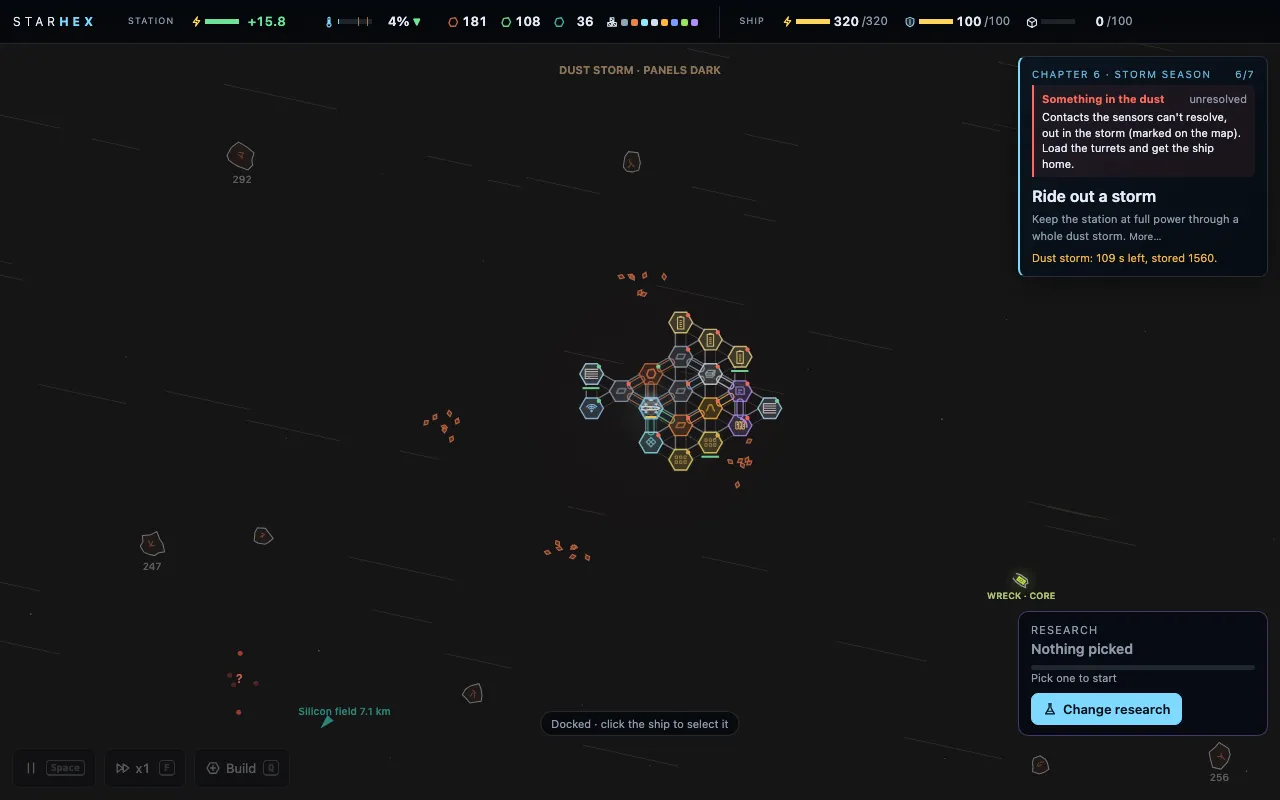 (open full size)
Contacts the sensors can’t resolve, out in the dust. v145systemscombatbalanceplaytest
Marks, a carrier, and rocks that bring what's short
“I want the research to enable me to select each smelter and upgrade it for a cost. And then it should go from like Mark 1 to Mark 2 to Mark 3. Same thing with belts.”Kraig, 5:00 pm
“I would like one even bigger ship. So the first introduction of the third class of ship, which is bigger, launches some drones and also launches a salvo. Our first salvo of missiles. So maybe two or three all at once.”Kraig, 7:35 pm
“I think we should put some copper in the rock inbound. I think that's a good way for us to auto-balance, like, depending on if we're missing one resource or not.”Kraig, 7:45 pm
Claude: Research no longer upgrades every smelter at once. It unlocks a Mark, and then you pick a module or a belt and buy its Mark II, III or IV yourself, on two tracks: speed, and storage, so a repair-pack maker that starts holding one pack can grow to hold twenty-five. Tougher hulls now just raises every module's hull, with no numbers across the station. Isotope cores are fuel that stacks: each one adds twelve minutes to the RTG, so fitting one early is never wasted, and the dock says how much is left. The great storm's raid gained a third class of ship, a carrier that hangs back out of turret range, launches drones and fires three missiles at once. Rocks coming in from chapter 4 on carry whichever ore the dock is short of. And a module a rock knocks out can always be patched back from ore, so losing the wire line never locks out the repair packs.
- Mark II-IV per module and belt: speed and storage.
- Tougher hulls raises hull only.
- Isotope cores stack as fuel; the dock shows fuel left.
- The carrier: drones and missile salvos in the great storm.
- Rocks inbound bring the ore that's short.
- A knocked-out module can be patched from ore.
v146systemsplaytest
Tugs
“what if the automated version of mining astroids is to have a drone go out and use thrusters to push the astorid toward the station, turrets take it out and the ore flows into the gravity well? flip and burn would have to happen. bigger rocks might take better drones or two or three at once. they coordinate their push. let's the frigate do more exploration and attacking”Kraig, 8:45 pm
“They could just be drones that the station uses. If the station needs ore and the research is done, they automine”Kraig, 8:50 pm
Claude: A chapter 5 research, Tug drones, gives the station two tugs of its own. When the dock runs low on an ore it has found, they fly out to the nearest rock of it, latch on side by side and burn it home: accelerate, flip at the halfway mark, brake, and hold it just off the station inside a turret's ring. The turrets chip it apart when nothing else needs shooting, and the chunks fall into the gravity well. Big rocks take both tugs; the biggest are too much for two. Raiders can shoot a tug, and a rock left without enough of them drifts at the station like any rock coming in. Mining on its own is the station's job now, which leaves the ship free to explore and fight.
- Tug drones: the station mines on its own, pushing rocks home with flip and burn.
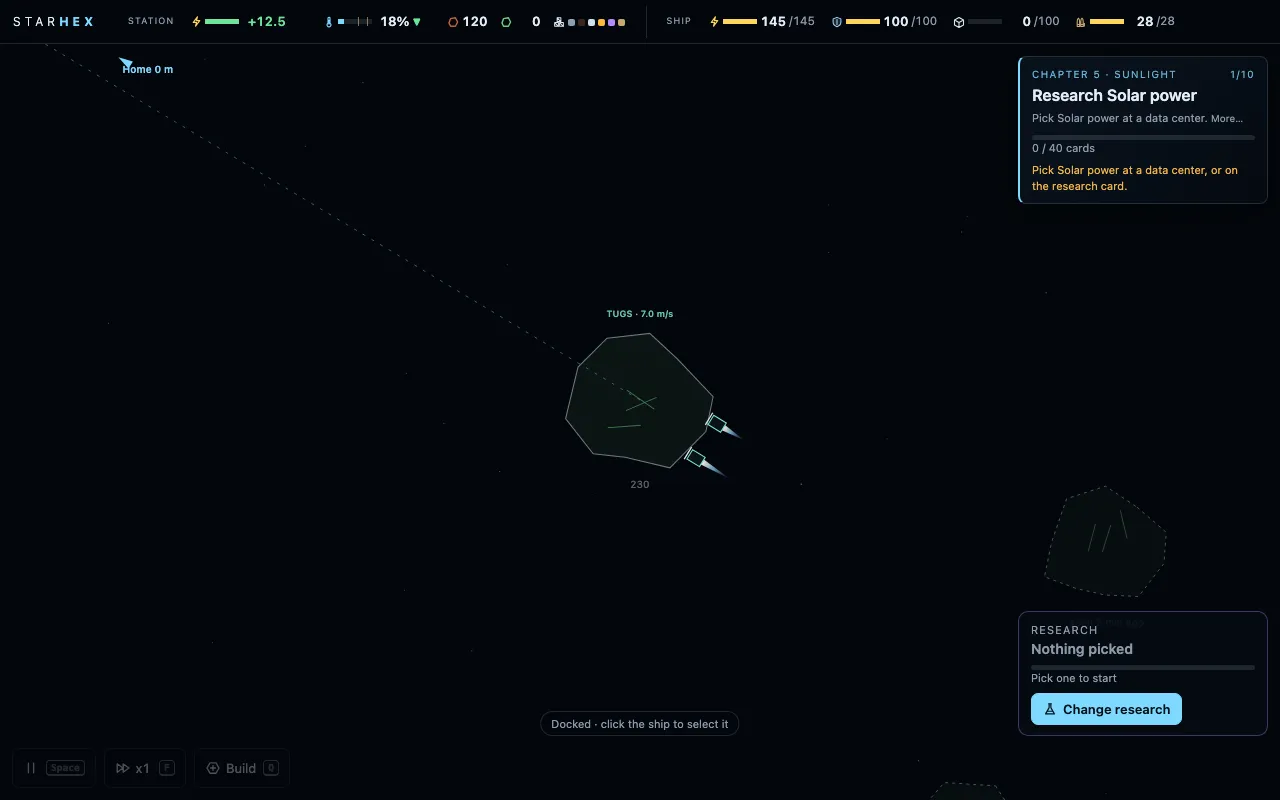 (open full size)
Two tugs burning a copper rock home. designplaytest
A side build to test free-form building
“there's also the possibility of breaking away from that and making more dynamic shapes, more interesting buildings ... I also like the idea of being able to click and drag belts to place modules kind of in any direction. I wouldn't want clipping, so there would have to be some mechanic to that”Kraig, 10:00 am
“Build the non-[hex] tile test. How does it work? A side html game just to test that doesn't mess up the main game?”Kraig, 9:05 pm
“Hex, plus dragged belts”Kraig, 12:00 am
“I think the fact that we tested the freeform with like a side build and then discovered that it wasn't the right direction is also good for the devlog to have”Kraig, 8:45 am
Claude: The hex grid runs deep in this game: belts between neighbours, struts, power, open sides, storm hits. Dropping it would mean rebuilding the station, so before deciding, Kraig asked for a throwaway side build he could feel for fifteen minutes. It was a separate page with its own save, chapters 1 and 2 only: modules placed anywhere and turned freely, overlaps shown in red, belts dragged any length and direction, priced by length, crossing each other on little bridges. Nothing in the real game changed. He played it through and picked neither extreme: keep the hex grid's clarity, and take the one thing the test proved, belts that reach across the station. That became v153. The free-form code is kept as a git tag, in case it's ever wanted again.
- A separate free-form building test, chapters 1-2, at its own link.
- Verdict: keep the hex grid, add dragged belts (built in v153).
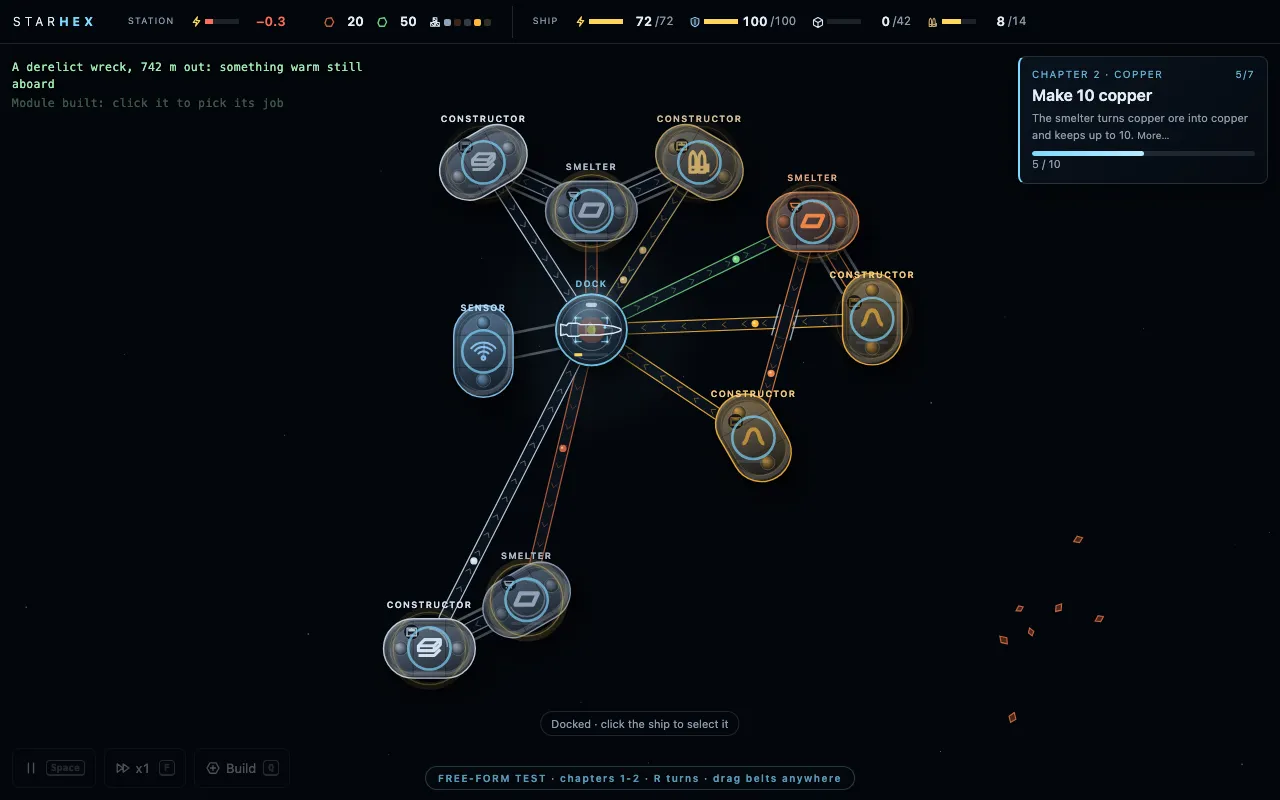 (open full size)
The side build: modules placed anywhere, belts dragged in any direction. 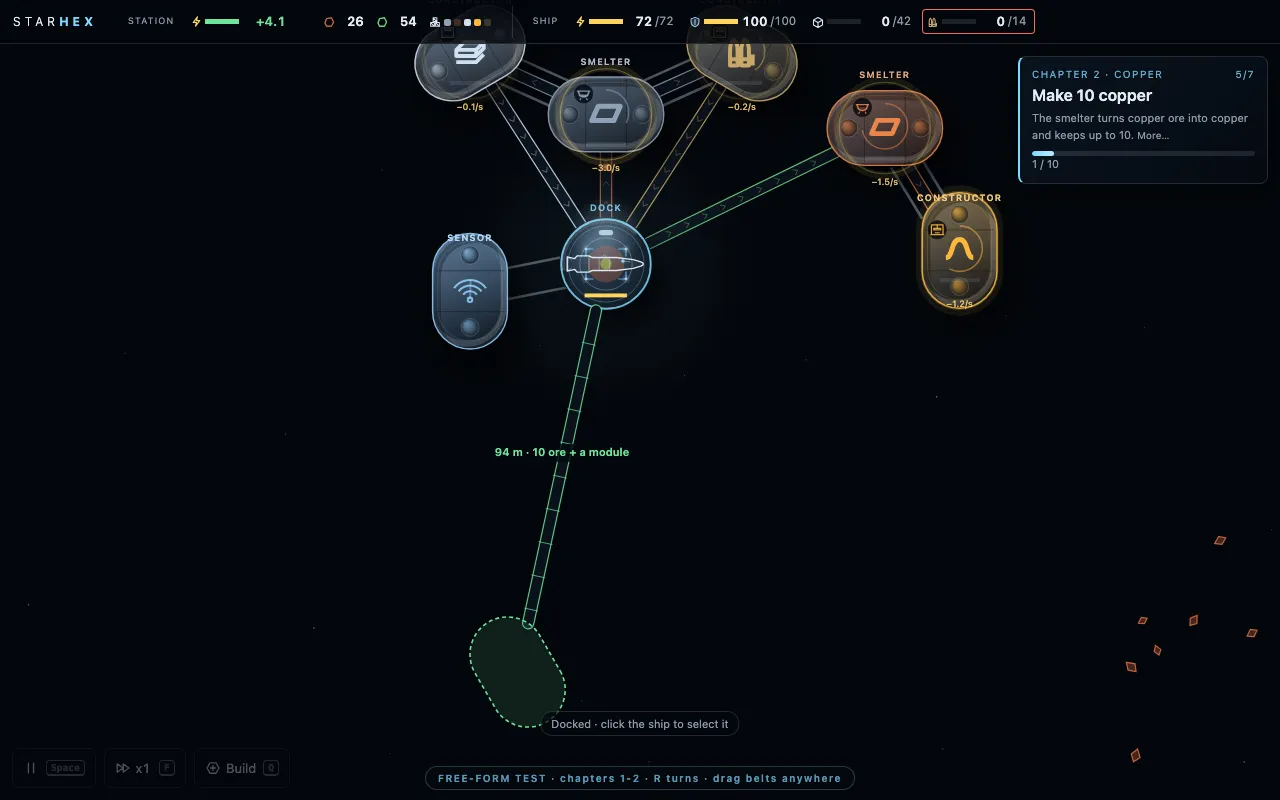 (open full size)
Dragging a belt out into space placed a module at its end. v147storysystemschapter 7
Chapter 7: the field runs dry
“So a comet passes and that also tells us what direction it came from so we reverse engineering path and we have to mind it”Kraig, 9:20 pm
“we need to make fuel so it has to be iron and oxygen so we make oxygen from water”Kraig, 9:25 pm
“Make it two chapters”Kraig, 9:35 pm
Claude: The game now goes past the great storm. Chapter 7 starts with a gauge on the goal card: the ore left in the field the tugs can reach, falling as they strip it, until they come back empty and Hope says what that means. Then a comet. She spots it four minutes out; it crosses the field fast, a couple of minutes in reach, and the ship has to match its speed and cut ice off it while it can, the tugs catching what breaks free. Its path, run backwards, becomes the course. The ice feeds a new chain: melted to water, split by an electrolyzer that vents its hydrogen, and the oxygen burned with iron into fuel cells. With forty stocked and the bearing known, the course is plotted, and chapter 8, the crossing, is next.
- Chapter 7: the field gauge, the comet, the ice, water, oxygen and fuel cell chain, the course plotted.
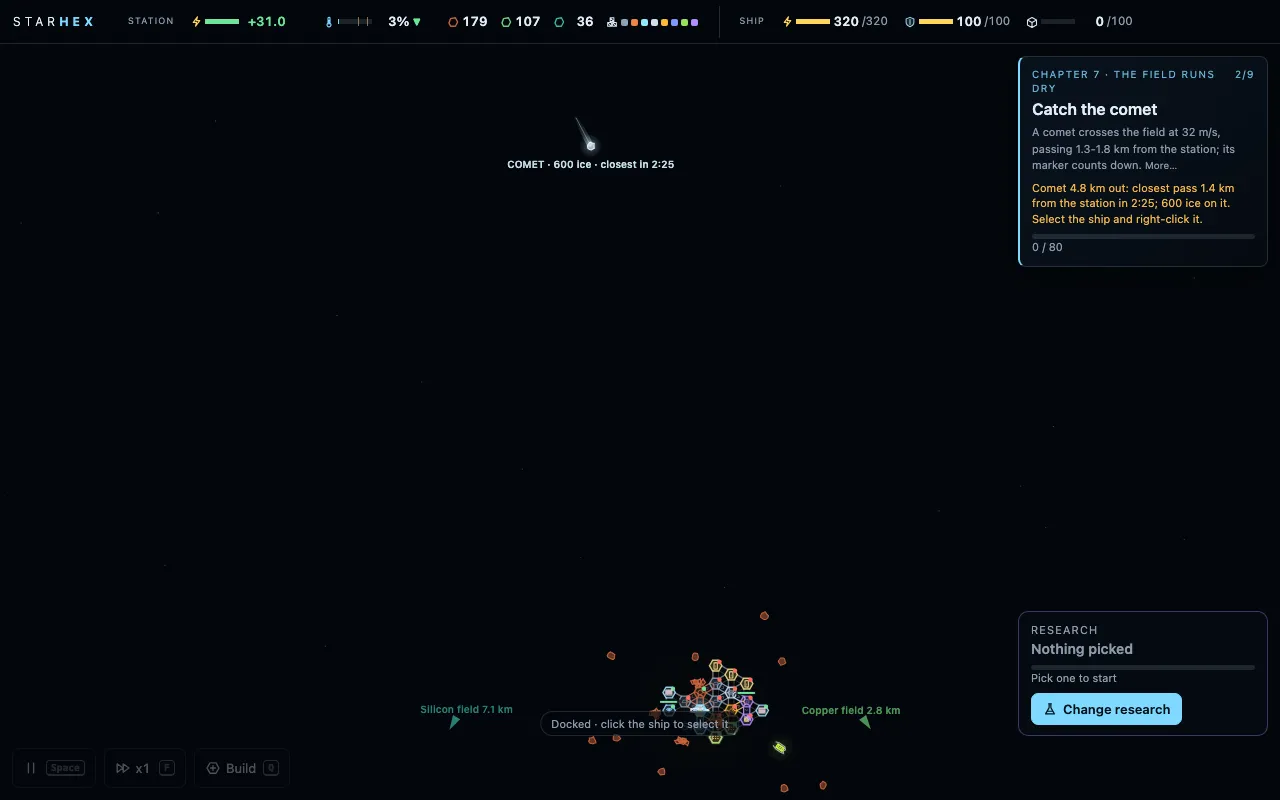 (open full size)
The comet, four minutes out. 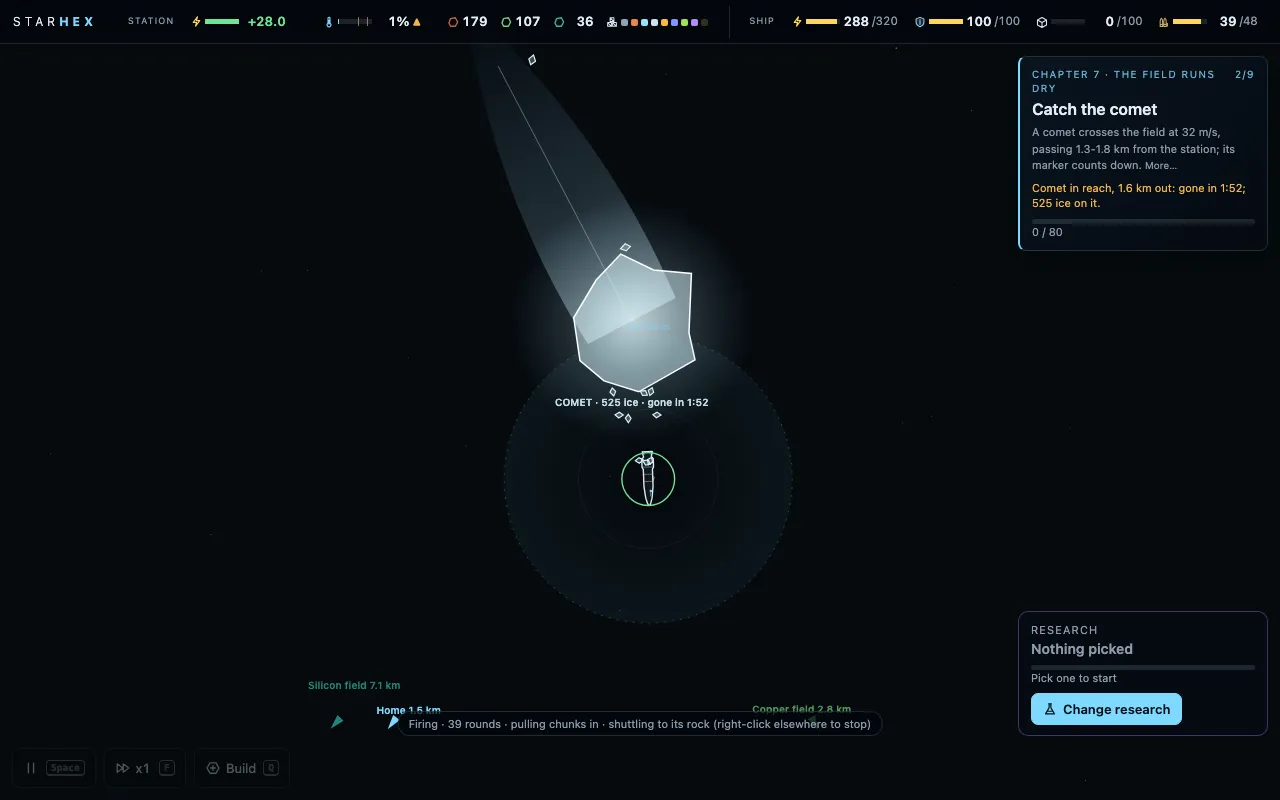 (open full size)
Matching the comet’s speed to cut ice off it. v148systemschapter 7
Pipes
“fluids have to transfer via pipe directly to each end of the chain. can't use drone logistics”Kraig, 10:45 pm
Claude: Water and oxygen are fluids now. They move only by pipe, straight from the module that makes them to one that uses them: never through the dock, a storage, a merger or a splitter, and never by drone. A pipe is drawn filled with its fluid, a streak running along it while it flows, a flange at each end, so it reads apart from a belt. A module emptied by a job change lets its fluid off.
- Water and oxygen go by pipe only, module to module.
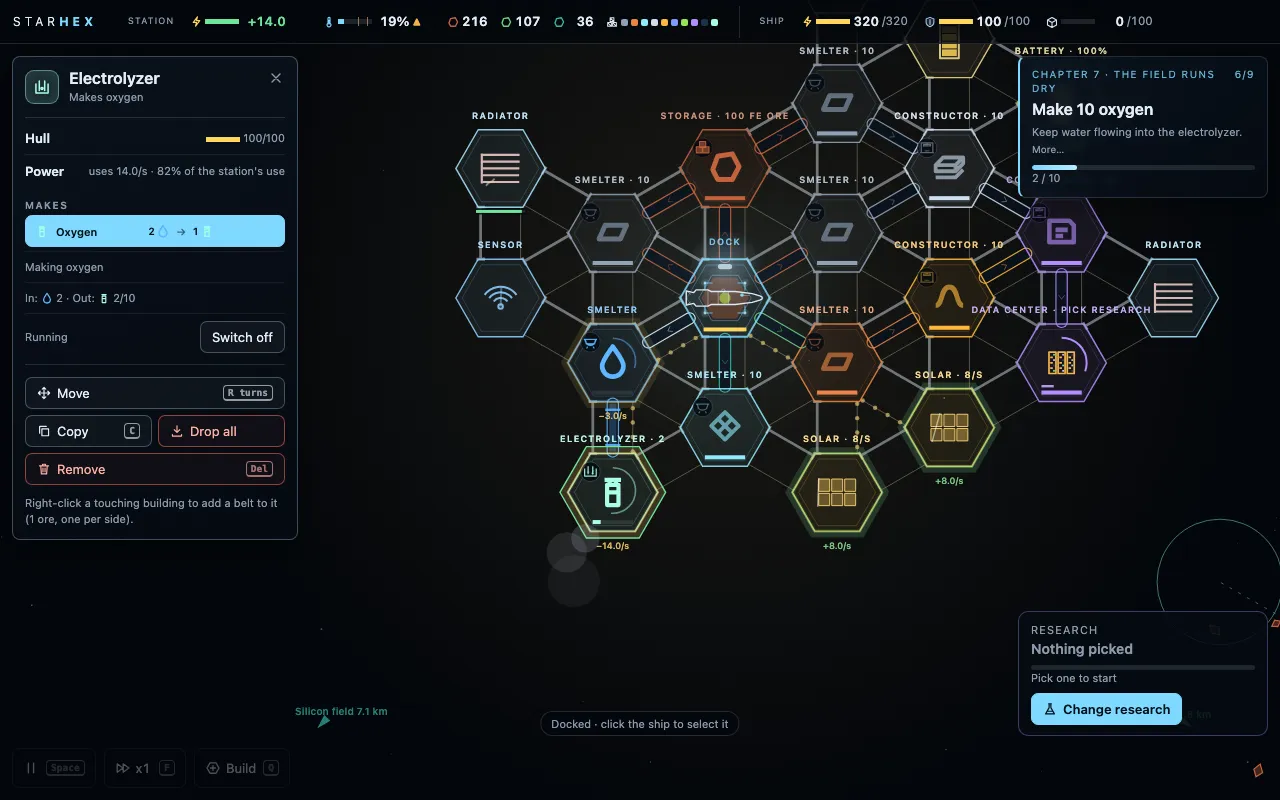 (open full size)
Water piped straight from the smelter to the electrolyzer. v149systemschapter 7
Liquids and gases
“we can have gas and liquid. both work the same”Kraig, 11:05 pm
Claude: Fluids now come in two kinds that work the same way: water is a liquid, oxygen a gas, both by pipe only. A gas pipe is drawn thinner and paler, its flow in small puffs; a liquid's fills the bore with a long streak.
- Water a liquid, oxygen a gas: both by pipe, drawn apart.
v150systemschapter 7
Storage for anything
“storage can hold one of any item in quantity. can store liquids and gases as well”Kraig, 11:12 pm
Claude: A storage can now hold any one item a belt or pipe carries, repair packs included, and liquids and gases too: a pipe can run into a storage and out of it, so water or oxygen can be banked between the module that makes it and the one that uses it.
- Storage holds any item, liquids and gases included; pipes run to and from it.
v151systemscombatvoiceperformance
Card tiers, a carrier to kill, a new voice
“we have the 3 card tiers and each new set of researches needs to higher card instead of a mix”Kraig, 11:30 pm
“Data centers upgrade to process higher cards.”Kraig, 11:32 pm
“i want the player to have to kill the carrier”Kraig, 11:40 pm
“i thought we were using elevenlabs for voice? i have a subscription so use the best VO tool we have.”Kraig, 11:41 pm
Claude: Research now climbs three data cards: the basic card, an advanced card made from a basic one plus a circuit and steel (from chapter 6), and a field card, an advanced one plus water (chapter 7). Each set of research takes its own tier. A data center's Mark is how far up it reads, and it holds only a few of each card. The great storm's carrier no longer leaves: it keeps firing salvos until the ship destroys it, and the chapter doesn't end until it's dead. Every one of Hope's lines was re-recorded on ElevenLabs' newest model, in the same voice, and the game file shrank from 11 MB to about 4 MB: the voice is stored as AAC and the code is minified.
- Three data card tiers; data center Marks read up to their tier.
- The carrier must be killed.
- Hope re-recorded on Eleven v4; the game is about 4 MB.
v152shipplaytest
The drone brings the rounds
“the station drone should be able to transfer amno from the constructor to the ship”Kraig, 12:10 am
Claude: When the ship is docked and short of rounds and the dock has none, the station's drone now flies a box of ten from the ammo constructor to the dock, and the ship loads them. A belt from the constructor to the dock still keeps it stocked without the trips.
- The drone ferries ammo from a constructor to the docked ship.
v153systemsuiplaytest
Belts any length
“Hex, plus dragged belts”Kraig, 12:00 am
Claude: After playing the free-form test, Kraig kept the hex grid but took its best idea: belts that reach any module, not only a neighbour. Drag from one building to another and a belt runs straight between them, up to 150 m, costing more ore and taking longer the further it goes. It can't run through a module, but it can cross another belt on a little bridge. The map is calmer too: labels that would overlap give way to the important ones, and a missile salvo shows as one warning. And the new systems teach themselves: the first time a Mark, a pipe, a tug or a long belt would help, a short hint says how.
- Dragged belts of any length on the hex grid, with bridges.
- Map labels no longer overlap; missile salvos share one label.
- First-time hints for Marks, storage, pipes, tugs and long belts.
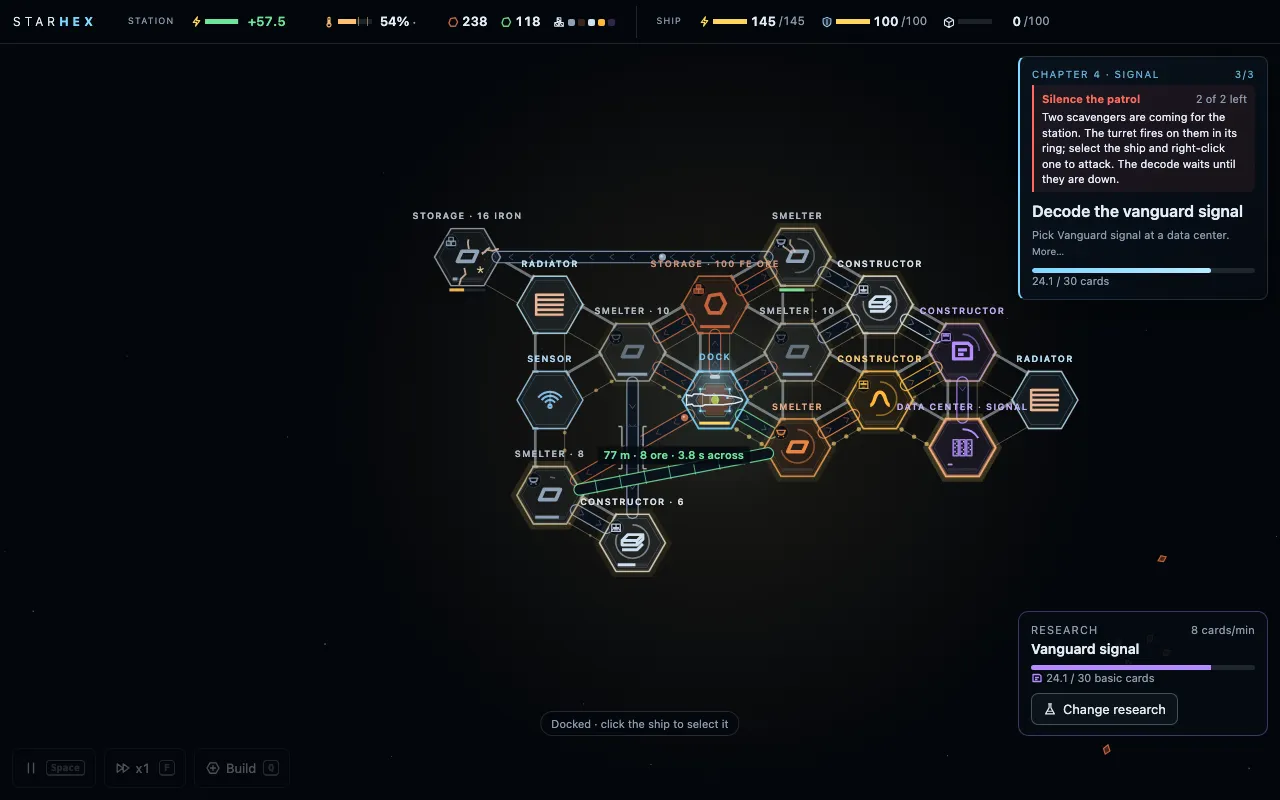 (open full size)
Dragging a long belt across the station. v154storysystemschapter 8
Chapter 8: the crossing
“So I want an engine module, but it can rotate so just one engine can rotate so I can do the Flippin burn”Kraig, 10:40 pm
“Flip and burn, defended”Kraig, 12:50 am
Claude: The station flies. Oxygen from chapter 7 is liquefied into LOX in a new, heat-hungry module; one engine goes on the station's edge with clear space behind its nozzle, fed fuel cells and liquid oxygen. Press Set out and the whole station slowly turns to point the engine back along the comet's trail, burns, coasts, turns end for end and brakes: about fifteen minutes with a full tank, longer and rougher on less. Everything keeps running on the way, and the old field falls behind. Machines follow: strikers and a carrier during the burn, raiders pacing the coast, the ship flying escort. At the far side a new ice field drifts into range, and past it, too big for the map, the sensors trace a vast dark shape. Hope is quiet for a moment, then names it: a gate-builder ruin.
- Chapter 8: the liquefier, the engine, the turning station, the flip and burn, the chase, the ruin at arrival.
- Hope's chapter 8 lines voiced on Eleven v4.
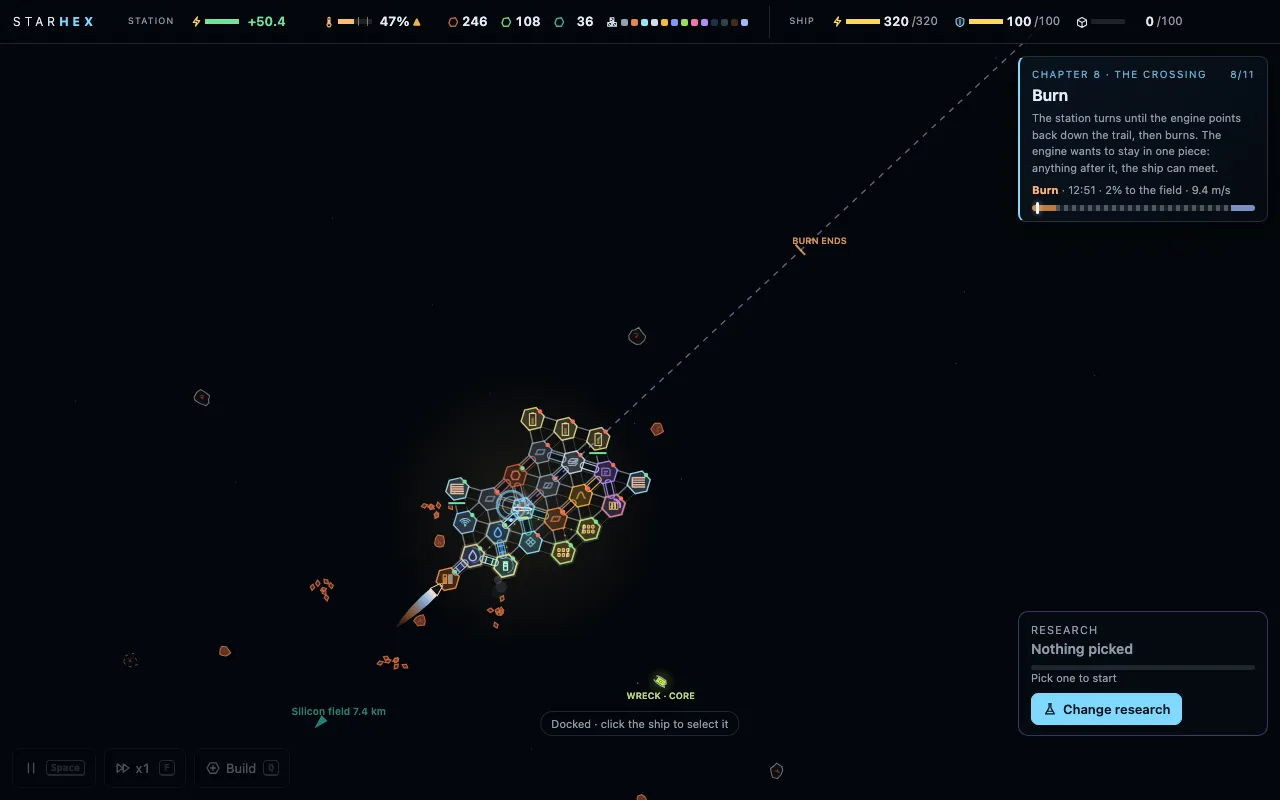 (open full size)
The station under way. 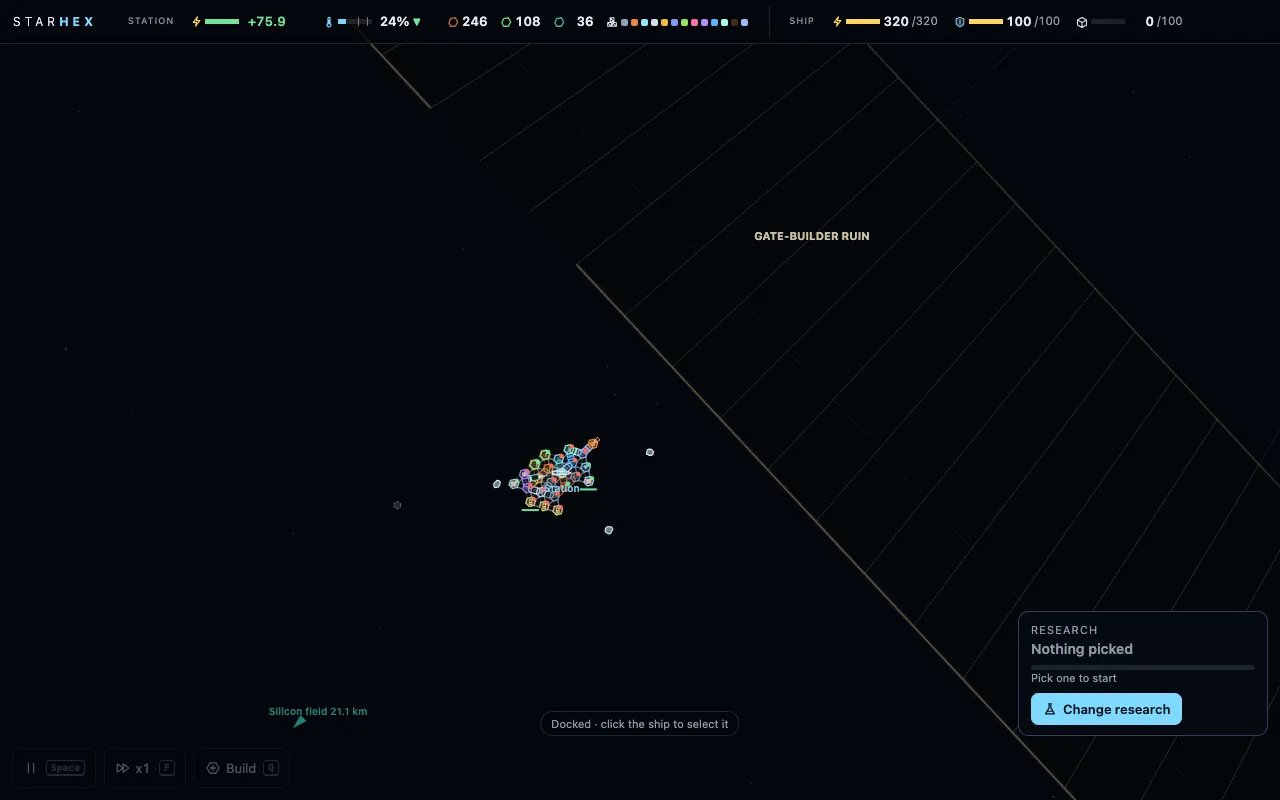 (open full size)
Arrival: something far too big for the map. v155systemscombat
No rounds in the dock
“the dock shouldn't hold amno anymore”Kraig, 12:35 am
Claude: The dock no longer holds ammo. When the ship is docked and short, the station's drone flies a box of rounds straight from the ammo constructor into it; turrets are fed by a belt from the constructor or a storage, or by the drone, from the very start of the game, and a turret that sees something coming tops up first. Belting ammo toward the dock is refused, with the reason why. The ammo constructor itself now keeps a bigger store, standing in for the old dock stock.
- The dock holds no ammo: the drone ferries rounds to the ship; turrets fed by belt or drone.
v156combat
The swarm and the lancer
“also make some more enemy units.”Kraig, 1:10 am
Claude: Two new machines from the roadmap. The swarm: eight to twelve tiny drones flying as one tight chevron, each killed by a single round, so turrets and the PDC rake them while they hold formation; hurt or close in, they scatter and nibble a module with short beams, much harder to catch. The lancer: a sniper that holds a kilometre out, past every ring, and charges a rail shot along a thin red line; the slug is instant, nothing can shoot it down, but a rock in the way takes it, and the ship closing in kills it. They appear from chapter 7, in chapter 8's chase, and in free play after.
- The swarm: formation flying, scatters when hurt.
- The lancer: a long-range rail sniper; cover or close in.
v157performanceui
Faster, and kinder on a phone
“are there efficiencies we can do to make the game run smaller and faster other than audio files?”Kraig, 12:20 am
Claude: A polish pass. The station's struts and hexes are now drawn once and reused until something changes, glows are made once instead of every frame, and the huge range rings only draw the part on screen: a big late-game station draws in about a third less time, nearly half less on a phone. On a phone the panels use the full width, the alerts stop covering the top bar, and every close button is big enough for a thumb. A new controls card, opened with the ? key or from the menu, lists every key and touch. And the two stretches that dragged in Kraig's playthrough are lighter: the vanguard decode draws less power, so the card line keeps up, and motors are quicker to make.
- About a third faster to draw on a big station.
- Phone layout fixes.
- A controls card (?).
- The decode and the motors goal lightened.
v158storybalanceplaytest
Hopewake
“i like hopewake but it's not quite there. we'll work on the rename more but you can switch the name to hopewake on everything now. i'll test the slower mk1 and see if it's too slow.”Kraig, 8:45 am
“i don't think we want to pursue the free form version. i think the ability to build belts further to connect modules still in the hex but farther works well.”Kraig, 8:45 am
Claude: The game has a working name: Hopewake. You play Hope, the seed pod's AI, and the whole game is a long wake kept over one sleeper. The name may still change, so the saves and the code's stored names stay as they were; the website moves to kraigadams.com/hopewake, and every old /starhex and /driftworks link leads there. For this build smelters and constructors at Mark I run 40% slower, so Mark II is worth wanting; Kraig is playtesting whether that's too slow. The free-form building test is retired: belts that reach across the hex grid gave most of what it offered.
- Renamed Hopewake (a working name); the site moves to /hopewake.
- Mark I smelters and constructors 40% slower, for the playtest.
- The free-form test retired.
Play the build
It runs in the browser on a computer, with a trackpad or mouse and a keyboard. It's an early build: it changes every day and saves can reset between versions. Tell me what felt good and what didn't.